

A single source document can spawn articles, charts, and presentation decks — but only if there’s a verified factual foundation to start from. The more reliable approach is to verify the source material first, then generate different outputs based on what each audience needs. OpenAI released GPT-6.2 Astra and Sol on November 17, 2026, and the official release page mentions template adherence along with the ability to work with documents, slides, and spreadsheets. But turning those capabilities into dependable deliverables still comes down to the tool environment, how you organize your source material, and verifying things item by item.
What you’ll learn from this article
- Which facts about multi-format work the official GPT-6.2 Astra and Sol release page actually confirms, and which are just customer feedback.
- Why “multi-format delivery” depends on the tool environment rather than the model spitting out files directly.
- A workflow method that starts from a factual foundation and branches into articles, charts, and slides according to reader purpose.
- What to verify for each type of output, and how to keep multiple outputs version-consistent.
Article index
The sections below start with a concept table and an impact overview to build up your basic understanding, then in the “Objective facts” section lay out the information from the GPT-6.2 release page and help pages item by item, flagging the source and its nature. The “Analysis and judgment” section is editorial advice: 5 steps and a risk checklist built around the GPT-6.2 multi-format workflow, and a must-read for anyone getting ready to bring AI into their content production process.
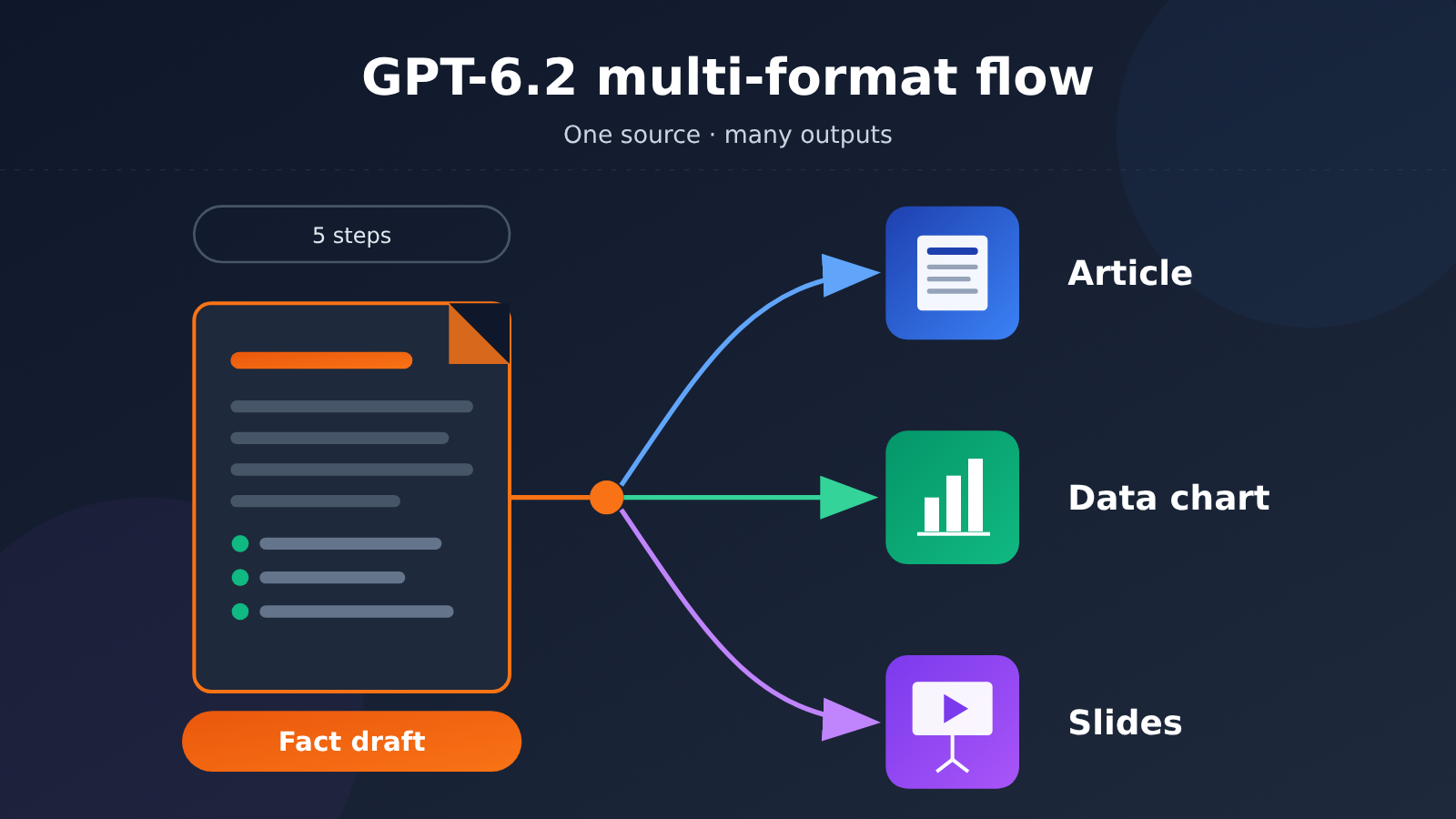
GPT-6.2 Multi-format Workflow To Know: Concepts Explained
You’ll see the concepts below pop up again and again throughout this article, so here’s a single table to get everyone on the same page.
| Concept | Brief explanation |
|---|---|
| GPT-6.2 Astra / Sol | Two models OpenAI released on 2026-11-17; this article draws on the official launch page, model docs, and help pages |
| Template adherence | The model’s ability to organize its output according to a given layout, structure, or format spec—the launch page lists this as one of the highlights |
| Tool environment | The programs or product features outside the model that generate, render, and save files, such as document editors and slide renderers |
| Fact sheet | The working method this article proposes: organize the facts, sources, dates, units, and uncertainties from your source material into a structured checklist, item by item |
| Multi-format delivery | The process of producing different forms of output—articles, charts, presentations, and so on—from the same source material |
| Phased rollout | New models don’t go live on every entry point at once; they’re opened up gradually by product channel and user scope |
GPT-6.2 Multi-format Workflow Impact at a Glance
This release doesn’t affect every group the same way. The table below lists only the differences we have evidence for.
| Audience | Main impact | Points to watch |
|---|---|---|
| Content creators | The template adherence and document capabilities the official announcement emphasizes could make reusing one draft across formats smoother | Standard Chat wasn’t rolled out in this round, so confirm which entry point you’re using |
| Knowledge workers | Briefs, spreadsheets, and slide-type tasks are directions the launch page explicitly mentions | Finished files depend on the tool environment and shouldn’t be treated as native model output |
| Developers | The API has been released; account access and limits are subject to the official platform | Model output is text, so you’ll need to build the rendering step yourself if you want file generation |
| Team managers | You can redesign your collaborative workflow around “one set of materials, multiple deliverables” | Numbers and citations still need human review for consistency across deliverables |
1. Objective Facts: What the Official Examples Actually Show
Verification date: November 18, 2026. The examples below come from the OpenAI announcement page — these are not hands-on tests by the author of this article.
1.1 Two Traceable Categories of Official Deliverables
| Official Example | Input and Requirements | Deliverables Shown | Takeaway for Multi-Format Work |
|---|---|---|---|
| Alderfen Field Systems financial workbook | Financial statements, operating assumptions, and market data for a fictional agtech company | Editable Excel forecasting and valuation workbook | Numbers, assumptions, and calculation relationships should be traceable |
| Animal-themed team swag proposal | OpenAI’s public slide template plus design requirements from four teams | Themed proposal slides, vector design files, and production notes | The same project can be organized into different deliverables — one for discussion, one for execution |
OpenAI also cites IMC’s feedback on the brief and infographic. That’s customer testimonial, not a test result from this article. These are separate tasks, not a single experiment where “one set of materials generates an article, charts, and a PPT in one click.”
1.2 File Capabilities and Product Entry Points
The GPT-6.2 Astra model documentation lists text and image input with text output. Generating editable files still requires tools provided by the product, or file generation and rendering pipelines set up by developers — a single text response is not an accepted deliverable.
The Work and Codex help page makes clear that this phased rollout does not include the regular Chat model selector. The announcement also confirms that the API already offers the two new models. Before you start, check the account permissions and tool capabilities of the specific product you’re using.
2. Analysis and Judgment: 5 Steps to Turn a Source Document into an Article, Chart, and Presentation
The following is editorial advice, not an official statement. This article does not actually invoke GPT-6.2 to produce a complete set of deliverables; the examples below only illustrate the organizational logic and do not represent any actual generated output. To avoid inventing numbers, we use the “GPT-6.2 launch” source document itself as the structural example.
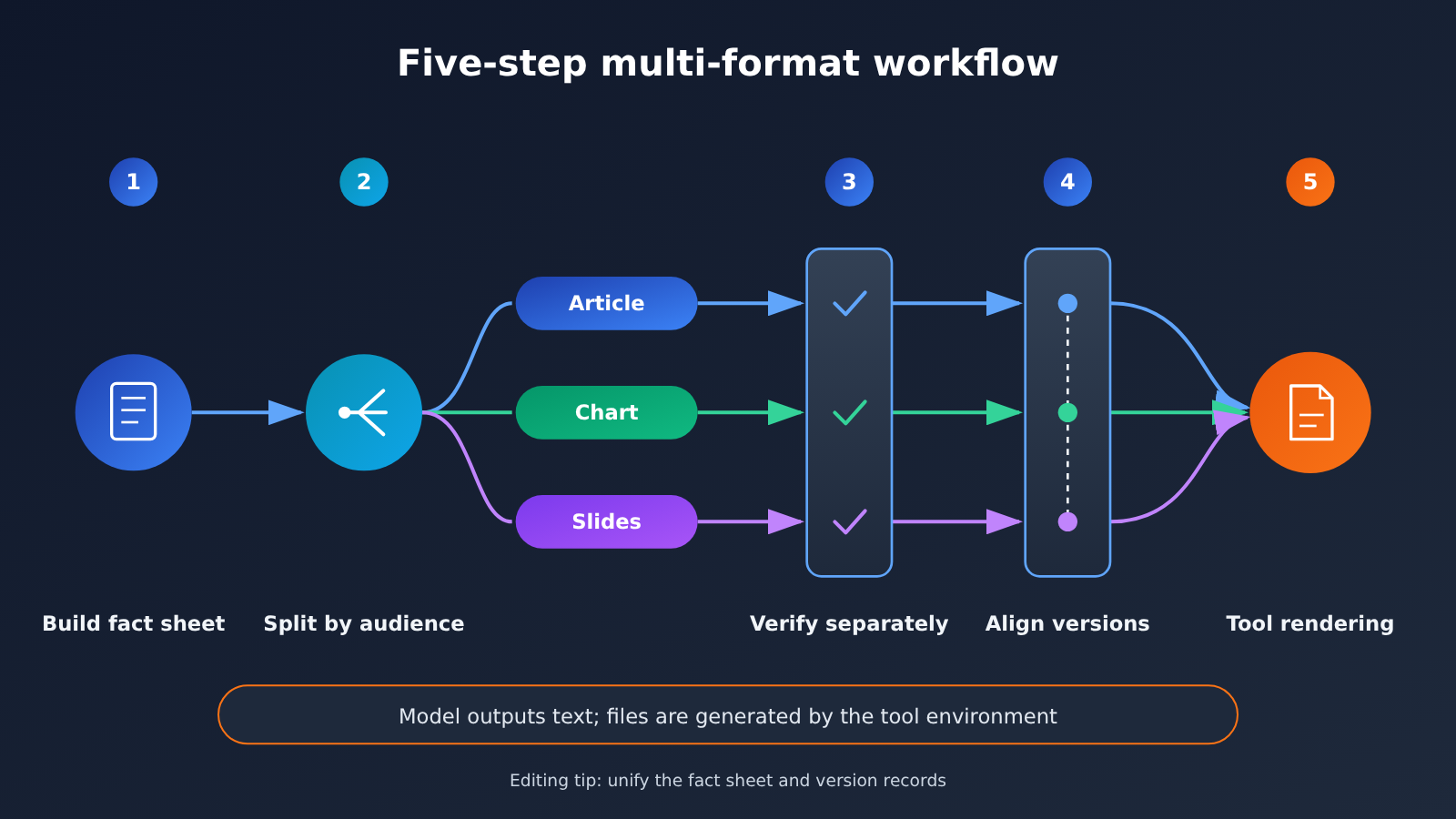
2.1 Establish a fact base for the GPT-6.2 multi-format workflow
Errors in multi-format deliverables are often not writing problems; they happen because the source facts were never pinned down. A good first move is to break the source material into individual facts, with each one recording its source, date, unit, and uncertainty. Once the fact base is set, every downstream deliverable draws only from it instead of going back to the original source material separately.
| Fact | Source | Date | Unit | Uncertainty |
|---|---|---|---|---|
| OpenAI releases GPT-6.2 Astra and Sol | Official release page | 2026-11-17 | None | Low |
| Official mention of template adherence and document/slides/spreadsheet capabilities | Official release page | 2026-11-17 | None | Promotional description; results need independent verification |
| IMC feedback on the brief and infographic | Cited on release page | 2026-11-17 | None | Single customer feedback; cannot be generalized |
| Standard Chat not launched in this round | Help page | Verified 2026-11-18 | None | May change later |
| Work/Codex rolling out gradually; API already released | Help page and release announcement | Verified 2026-11-18 | None | Timing of availability varies by account |
In this example, the “Unit” column is “None” across the board, but in source material that includes prices, user counts, or performance data, that is exactly the field most likely to go wrong when you transcribe facts into a chart. The “Uncertainty” column, meanwhile, determines whether a fact is allowed onto the conclusion slide.
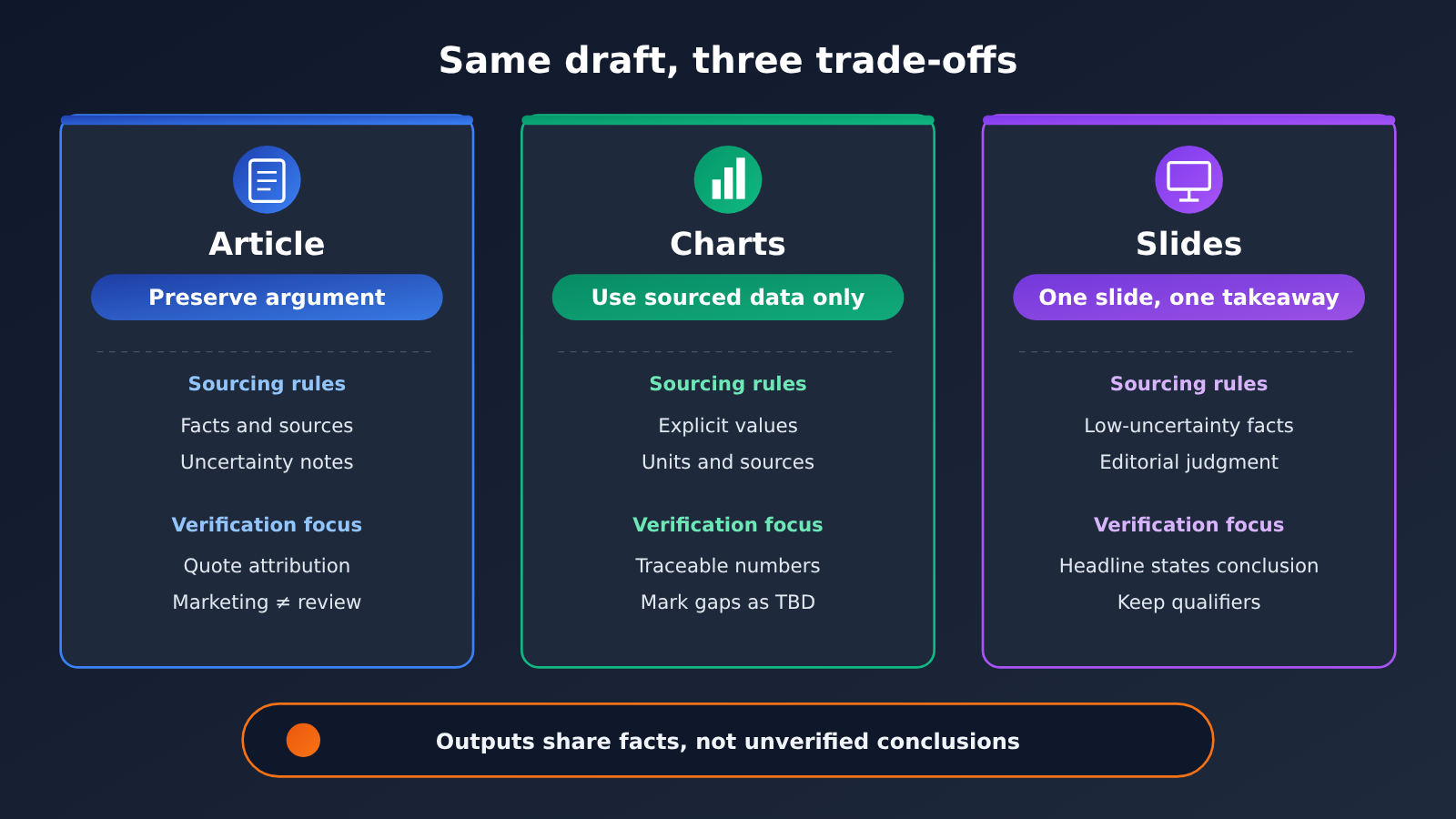
不同读者的关注点不同,所以即使共用同一份底稿,也应该针对他们做出不同的取舍。文章读者愿意跟随推理过程;图表读者只想快速看清数据之间的关系;幻灯片听众则需要每页一个明确的结论。
| Artifact | Core principle | What to take from the draft | Common risk |
|---|---|---|---|
| Article | Keep the argument | Facts + sources + uncertainty notes | Presenting promotional copy as evaluation findings |
| Chart | Only present sourced data | Items with clear values, units, and sources | Filling missing data with “plausible-looking” numbers |
| Slides | One conclusion per page | Low-uncertainty facts + editorial judgment | Dropping qualifiers during compression |
Take the sample draft used in this article: it contains no numeric facts at all, so it is not suitable for a data chart. A timeline or a diagram showing which channels are open would fit much better. This point matters: if you force the model to “make a comparison chart,” you may push it to invent numbers that aren’t in the source material.
Editorial tip: State in the prompt “use only the items in the draft, and mark missing data as to be added,” and keep a source list for each artifact.
2.3 Separately Verify the Numbers, Citations, and Layout in GPT-6.2 Outputs
The three types of deliverables need different verification focus, so it’s best to handle them separately instead of just doing one pass of “it looks fine overall.”
- Number check: Every value in the charts should map to a corresponding entry in the source draft, with matching units and dates.
- Citation check: Any statement in the article that references IMC feedback must retain the attribution “customer feedback cited on the release page.”
- Format check: Are the slide titles the conclusion itself? Were the template elements followed correctly? The template-following capability that the official materials emphasize is exactly what this step needs to check in practice.
- Boundary check: None of the deliverables should contain statements like “standard Chat is already available” that contradict the help page.
2.4 Align Versions Across the Article, Charts, and Presentation
The sneakiest problem in multi-format work is version drift: you change a phrase in the article, but the slides are still on the old version. It’s a good idea to add a version number to the source draft and record, in each deliverable, which draft version it’s based on. When the availability status on the help page changes, you only need to update the source draft, then use the version numbers to batch-check which deliverables need to be synced.
2.5 Generate the Files, Then Check What’s Actually Delivered
When you have a development environment, you can first have the model return the article body, chart specifications, and a page-by-page outline, then hand those off to the document, charting, and slide tools. When you’re using Work, explicitly ask for editable files and spell out the template, fonts, and page ratio. What’s described here is a suggested workflow—no calls were executed and no attachments were generated.
A task description you can copy:
Please use only the verified facts in the attached draft. First list the missing information, then prepare three things separately: an article that keeps the argument and sources intact; a chart plan that uses only existing data; a presentation outline with one conclusion per page. When there’s no numerical data, use a relationship diagram instead of inventing a bar chart. Label every output with the draft version. Once the files are done, report what can’t be verified—don’t call an unfinished part finished.
After the files are generated, run one more round of acceptance: open the document and check the paragraphs and pagination, open the charts and verify the axes and labels, and go through the slides page by page looking for overflow, occlusion, and missing fonts. Cross-checking the source data is no substitute for these post-render checks.
2.6 Risks and Acceptance Criteria
When you turn official capability descriptions into a team process, several categories of risk are worth writing into the guidelines ahead of time.
- Confusing marketing with evaluation: Neither the capability descriptions on the launch page nor the IMC feedback count as independent evaluation, so it’s better not to describe them as “proven” in external content.
- Channel misjudgment: The regular Chat isn’t live in this round. If team members work through different entry points, they may not be getting the same model.
- Misjudging file capabilities: The model outputs text, and file quality depends heavily on the rendering tool and the template itself.
- The risk of filling in numbers: When the materials lack data, asking for a chart is the easiest way to introduce unsourced figures.
- Timeliness risk: A phased rollout means the status will change, so any availability information in the draft should note the date it was verified.
Content creators can start by locking down the draft and the citations; knowledge workers can run their own company’s templates through it to check the actual layout; developers should split model invocation, file generation, and acceptance into separate stages. It’s worth tracking pilot results with three metrics: the number of factual corrections, the number of layout reworks, and whether the final editable file passes acceptance. That’s how you judge whether a new model genuinely improves your work rather than just adding more outputs.
Model capabilities keep improving, but the sequence—”pin down the facts first, then branch out by reader, and finally verify item by item”—won’t change because of any model. The more powerful the tools, the more you need a clear method for organizing your materials to harness them. As the saying goes, “To do a good job, one must first sharpen one’s tools” (Analects, Wei Ling Gong).


