
Author’s note: Using the LaunchBrief briefing Agent as an example, this walks through the Google Workspace MCP migration path in four steps: choosing an entry point, configuring OAuth, making three categories of read-only calls, and acceptance testing.
Summary: This article explains how to migrate an Agent that reads Gmail, Drive, and Calendar from hand-written REST calls to the official Google Workspace MCP — exposing read-only permissions only.
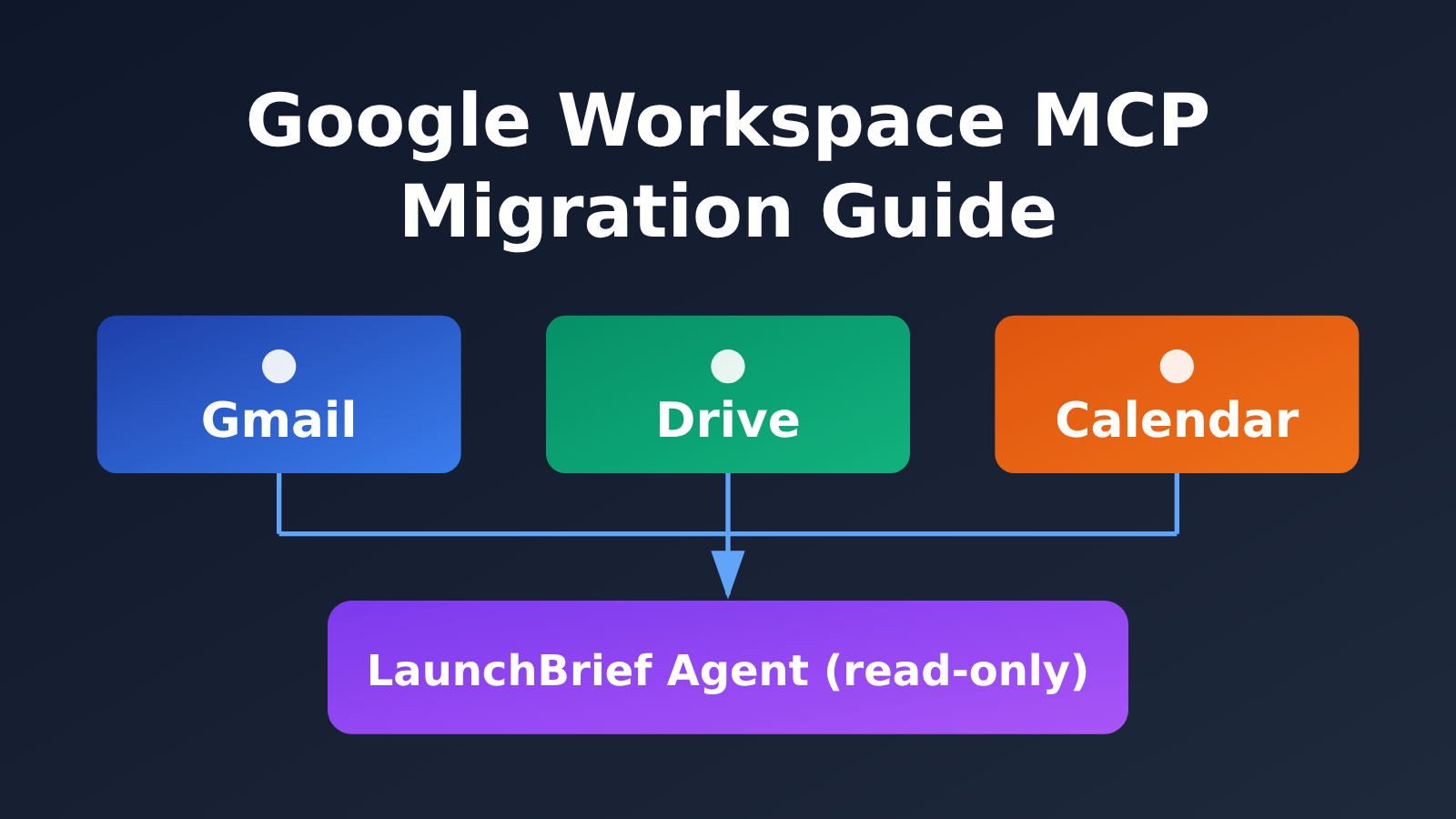
Bottom line up front: Web or cloud ADK Agents should connect to the remote Streamable HTTP MCP service. For terminal or VM scenarios, use the official gwscli — note that this is a different thing from the community project gws. The migration order is fixed at four steps: first enable the 6 APIs in a test project; then create a separate OAuth client for the Agent and check the AI Agent purpose; then allow only the read-only tools search_threads/get_thread, search_files, and list_events per service; finally validate with test data, and only then switch over to limited real traffic.
The configuration and parameters in this article come from Google’s official Codelab and MCP tool documentation — we haven’t deployed it to a production environment. The code is a reasonable starting point, but cross-check field names against the official docs before you go live.
Knowledge Map: The Full Google Workspace MCP Migration Flow
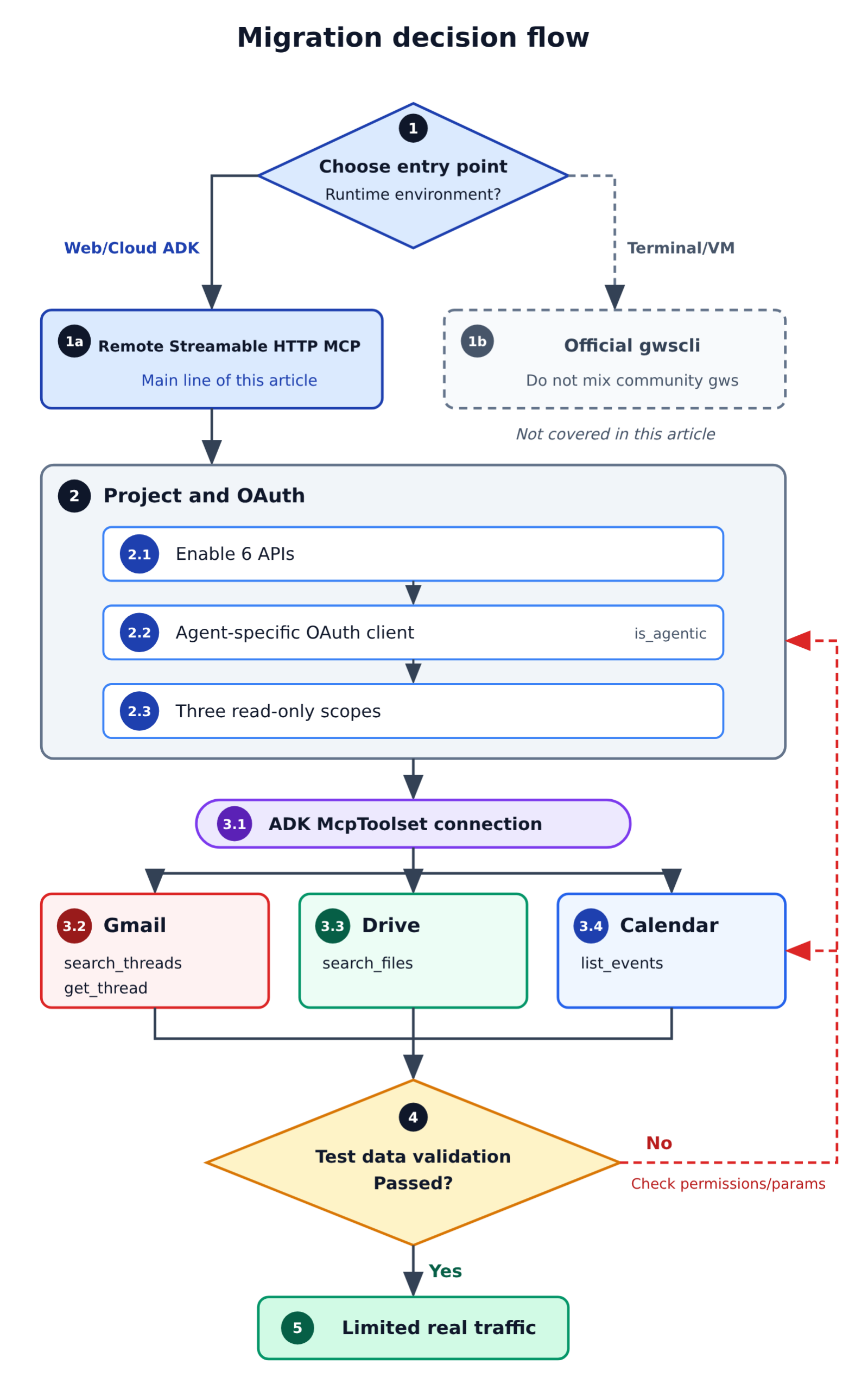
Caption: The entry-point decision (Section 1) determines whether you’ll take the remote MCP route later on. The project and OAuth setup in Section 2 is a prerequisite for every call. The three call types in Section 3 are parallel to each other, so you can read them as needed. If acceptance fails in Section 4, go back to Section 2 or Section 3 to troubleshoot.
Index: Google Workspace MCP Integration Section Order
| No. | Section | What It Provides for the Next Step | Expected Outcome |
|---|---|---|---|
| 1 | Choose the entry point | Determines the connection method | You don’t pick the wrong toolchain |
| 2.1–2.3 | Project, OAuth, scopes | Usable tokens and permission boundaries | The agent only gets read-only access |
| 3.1 | ADK connection | A unified toolset object | All three services can be invoked |
| 3.2–3.4 | Gmail / Drive / Calendar | Query parameters and checkpoints for each service | You get verifiable responses |
| 4 | Validation and traffic cutover | Go-live criteria | Real traffic migrates in a controlled way |
Sections 3.2 through 3.4 can be consulted as needed; everything else should be completed in order.
To Know: Google Workspace MCP Terminology
| Term | Plain-English Explanation |
|---|---|
| MCP | Model Context Protocol, a protocol that lets models call external services in the form of “tools” |
| Streamable HTTP | MCP’s remote transport mode; the agent connects to the server over HTTP |
| ADK | Google’s Agent Development Kit; McpToolset is the component within it that connects to MCP |
| ADC | Application Default Credentials, the default credentials provided by gcloud during local development |
| scope | OAuth authorization scope, which determines what data the token can read and write |
1. Choosing the Right Google Workspace MCP Entry Point
Before migrating, figure out where the Agent actually runs. ADK Agents running in a web app or in the cloud are better served by the remote Streamable HTTP MCP, where each Workspace service has its own MCP endpoint. If it’s driven by scripts or command-line tools inside a terminal or VM, go with the official gwscli.
A common mix-up is treating the community-maintained gws as the official CLI. They differ in installation, authentication, and who maintains them—so the docs you find while troubleshooting won’t line up.
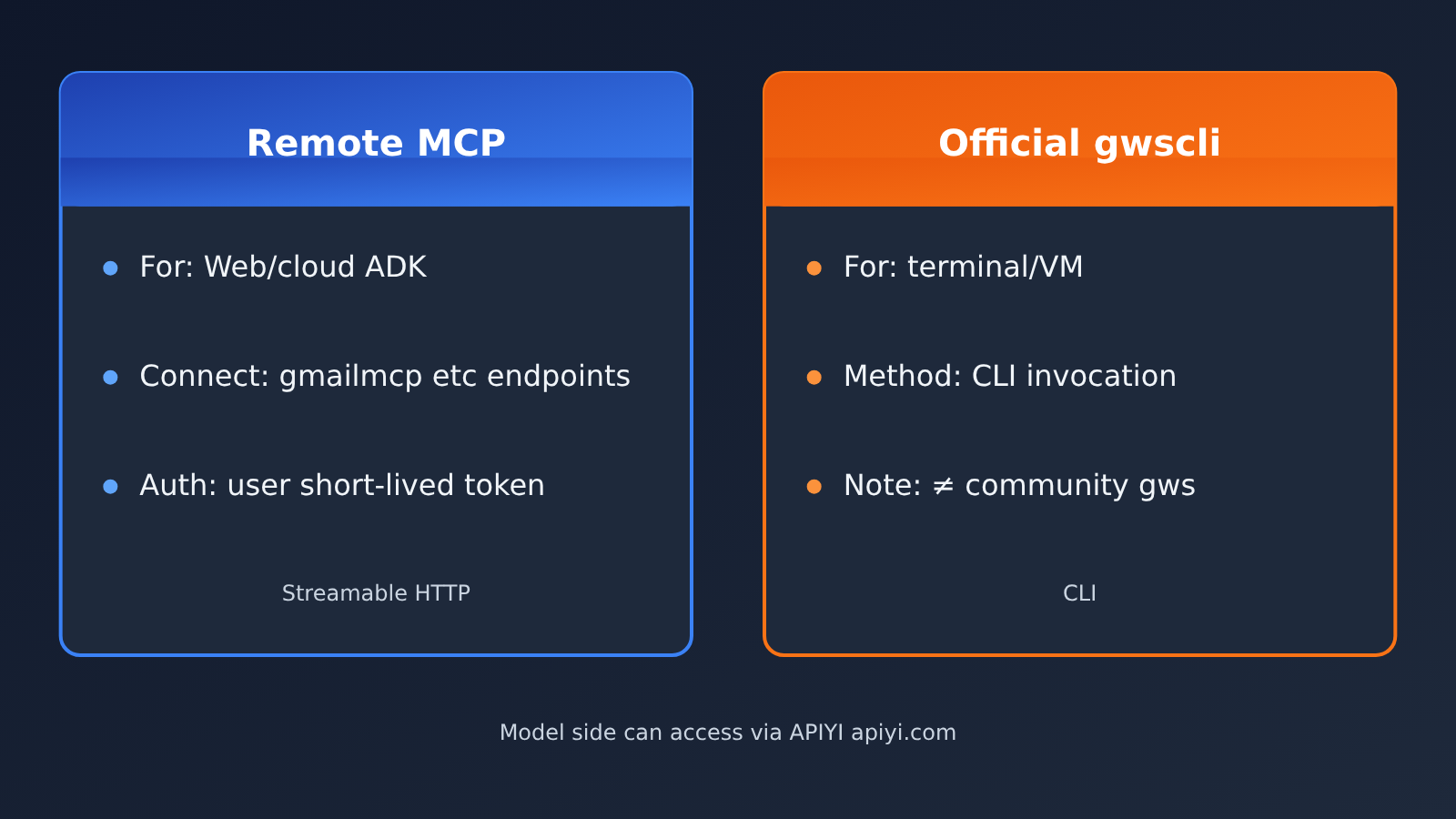
| Dimension | Remote Streamable HTTP MCP | Official gwscli |
|---|---|---|
| Typical environment | Web apps, cloud ADK Agents | Local terminal, VM |
| Integration form | McpToolset connects to an MCP endpoint |
Command-line tool |
| Token source | Production supplies a short-lived token per current user | Local machine authentication |
| Common pitfalls | Don’t connect directly to the old REST and wrap tools yourself | Don’t mix it up with the community gws |
| Model side | Any compatible model, e.g. called via APIYI apiyi.com | Independent of the model |
Reference source: Workspace CLI guide: developers.google.com/workspace/guides/workspace-cli
2. Configure the Google Workspace MCP Project and OAuth
2.1 Enable APIs for Gmail, Drive, and Calendar
Do this in a test project — don’t modify production directly. For each service, you need to enable both the original API and its corresponding MCP API. Enabling only one of the two will cause calls to fail.
| Service | Original API | MCP API |
|---|---|---|
| Gmail | gmail.googleapis.com |
gmailmcp.googleapis.com |
| Drive | drive.googleapis.com |
drivemcp.googleapis.com |
| Calendar | calendar-json.googleapis.com |
calendarmcp.googleapis.com |
gcloud services enable \
  gmail.googleapis.com gmailmcp.googleapis.com \
  drive.googleapis.com drivemcp.googleapis.com \
  calendar-json.googleapis.com calendarmcp.googleapis.com
Reference: Configure MCP servers: developers.google.com/workspace/guides/configure-mcp-servers
2.2 Create a Separate OAuth Client for the Agent
Don’t reuse the OAuth client from an old web app. Create a new client specifically for the agent and check Use this client for an AI-powered agent, which maps to the is_agentic field. Having a dedicated client makes it easier to audit and revoke on its own, and it keeps agent traffic separate from human activity.
2.3 Minimum Scopes for Google Workspace MCP
LaunchBrief only needs to read information, so request just these three scopes:
https://www.googleapis.com/auth/gmail.readonlyhttps://www.googleapis.com/auth/drive.metadata.readonlyhttps://www.googleapis.com/auth/calendar.events.readonly
For Drive, we’re using metadata.readonly here, which means the agent can only see file metadata and can’t read the actual content. Don’t configure any ability to send email or share files in this example. If you do end up needing write operations later, the user must confirm before anything is executed.
3. Calling Gmail, Drive, and Calendar MCP with ADK
3.1 Connecting via ADK McpToolset
Gmail’s service endpoint looks like https://gmailmcp.googleapis.com/mcp/v1. Drive and Calendar use drivemcp and calendarmcp as hostnames — check the configuration docs for the exact addresses. Create one McpToolset per service and use tool_filter to allow only read-only tools. The code below is taken from the Codelab and hasn’t been validated in production.
import google.auth, google.auth.transport.requests
from google.adk.agents import LlmAgent
from google.adk.models.lite_llm import LiteLlm
from google.adk.tools.mcp_tool import McpToolset, StreamableHTTPConnectionParams

SCOPES = ["https://www.googleapis.com/auth/gmail.readonly",
          "https://www.googleapis.com/auth/drive.metadata.readonly",
          "https://www.googleapis.com/auth/calendar.events.readonly"]

def adc_headers(_ctx):  # local dev: refresh ADC; in production, switch to the current user's short-lived token
    creds, _ = google.auth.default(scopes=SCOPES)
    creds.refresh(google.auth.transport.requests.Request())
    return {"Authorization": f"Bearer {creds.token}"}  # never print this or write it to logs

def toolset(host, tools):
    return McpToolset(
        connection_params=StreamableHTTPConnectionParams(url=f"https://{host}/mcp/v1"),
        tool_filter=tools, header_provider=adc_headers)

agent = LlmAgent(
    name="launchbrief",
    model=LiteLlm(model="openai/gpt-4o-mini",
                  api_base="https://api.apiyi.com/v1", api_key="YOUR_API_KEY"),
    instruction="只读汇总 LaunchBrief 相关邮件、文件与日程,不执行任何发送或分享。",
    tools=[toolset("gmailmcp.googleapis.com", ["search_threads", "get_thread"]),
           toolset("drivemcp.googleapis.com", ["search_files"]),
           toolset("calendarmcp.googleapis.com", ["list_events"])])
View the production hardening notes (including model-side config)
import os

# 1. Model side: read the key from environment variables, never hardcode it
MODEL = LiteLlm(
    model="openai/gpt-4o-mini",
    api_base="https://api.apiyi.com/v1",   # APIYI OpenAI-compatible endpoint
    api_key=os.environ["APIYI_API_KEY"],
)

# 2. Token side: get the current user's short-lived access token from the session context
def user_headers(ctx):
    token = ctx.state.get("user_access_token")  # written by your OAuth callback
    if not token:
        raise PermissionError("缺少用户授权,请重新登录")
    return {"Authorization": f"Bearer {token}"}

# 3. Allow only read-only tools; add no send / share tools
Suggestion: The agent’s model side and the Workspace data side are two independent pieces. Using the free trial credits on APIYI apiyi.com, you can take the same Key and rotate through GPT, Claude, and Gemini on the same batch of LaunchBrief tests to compare how reliably each one calls tools.
3.2 Gmail search_threads: Querying and Verifying
On the Gmail side, start with search_threads to find threads, then use get_thread to read the details of a single thread when needed.
{"query": "subject:LaunchBrief", "pageSize": 5}
There are two things to verify: whether the returned thread IDs can be read successfully by get_thread, and whether a pagination token exists when there are more than 5 results, and whether paging through causes duplicate or missing threads.
Reference source: search_threads: developers.google.com/workspace/gmail/api/reference/mcp/tools_list/search_threads
3.3 Drive search_files: Querying and Verifying
{"query": "title contains 'LaunchBrief'", "excludeContentSnippets": true}
Setting excludeContentSnippets=true makes the results come back without body snippets, which aligns with the permission boundary of drive.metadata.readonly. When verifying, check metadata such as file name, owner, and modification time, and confirm that the test account can only search for files it has permission to access.
Reference source: search_files: developers.google.com/workspace/drive/api/reference/mcp/tools_list/search_files
3.4 Calendar list_events Query and Verification
Calendar uses startTime and endTime to define the time window, with the timezone consistently set to Asia/Shanghai. For exact field names, refer to the tool documentation.
{"startTime": "2026-12-01T00:00:00+08:00",
 "endTime": "2026-12-07T23:59:59+08:00",
 "timeZone": "Asia/Shanghai"}
There are four things to verify: whether event start and end times are correct, whether the timezone gets converted to UTC and displays out of alignment, whether event IDs are stable, and whether pagination is complete.
Reference: list_events: developers.google.com/workspace/calendar/api/v3/reference/mcp/tools_list/list_events
4. Google Workspace MCP Migration Acceptance and Traffic Cutover
First prepare test accounts and test data: a few emails with LaunchBrief in the subject, several files with the same name, and several calendar events within one week. Once everything passes the checks in the table below, switch to limited real traffic.
| Service | Tool | Pass conditions |
|---|---|---|
| Gmail | search_threads / get_thread | Thread ID can be read; pagination has no duplicates or omissions |
| Drive | search_files | Returns only metadata; permission scope is correct |
| Calendar | list_events | Time, timezone, ID, and pagination are all correct |
| Global | — | No tokens or keys in logs; no send or share tools in the tool list |
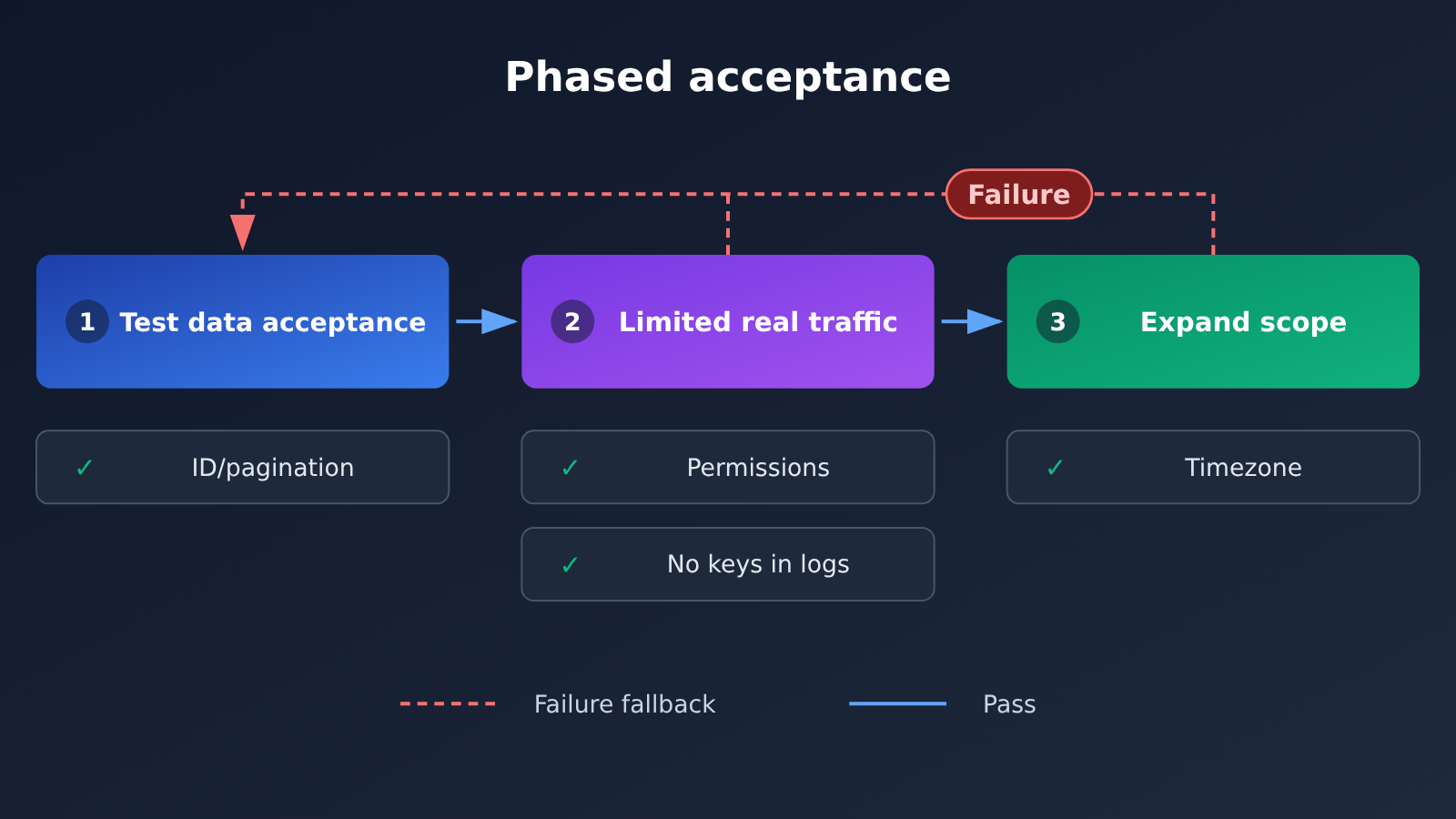
During traffic cutover, keep the old REST path for a while as a fallback. If the new path has permission or pagination issues, you can switch back to the old path immediately.
Common Questions (FAQ)
Q1: What’s the difference between Google Workspace MCP and calling the Gmail/Drive/Calendar REST APIs directly?
MCP exposes capabilities as standardized tools that an agent can discover and call on its own, so you don’t have to write a function wrapper for every endpoint. It still relies on the underlying APIs, so you need to enable both kinds of APIs.
Q2: Can I keep using the OAuth client from my old app?
Not recommended. Create a separate client for the agent and check the AI Agent use case (is_agentic) — that makes auditing, scoping permissions, and revoking access much easier.
Q3: Are gwscli and gws the same tool?
No. gwscli is the official CLI from Google, while gws is a community project. Don’t mix them up when you’re reading docs or troubleshooting.
Q4: Which Large Language Model should the agent use?
MCP isn’t tied to any particular model, and ADK can connect to any OpenAI-compatible model. With APIYI apiyi.com you can switch between several models using a single key, then compare tool-calling accuracy on the LaunchBrief test set.
Q5: It works locally — how do I handle tokens in production?
The ADC refresh logic is only meant for local development. In production, issue a short-lived access token for each logged-in user, and keep tokens and model keys out of your logs. Model-side keys should live in environment variables too — for example, a key generated in the APIYI apiyi.com console.
Q6: What are the known limitations?
The example parameters in this article come from the official docs and haven’t been validated in production. Remote MCP endpoints and tool fields may change between versions, so re-check the docs before you go live. Any sensitive operation — sending, sharing, and so on — needs a user confirmation step.
References
- Google Workspace MCP + ADK Codelab: codelabs.developers.google.com/google-workspace-mcp-adk
- Configure Workspace MCP servers: developers.google.com/workspace/guides/configure-mcp-servers
- Workspace CLI guide: developers.google.com/workspace/guides/workspace-cli
Once you’ve completed the acceptance checklist in Section 4, your LaunchBrief Agent will have a read-only, auditable, and rollback-ready migration foundation in place. For model selection, you can run a comparison round on APIYI apiyi.com using trial credits first, then decide on your production plan.
Author: APIYI Technical Team
Technical discussion: Feel free to reach out to us via the APIYI apiyi.com homepage. For more integration guides, check out the documentation center.


