
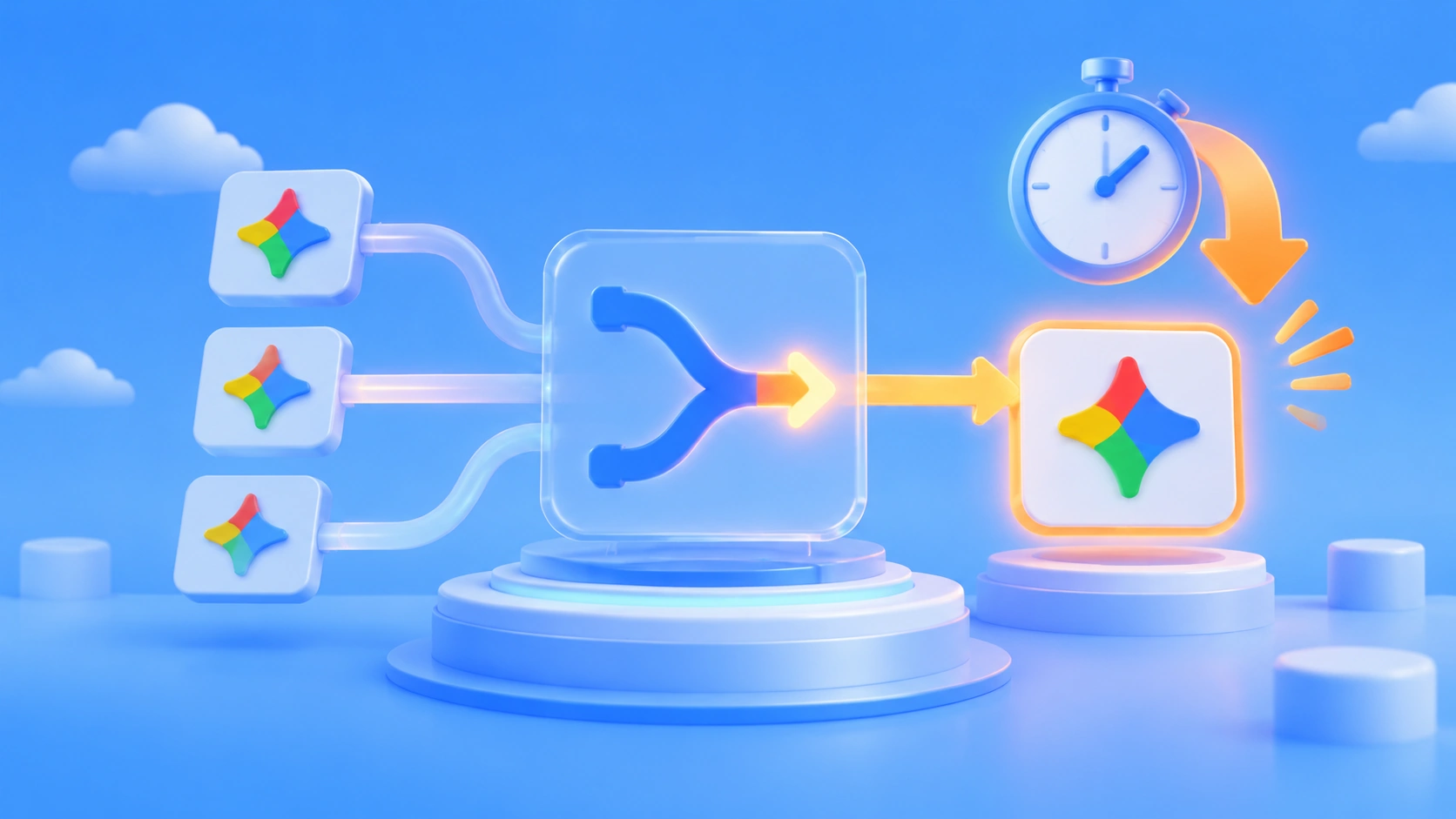
Google’s developer blog post on 2026-11-11 describes a very specific use case. Gemini Notebook uses the Decisions API as a real-time router. When a request comes in, it sorts everyday questions into the right model tier and thinking tier. Google says this cuts latency on everyday queries by up to 40%. Keep in mind that this number is self-reported by Google. It isn’t a third-party stress test, and it isn’t a measurement from any platform.
This isn’t another model capability upgrade. It moves the “which model should I use?” decision out of your code and into the request path.
Key takeaway: In 3 minutes, you’ll know what gemini-decision-1 actually is, how it’s priced, and what it means for your call chain.
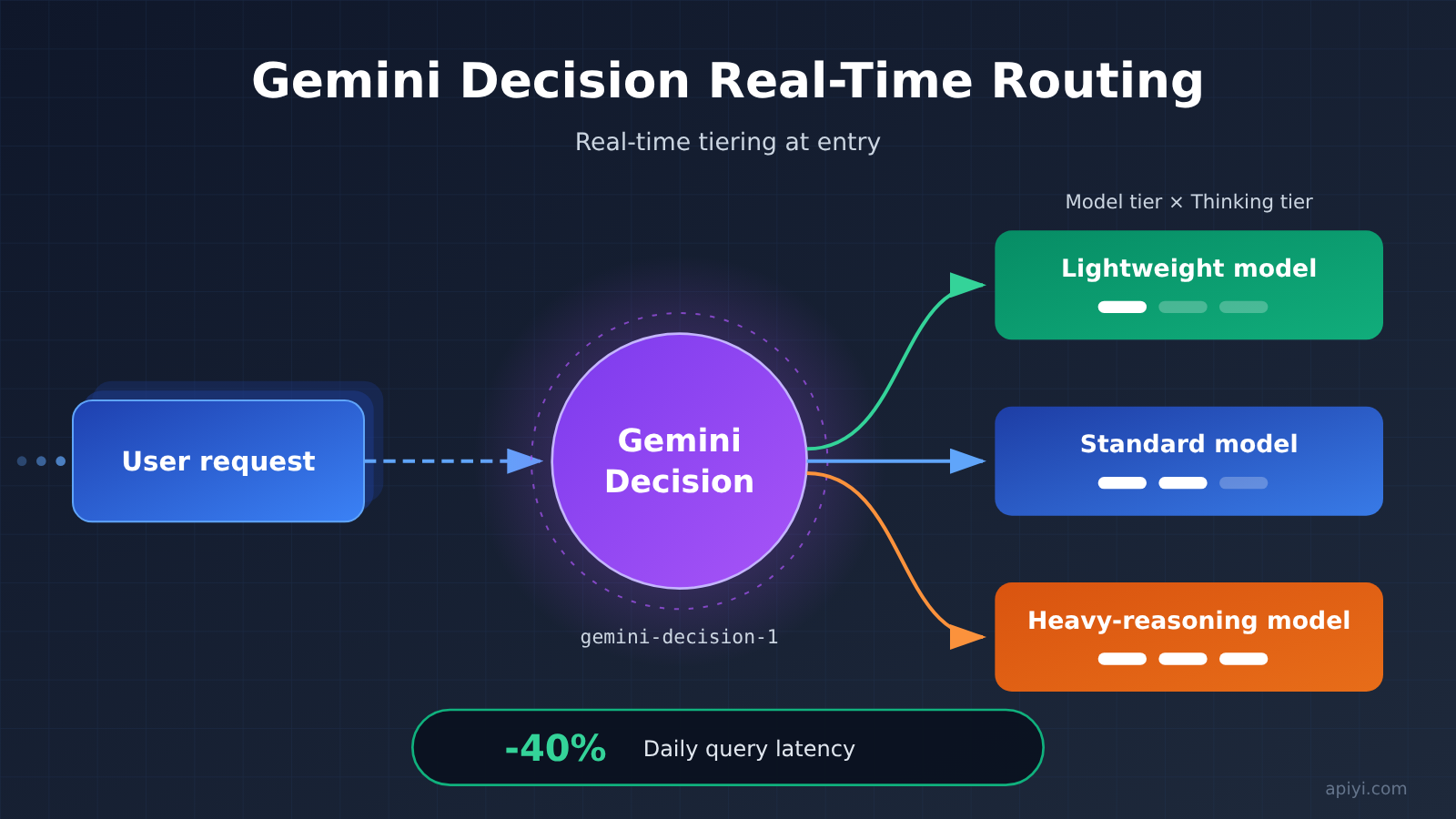
Gemini Decision at a Glance
| Item | Details |
|---|---|
| Announced | 2026-11-11, Google developer blog |
| Model ID | gemini-decision-1 |
| Role | Real-time routing and decision-making, not content generation |
| First public use case | Sorting everyday questions into tiers inside Gemini Notebook |
| Input price | $0.10 / 1M tokens |
| Output price | $0 |
| Latency gain | Up to 40% lower on everyday queries (self-reported by Google) |
| Aggregator availability | As of 2026-11-12, this ID isn’t yet listed on the APIYI (apiyi.com) price list |
The easiest row to overlook in this table is the $0 output price. It tells you that gemini-decision-1 doesn’t produce a body of text. What it returns is a very short verdict: which tier to route to and how much thinking budget to use. If you put this model on the same price sheet as chat models and compare unit prices, you’ll reach exactly the wrong conclusion.
Another detail worth noting is that it already has a real production use case, rather than just sitting in the docs as an example. Gemini Notebook is a Google product, and this routing setup was running in their own product before they talked about it publicly. That makes it more credible than a pure benchmark, but it’s still a one-sided description from the vendor.
How Gemini Decision Works: Google’s Self-Reported Routing Case
According to Google’s blog, everyday questions in Gemini Notebook first pass through the Decisions API, which decides which model tier and which thinking tier should handle them. In other words, the routing decision is itself a model invocation, not a hard-coded if-else rule or a hand-tuned threshold.
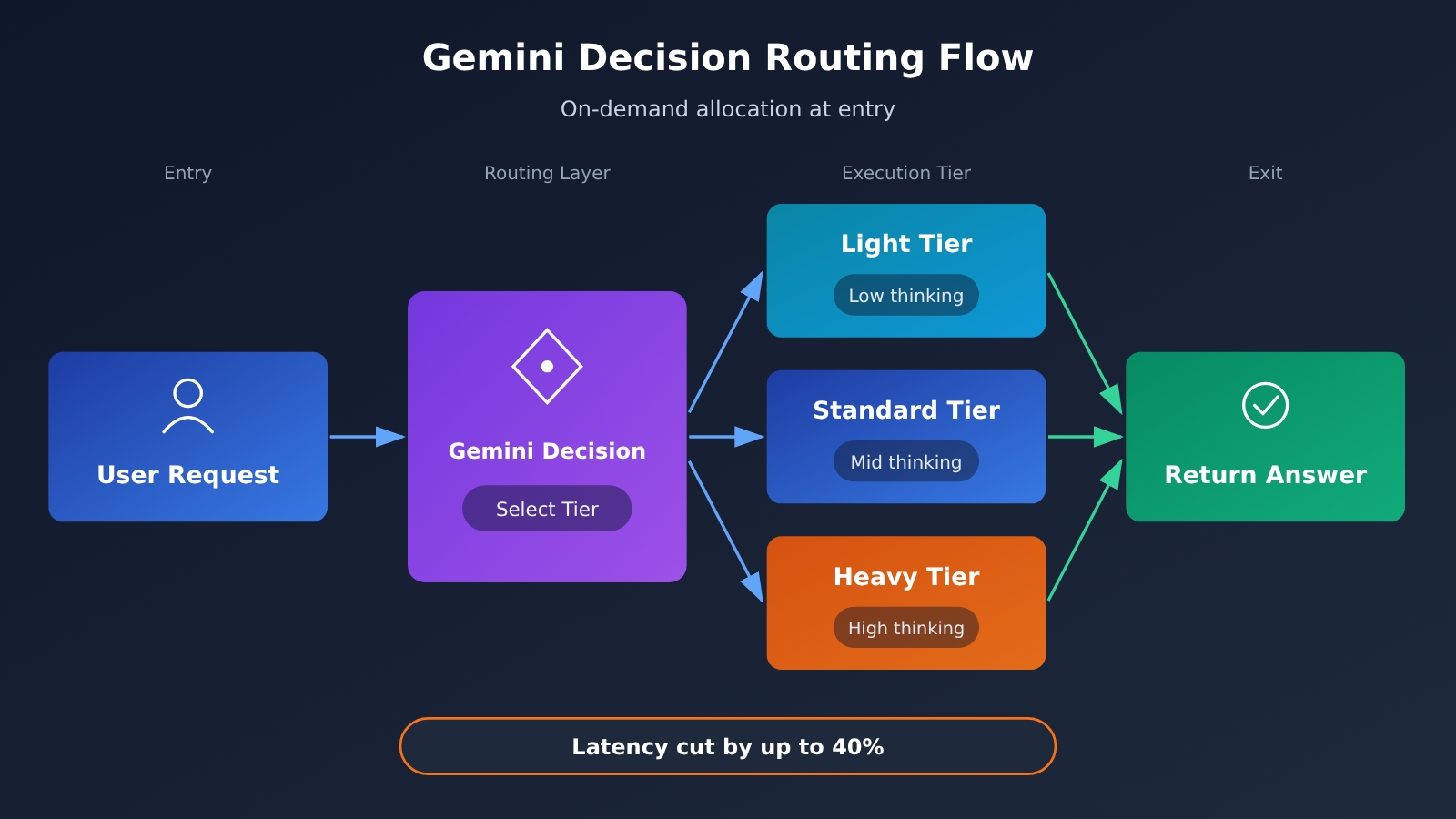
The problem this design tackles is a very practical one. In a single product, most requests are lightweight everyday questions, and only a few need heavy reasoning. If every request goes to the same tier, light requests get dragged along by the heavy model, and latency and cost both go up. If everything goes to the light tier, complex questions don’t get answered well. Putting a dedicated decision model at the entry point to make the call turns “allocate on demand” into infrastructure.
| Stage | Common approach before routing | With Decision |
|---|---|---|
| Tier selection | Rules in code or keyword matching | A model judges based on the request content |
| Maintenance | Thresholds need manual tuning as the business changes | The judging logic improves as the model updates |
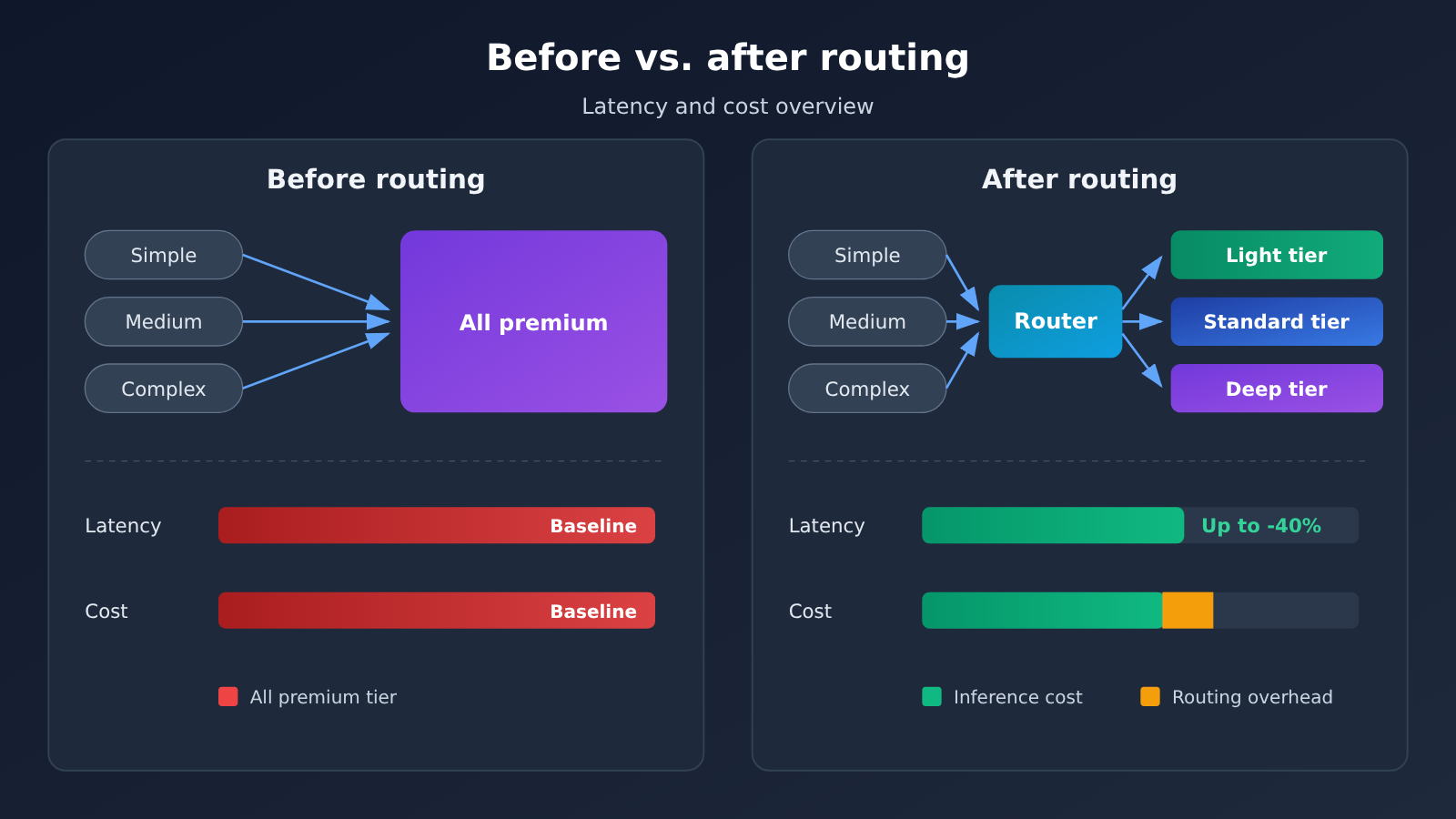
| Latency impact | Overall slowdown when many requests hit the heavy tier | Google self-reports up to 40% lower latency on everyday queries |
| Cost impact | All requests billed at the same tier | Light requests land on the light tier, changing the shape of the bill |
One thing to be clear about: the 40% figure applies to “everyday queries,” not to all requests. Google’s wording is an upper bound, so the real gains in your own workload depend on how many of your requests are the kind that can be downshifted. If your product is mostly long-document analysis or complex coding tasks, there’s naturally less room to downshift.
🎯 Technical tip: To check whether this kind of routing pays off for your own workload, use the unified interface at APIYI (apiyi.com) to run the same batch of requests through models at different tiers. Compare latency and output quality first, then decide whether a routing layer is worth adding.
Gemini Decision Pricing Structure and Cost Implications
Input at $0.10 / 1M tokens and output at $0 means you’re essentially being billed for how much context the model reads. Routing decisions need to see the request content before they can pick a tier, so charging on the input side makes sense. The model only returns a single tier verdict, so the output side generates almost no cost, and the official pricing just sets it to 0.
That means anyone integrating it has an extra line item to account for: the routing layer burns tokens too. The inference cost you save by downgrading a request has to outweigh this added decision overhead, or you’re not coming out ahead. The longer the request and the bigger the gap between tiers, the easier it is to make the math work. For short requests that would have gone to a lightweight tier anyway, adding a routing layer can actually cost more.
import openai

client = openai.OpenAI(
    api_key="YOUR_API_KEY",
    base_url="https://api.apiyi.com/v1"
)

# gemini-decision-1 isn't listed in the platform's price list yet
# For now, swap the model for an existing chat model to validate your business flow
response = client.chat.completions.create(
    model="YOUR_MODEL",
    messages=[{"role": "user", "content": "这个问题需要多深的推理?"}]
)
print(response.choices[0].message.content)
🚀 Quick Start: As of 2026-11-12, gemini-decision-1 isn’t in the APIYI (apiyi.com) price list yet, and the platform will add it as soon as possible. Until then, you can call other models through the same OpenAI-compatible interface to validate your pipeline, and the switching cost is almost zero. Check the apiyi.com list for specific models and pricing.
Who’s Affected: Three Real Changes in the Call Chain
Application Side: Routing Goes from Something You Write to Something You Call
In the past, teams doing multi-model traffic splitting usually had to maintain a rules table and keep retuning it every time a model version rolled over. If the routing decision can be outsourced to a dedicated decision model, the application-side logic gets noticeably thinner. What’s left is defining “which tiers exist” and “which model goes in each tier.” The tradeoff is one extra serial call, so network quality at the entry layer directly affects total latency.
Cost Side: Lower Latency Doesn’t Mean a Lower Bill
Latency and cost are two different curves. Downshifting to a cheaper tier can push both down, but the router itself is billed by input tokens, so the marginal cost goes up for short requests. A safer approach is to group requests by type first, enable routing only for the traffic where complexity varies a lot, and send everything else to a fixed tier.
| Team Type | Main Benefit | Cost Item to Watch |
|---|---|---|
| Consumer-facing Q&A products | Lower latency on everyday questions, with a clear improvement in user experience | Extra token overhead from routing calls |
| Internal enterprise tools | Complex and simple requests run side by side, with big gaps between tiers | Tier boundaries need to be redesigned |
| High-frequency, short-request services | Limited gains, little room to downshift | The extra serial hop may not be worth it |
Platform Side: How Fast New Model IDs Get Added Becomes a Selection Factor
Model updates are coming faster and faster, and there’s often a gap between when an ID is announced and when it’s reliably usable. For teams using an aggregation platform, whether they can get a callable endpoint quickly during that window directly affects their validation schedule. That’s where platforms like APIYI (apiyi.com) come in: one API key, an OpenAI-compatible interface, and you can switch to a newly listed model without changing your code structure. For listing progress and billing details, go by what’s shown on the apiyi.com pages.
Frequently Asked Questions (FAQ)
Q1: What is Gemini Decision?
gemini-decision-1, announced by Google, is a model built for real-time routing and decision-making. It doesn’t generate the actual response. Instead, it decides which model tier and which thinking tier a request should go to. Gemini Notebook is the first production use case Google has made public.
Q2: How is it different from a regular Gemini model?
A regular chat model outputs content. This one outputs a very short verdict, so the billing structure is completely different: $0.10 / 1M tokens for input, and $0 for output. If you think of it as a “cheaper generation model,” you’re looking at it the wrong way.
Q3: Where does the “up to 40% lower latency” figure come from?
That number is self-reported in Google’s official blog. It’s the upper bound of the latency improvement Gemini Notebook sees on everyday queries, not the result of independent third-party load testing. Your actual gains depend on how many of your requests are lightweight enough to be moved down a tier.
Q4: How much money can it save my business?
There’s no one-size-fits-all answer. The inference savings come from requests being sent to lighter tiers, while the routing step itself is billed by input tokens. The longer your requests are and the bigger the gap between tiers, the clearer the net benefit. If you have a lot of high-frequency, short requests, evaluate carefully before adopting it.
Q5: Can I call Gemini Decision right now?
As of 2026-11-12, gemini-decision-1 isn’t in the APIYI (apiyi.com) price list yet, and the platform will add it as soon as possible. Until then, you can use the unified interface at apiyi.com to get your business pipeline working, then just swap in the model name once the ID goes live. For specific models and pricing, refer to the apiyi.com list.
Q6: What are the known costs of adding a routing layer?
There are three main ones. First, you add one more serial call to the request path, so the network quality at your entry point matters more. Second, the routing decision itself consumes input tokens, which raises the marginal cost of short requests. Third, you’ll need to design your tiers around your own workload. You can’t just copy someone else’s tiering scheme.
Gemini Decision Key Takeaways
- Positioning: gemini-decision-1 is a real-time routing model. It outputs a tier decision and doesn’t generate any body text.
- Use case: Gemini Notebook uses it to send everyday questions to the right model tier and thinking tier.
- Benefit: Google says everyday query latency drops by up to 40%. That figure is self-reported.
- Pricing: Input costs $0.10 / 1M tokens, output costs $0, and you’re billed on the context the model reads in.
- Trade-off: The router itself consumes tokens, so you’ll need to measure the net benefit separately for short-request scenarios.
- Availability: As of 2026-11-12, APIYI (apiyi.com) doesn’t list this ID yet. We’ll add it as soon as we can. Check the apiyi.com listing for current pricing.
- How to validate: Get the pipeline running through a unified interface first, then decide whether to bring a routing layer into production.
Summary
The value of this announcement isn’t how strong the model is. It’s that Google turned “picking a model” into an interface you can call from outside, and proved it out in its own product first. For developers, three things are worth remembering: routing decisions are shifting from code logic to a model invocation; the latency gain is a self-reported upper bound, so you’ll want to re-estimate it against your own traffic mix; and the new billing dimension changes your cost structure, so don’t just look at the savings from downgrading tiers.
If you want to test this path early, you can build your tiering logic with existing models now. Once gemini-decision-1 is available on APIYI (apiyi.com), switching is just a matter of swapping the model name. Check the apiyi.com listing for model IDs and pricing.
References
- Google Official Blog: Gemini Decisions API
- Link:
blog.google/innovation-and-ai/technology/developers-tools/gemini-decisions-api/ -
Notes: The only primary source for this article’s model ID, routing use cases, latency figures, and pricing
-
APIYI apiyi.com Price List
- Link:
apiyi.com - Notes: Used to verify the listing status of gemini-decision-1 and the final billing terms
Author: APIYI Technical Team
Technical Discussion: Feel free to reach out to us on the APIYI apiyi.com homepage. You can find updates on newly listed models and new API documentation in the site’s docs center.


