

On November 11, 2026, Google announced on its official blog that Gemini is coming to Apple CarPlay. Tap the Gemini icon on your car’s display and you can pick up your most recent conversation or start a fresh one. The news spread fast, and the question people keep asking is: is this the same thing as the API I use to call models?
This isn’t a model release. The announcement doesn’t include a new model ID or any new pricing rules. This article pulls together what we know into a checklist: what Gemini can and can’t do in the car, and what developers actually need to watch for.
Key takeaway: In about 3 minutes, you’ll see where the boundaries of Gemini in the car really are, so you don’t mistake it for a new API capability.
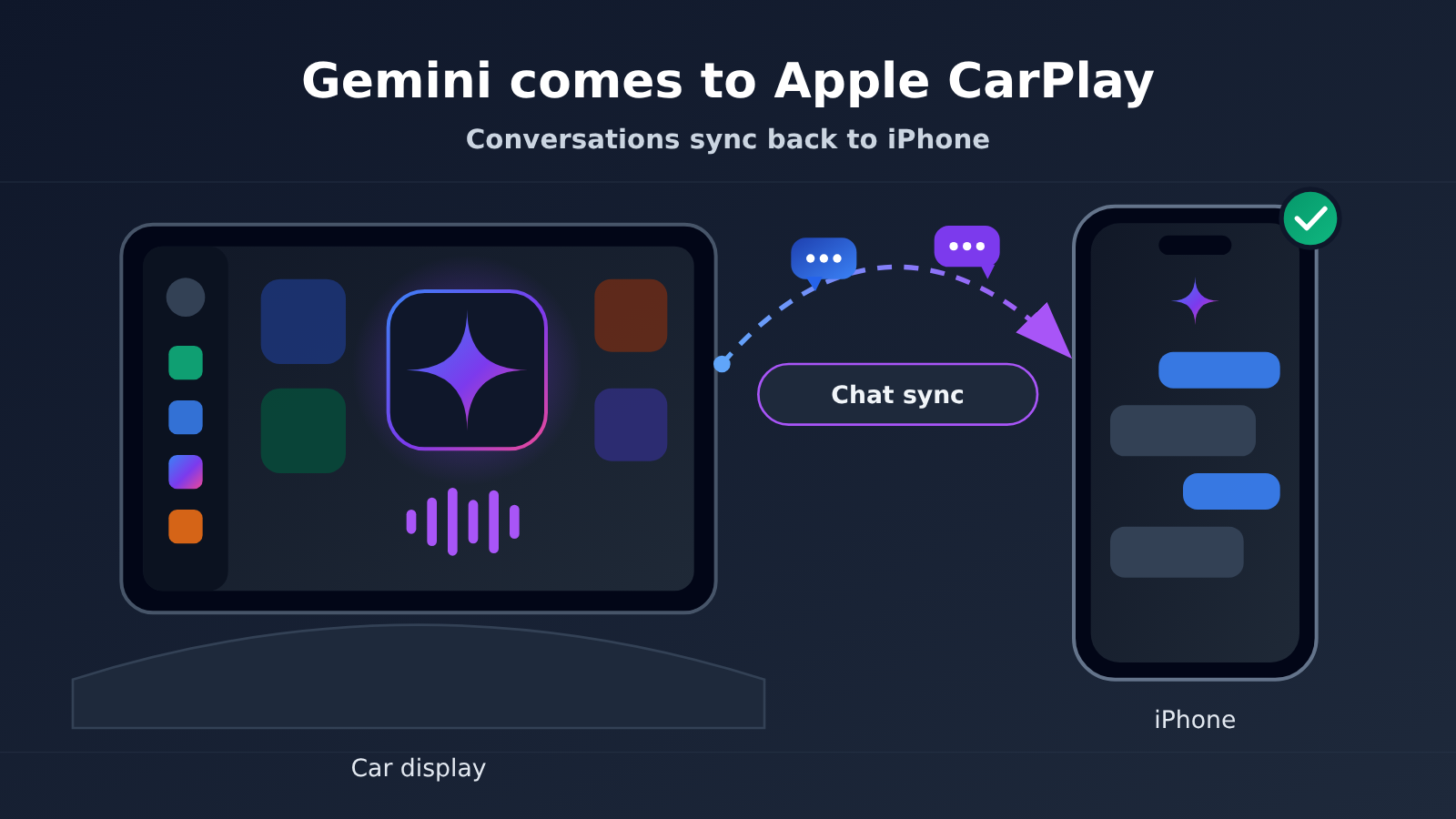
Gemini in Apple CarPlay: Key Facts at a Glance
Let’s lay out the timeline and key facts first. The next sections go through them one by one.
| Item | Details |
|---|---|
| Announcement date | November 11, 2026 |
| Announcement channel | Google’s official blog |
| Where it lives | The Gemini icon in the Apple CarPlay interface |
| Core capabilities | Continue your latest conversation, start a new one, interrupt midway, switch topics anytime |
| Official examples | Checking your schedule, reading email, rehearsing what you want to say before you set off |
| Data flow | Conversations sync back to iPhone |
| Relationship to the API | Not a new model, and not a new interface |
The wording of the announcement is pretty restrained. The emphasis is on being able to keep using the same conversation in the car. That phrase tells you most of what you need to know about the form this takes: Google didn’t build a separate set of capabilities for the car display. The Gemini app just gained one more screen you can open it from.
What Gemini Can Do in Apple CarPlay
The two most practical features in the official description are resuming and interrupting. Tap the icon and you can pick up your most recent conversation, so you don’t have to re-explain the context from scratch in the car. You can also cut in at any point while it’s talking, or switch to a different topic on the fly, without having to exit and start over. Both sound simple, but in a driving scenario they decide whether the assistant is actually usable.
The three examples in the official description all point in the same direction:
- Check your schedule: Confirm what’s coming up before you leave, without freeing up a hand to scroll through your phone.
- Read your email: Catch the key points while you’re stopped at a red light or parked.
- Talk through what you’re going to say: Before meeting a client or heading into a meeting, run through your wording in the car first.
These examples show that it’s positioned as a “pre-departure assistant,” not an entry point for content creation in the car. Short conversations, quick in and out, and put it down once you’ve said your piece: that’s the design premise behind this interaction.
| Scenario | How it behaves on the car display | Notes |
|---|---|---|
| Resuming the previous conversation | Continues directly, no need to re-explain the background | Context follows your account |
| Starting a new conversation | Start from zero with one tap | Good for topics unrelated to the last one |
| Interrupting mid-response | Just start talking, no need to wait for the reply to finish | The most essential error tolerance while driving |
| Switching topics | Change direction directly without leaving the current screen | No need to tap the icon again to re-enter |
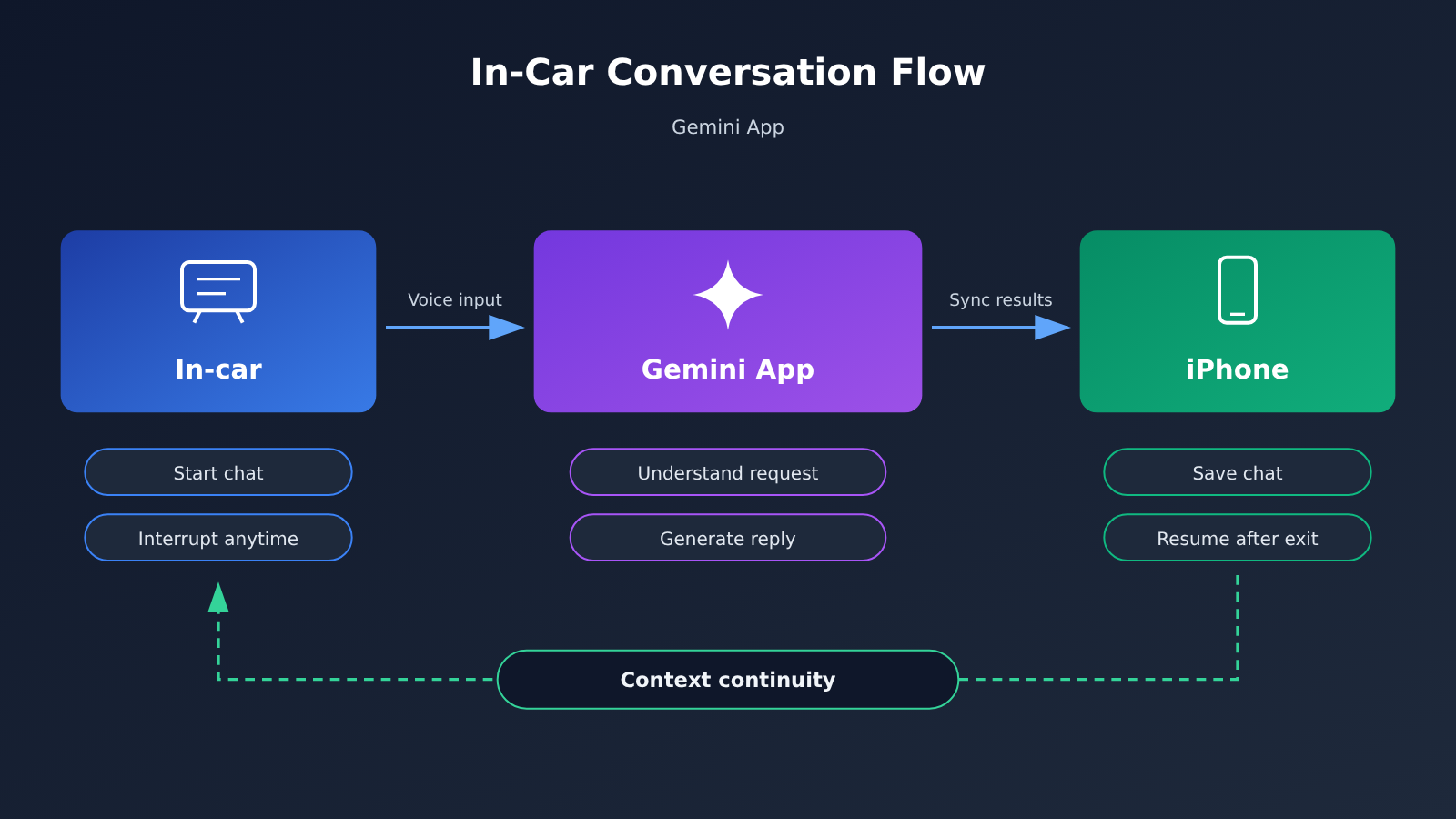
| Saving conversation results | Synced back to iPhone | Pick up where you left off on your phone after you get out |
Why Gemini in the Car Isn’t a New API
This is the part of the news that’s easiest to misread. The car now has one more icon, but that’s really just the Gemini App showing up in a new place. The app itself hasn’t changed. Conversations sync back to your iPhone, which tells us the request is still being handled by the Gemini App on your phone, not by some separate service running inside the car’s infotainment system.
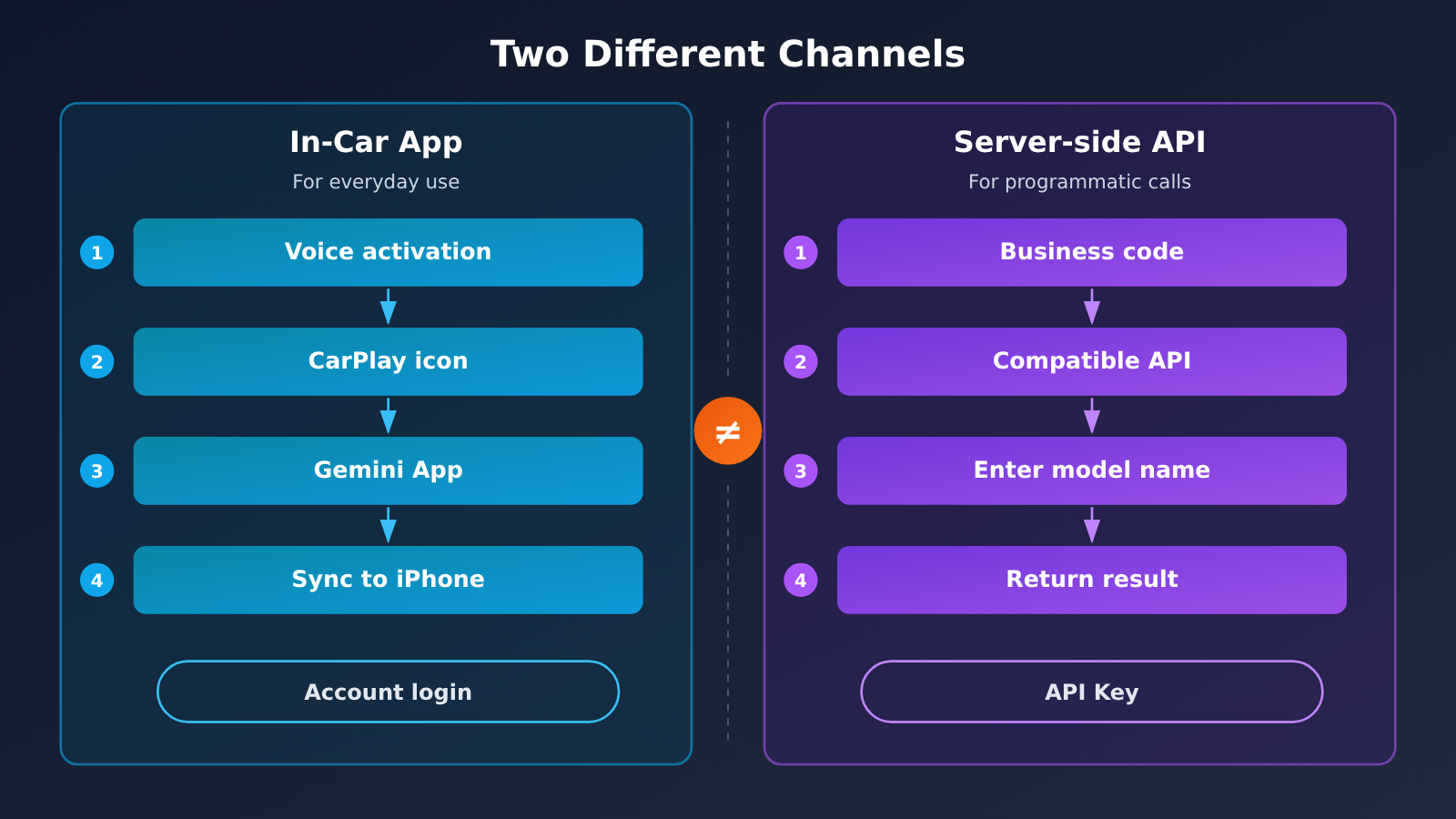
The official announcement doesn’t mention a new endpoint, a new model ID, or a new billing method. In other words, this update changes where you can use Gemini, not what you can call. Mixing those two up can lead to the wrong call when you’re making technical decisions.
If you want to use Gemini’s text capabilities, the path is the same as before: find gemini-4-carbon or gemini-4-argon in the APIYI apiyi.com price list, then pass the model name through the OpenAI-compatible interface. Set "model" in the request body to the corresponding name and set base_url to https://api.apiyi.com/v1. The other parameters are no different from calling any other text model.
| Target | Location in the APIYI apiyi.com price list | Notes |
|---|---|---|
| Gemini text (gemini-4-carbon) | Text model price table | Call it by passing the model name through the unified interface |
| Gemini text (gemini-4-argon) | Text model price table | For how to choose between the two tiers, check the apiyi.com price page and your actual task |
🎯 Technical tip: If you’re not sure which tier suits your task, run a few real requests on APIYI apiyi.com with the free test credits before deciding. The platform offers an OpenAI-compatible interface, so switching models only means changing one field.
What This Means for Developers: What to Watch and What to Ignore
In the short term, there’s nothing you need to change in your code right away. The model names haven’t changed, the API protocol hasn’t changed, and billing works the same way. If your service has nothing to do with in-car scenarios, this release has almost no impact on your system.
What’s worth paying attention to is the interaction paradigm. The official announcement emphasizes interruptions and topic changes, which tells us that real-world conversations are fragmented, tend to drift, and need to be steered back at any moment. That holds just as true for products with a voice entry point or a customer service pipeline: treat “changing your mind halfway through a sentence” as normal input, not as an exception branch.
| Item | Takeaway |
|---|---|
| Do you need to migrate your API integration? | No |
| Have the model names changed? | No. Text still uses gemini-4-carbon and gemini-4-argon |
| Is a third-party in-car system API open? | Not mentioned in the official announcement |
| Does it affect existing billing? | No related changes mentioned |
| Is it worth following? | Yes. The interaction design is more useful as a reference than the technical changes are |
💡 Recommendation: If you’re evaluating a multi-model setup, run a side-by-side comparison through APIYI (apiyi.com). You can test with the same code by just swapping the model name, which saves you from repeatedly rewriting your integration layer.
How This Changes the In-Car Experience and the Industry
For drivers, the most immediate benefit is not having to pull out your phone. You can check your schedule, have emails read aloud, or rehearse what you’re about to say, all while parked or waiting at a light. When you get out of the car, the conversation is still on your phone, so you can pick up right where you left off.
For the industry, the signal worth watching is that the entry point is moving into the car. The voice assistant is shifting from “the one built into the car” to “the one you already use every day, now available in the car,” and users’ habits will follow. A shift like this rarely happens all at once, but once conversations carry across devices, people will care a lot less about which screen they’re talking to.
View the FAQ
Gemini in Apple CarPlay: FAQ
Q1: What exactly is Gemini in Apple CarPlay?
It’s an update Google announced on November 11, 2026. A Gemini icon now appears on the Apple CarPlay interface. Tap it to pick up a recent conversation or start a new one. You can interrupt it, change topics mid-chat, and the conversation syncs back to your iPhone.
Q2: Do I need an API key to use Gemini in the car?
No. Gemini in the car is an access point for the Gemini app, and it runs on the app’s own account system. That’s a completely separate channel from the one developers use to call the API. The former is for everyday use, while the latter is for programmatic access.
Q3: Does this mean a new Gemini model was released?
No. The official announcement doesn’t mention any new models or new interfaces. If you need Gemini’s text capabilities, keep using the two model names already on the price list, gemini-4-carbon and gemini-4-argon, and send requests through the unified APIYI (apiyi.com) endpoint.
Q4: Do in-car conversations stay on the car’s head unit?
According to the official description, conversations sync back to your iPhone. In other words, a session follows your account rather than being tied to one screen, so you can keep reviewing and working on it from your phone after you leave the car.
Q5: How do developers call Gemini text models?
It’s simple. Register an account on APIYI (apiyi.com) and get an API key. Set `base_url` to `https://api.apiyi.com/v1`, and put gemini-4-carbon or gemini-4-argon in the model field of your request. The interface is OpenAI-compatible, so existing code usually needs only those two changes. New users can start with the free test credits on apiyi.com to check the results first.
Q6: Are there any known limitations in this update?
The official announcement doesn’t cover much. It doesn’t mention any third-party in-car interface, and it doesn’t say which car models, regions, or system versions are supported. For specific availability, you’ll have to wait for further details from Google.
Key Takeaways: Gemini Comes to Apple CarPlay
- It’s an app expansion, not a new model: The Gemini app is now available on the CarPlay in-car interface. This isn’t a new model release.
- The core experience is continuity: You can pick up your most recent conversation, and you can interrupt or switch topics at any time.
- Official use cases focus on pre-trip tasks: Checking your schedule, reading email, and running through what you want to say.
- Conversations carry across devices: Chats you have in the car sync back to your iPhone.
- Existing APIs are unaffected: Model names and invocation methods haven’t changed.
- Text invocation works the same way as before: gemini-4-carbon and gemini-4-argon are still available through APIYI at apiyi.com.
- Availability is still TBD: Supported car models, regions, and versions haven’t been announced.
Summary
Gemini’s arrival on Apple CarPlay boils down to three things: there’s a new Gemini entry point in the car, conversations carry over between your car and your phone, and the underlying models and APIs stay the same. Keeping these three points separate helps you avoid assuming it adds any new invocation capabilities.
If you’re focused on the app side, the part worth borrowing from is how forgiving it is of short phrases, interruptions, and topic changes. If you’re focused on the technical side, you’d still pick gemini-4-carbon or gemini-4-argon on APIYI (apiyi.com) when specifying a model, and send requests through the unified OpenAI-compatible API.
If you want to quickly test how these models perform in your own scenario, you can get free test credits through APIYI at apiyi.com. A single API key lets you switch between multiple leading models for comparison.
📚 References
- Google official blog announcement: Details and official examples of Gemini coming to Apple CarPlay
- Link:
blog.google/innovation-and-ai/products/gemini-app/gemini-on-apple-carplay/ -
Notes: The main source for the factual parts of this article, including the feature description and usage scenario examples
-
APIYI apiyi.com model pricing page: Invocation names and billing details for Gemini text models
- Link:
apiyi.com - Notes: Your starting point for confirming model names like gemini-4-carbon and gemini-4-argon, along with their current prices
Author: The APIYI Technical Team
Get in touch: Reach out to us through the APIYI website homepage. For more integration resources, visit the docs.apiyi.com documentation center.


