
Author’s note: Starting with the news that Apple cut engineers’ daily token budgets from $300 to $200, this article breaks down four ways to manage enterprise AI costs: budget tiers, exception approvals, model tiers, and usage monitoring.
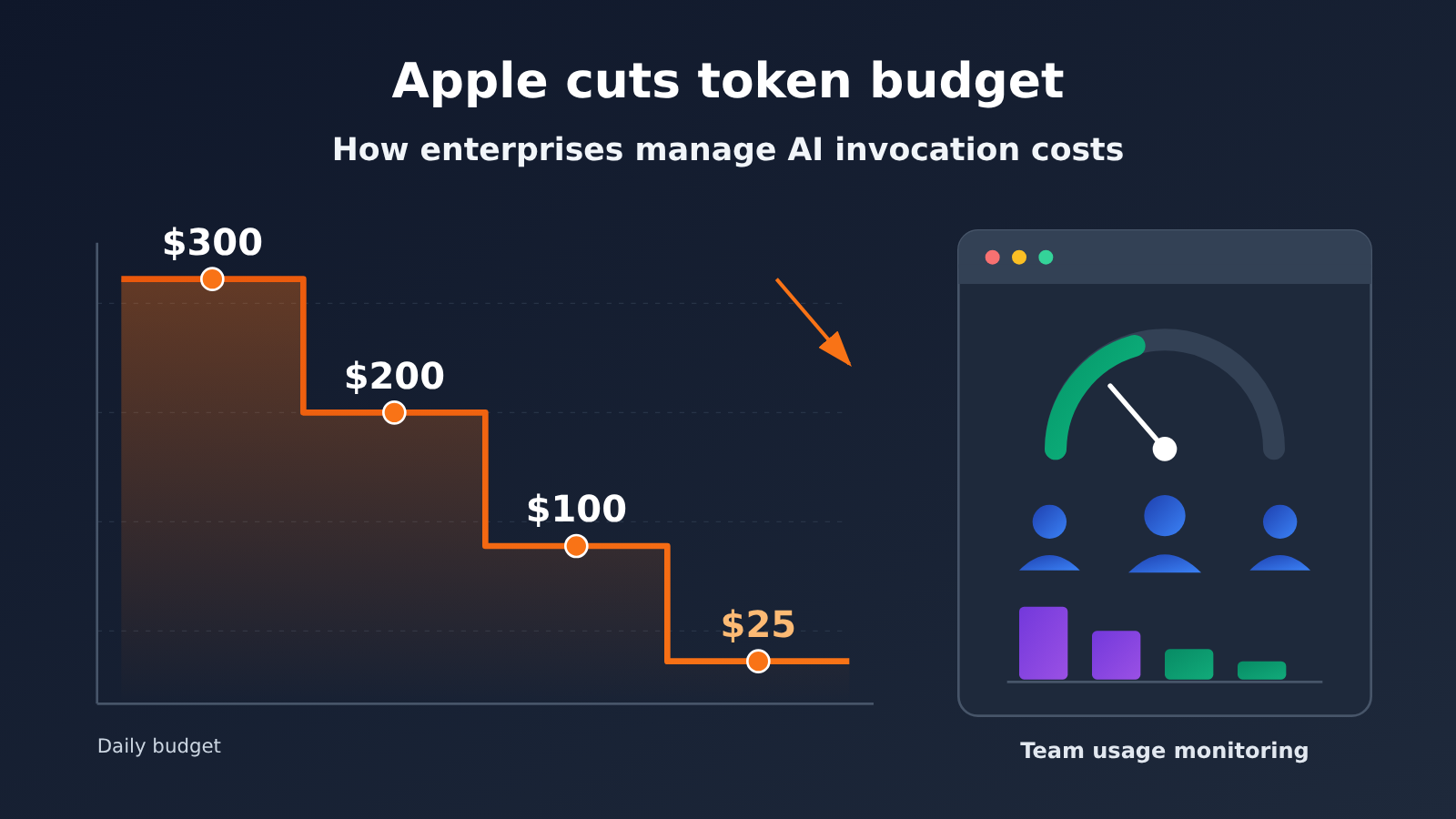
According to Bloomberg, Apple last month cut the daily token budget for some engineers from $300 to $200. It plans to lower the budget further to $100 a day, while some non-technical teams may get just $25. Employees who need more can request an exception from management, and some teams may be steered toward cheaper models or local AI that runs on-device.
This isn’t just a rumor. On November 5, 2026, The Decoder cited Bloomberg’s reporting on these figures and noted that Microsoft, Tesla, Uber, and Meta have also recently capped internal AI spending. As large companies move from unrestricted use to budgeted use, AI costs have become an issue business leaders can no longer ignore.
What you’ll learn: This article explains how Apple is tightening its token budgets and provides a framework you can put to work for managing enterprise AI costs, including budget tiers, exception approvals, model tiers, and usage monitoring.
Apple Cuts Token Budgets: Key Facts at a Glance
| Item | Details |
|---|---|
| Source | Bloomberg, as reported by The Decoder on 2026-11-05 |
| Who’s affected | Some engineers and non-technical teams |
| Change already made | Daily token budgets were cut from $300 to $200 per person last month |
| Possible next steps | Budgets could fall to $100 per day, or as low as $25 for some non-technical teams |
| Exceptions | Employees can ask management for an exception |
| Available models | Anthropic Claude, OpenAI ChatGPT, Google Gemini, and others |
| Alternatives | Some teams are turning to cheaper models or local, on-device AI |
| Background | New CEO John Ternus is pushing to streamline operations; fiscal 2026 R&D spending rose 32%, mainly due to infrastructure and AI costs |
| Industry trend | Microsoft, Tesla, Uber, and Meta have also recently restricted internal AI spending |
Three Details About Apple’s Token Budget Changes
First, budgets are calculated per person, per day. Rather than simply giving each department an annual allowance, Apple sets a daily limit for each employee. That level of detail makes AI usage costs visible to individual employees and lets management allocate budgets based on their roles.
Second, technical and non-technical teams have different limits. The target for engineers is around $100, while some non-technical teams could receive just $25—a fourfold difference. This suggests Apple sees token consumption for tasks like coding and running agents as being on a different scale from writing emails and creating summaries.
Third, the limits aren’t absolute. Employees can request exceptions, and some teams are being directed toward cheaper or local models. The idea isn’t to “use less AI,” but to “save expensive compute for tasks that warrant it.” The report doesn’t say how Apple categorizes models or enforces the limits, though, so we’ll have to wait for more details.
Why AI Usage Costs Lead Big Companies to Tighten Token Budgets
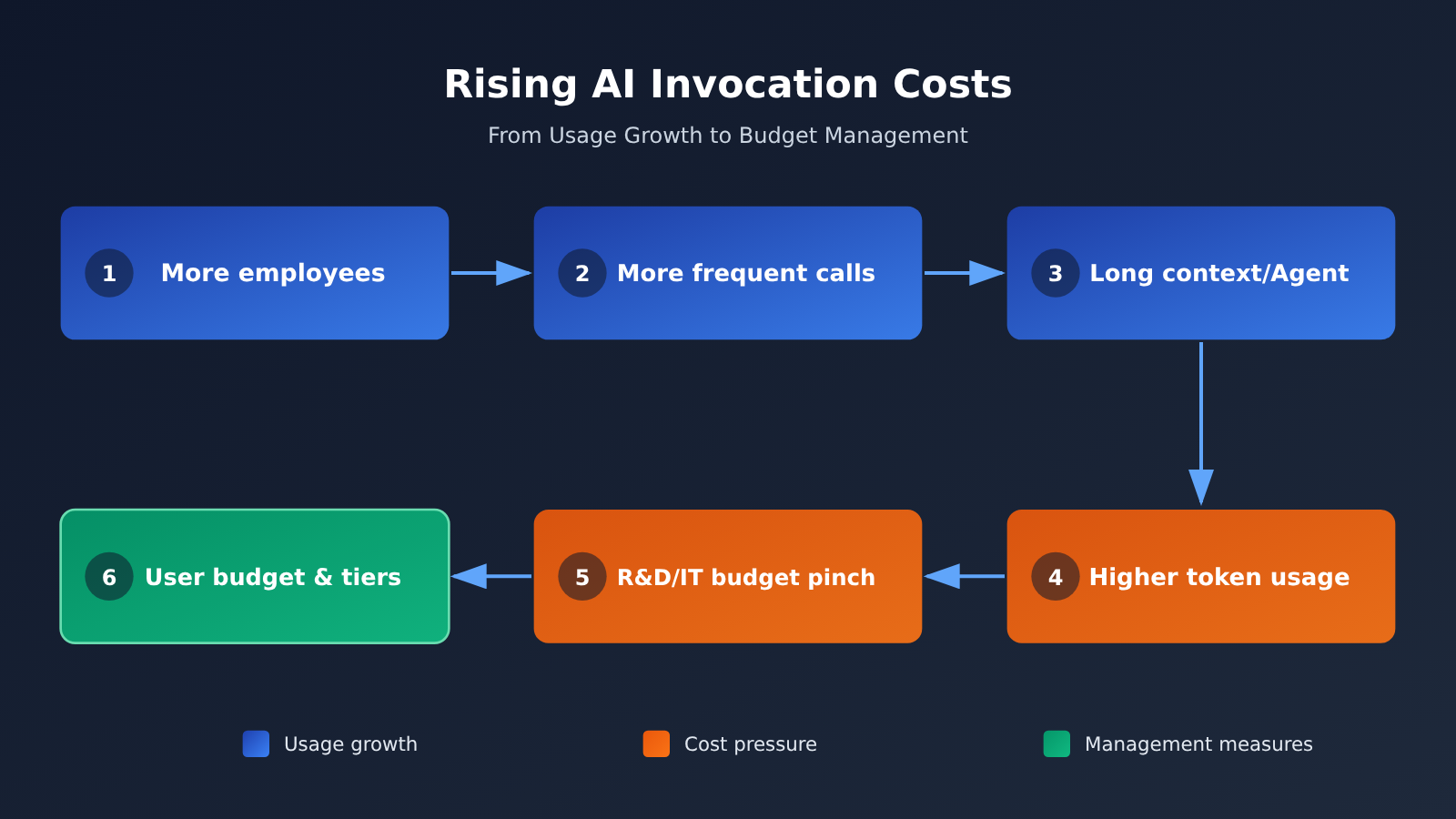
The biggest difference between AI usage costs and traditional software subscriptions is that AI is billed by usage, with a nonzero marginal cost. An employee can open the same SaaS tool 100 times a day without changing the bill. But if they ask a Large Language Model to read 100 long documents a day, every request incurs real token costs. Scale that usage to tens of thousands of employees, and expenses can rise quickly.
Apple’s R&D spending grew 32% in fiscal 2026, with reports specifically citing higher infrastructure and AI costs as drivers. As the new CEO pushes to streamline operations, internal AI spending is an expense that’s easy to quantify and adjust. Microsoft, Tesla, Uber, and Meta have also imposed limits around the same time, suggesting this isn’t an isolated decision by one company.
Some employees felt the old allowance was overly generous to begin with: most roles wouldn’t use up a $300 daily limit. That points to a common problem: many companies set AI allowances without calculating expected usage during the initial rollout. When those limits are tightened later, controversy can follow.
4 Ways Enterprise Teams Can Manage AI Usage Costs
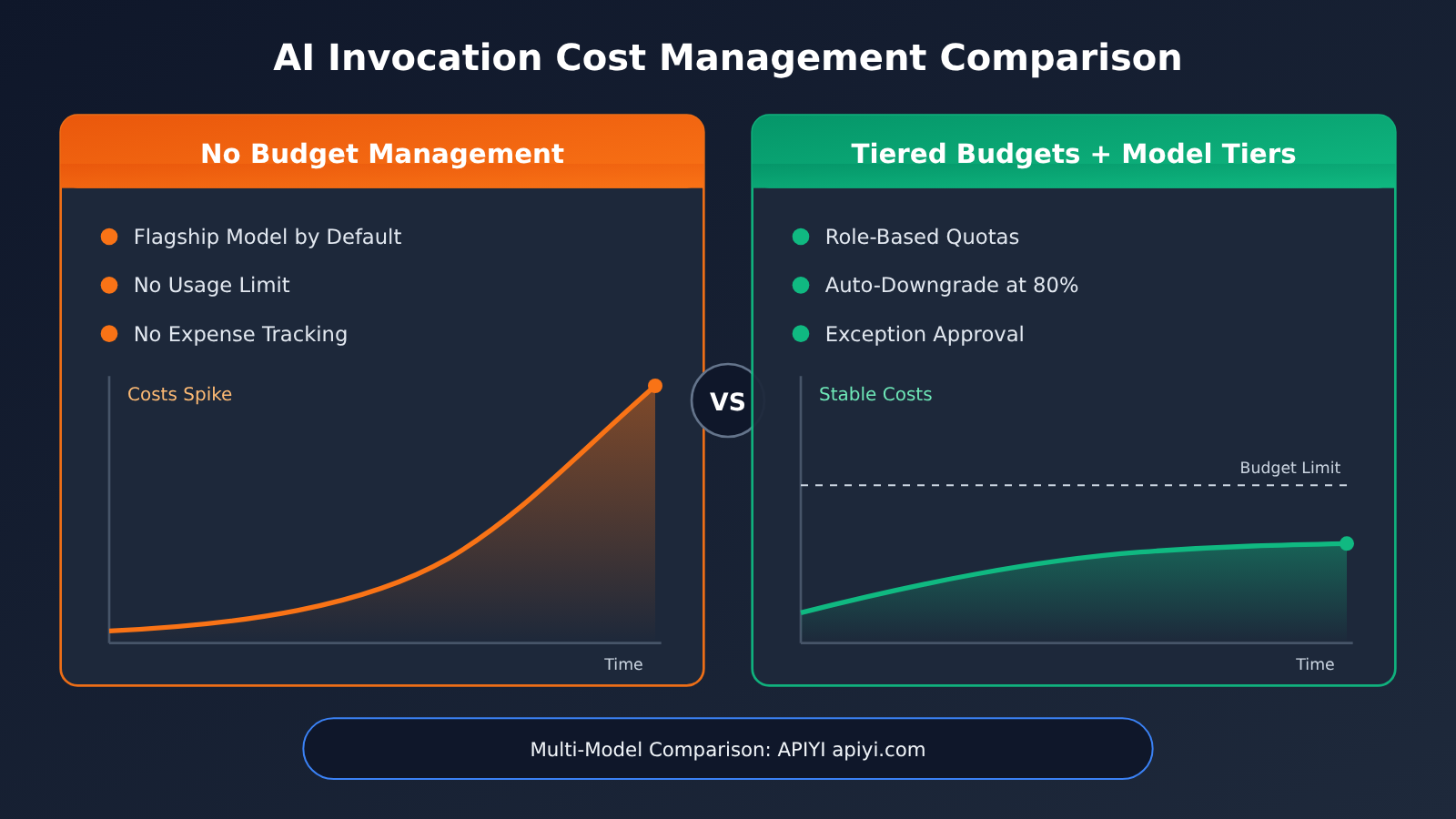
Apple’s approach offers four reusable management mechanisms that work together: budgets set boundaries, approvals provide flexibility, tiered model access reduces costs, and monitoring keeps everything on track.
Mechanism 1: Set token budgets by role
The key to per-person budgets is tiering, not averaging. AI usage varies widely across roles. Apply the same budget to everyone, and engineers may run short while light users’ allocations sit unused. The table below shows an example based on Apple’s approach; the actual figures should be calculated using your team’s historical usage.
| Role tier | Typical tasks | Budget approach | Default model tier |
|---|---|---|---|
| Core R&D | Code generation, agentic programming, long-document analysis | High daily allowance, with exceptions available on request | Flagship and mid-tier models |
| Other technical roles | Code review, script writing, technical documentation | Moderate allowance, close to the engineer tier in Apple’s plan | Primarily mid-tier models |
| Nontechnical business roles | Emails, summaries, translation, organizing information | Low allowance, informed by Apple’s tiers starting at $25 | Primarily lightweight models |
| Pilots / new projects | Exploratory validation | Temporary project-specific allowance with an expiration date | Based on project needs |
Start by pulling actual usage data from the past 1–3 months. Look at median and high-end usage for each role, then set budgets above the median but below the high end. That should give most people enough for everyday work while routing the few heavy users through an exception process, keeping management overhead low.
Mechanism 2: Exception Approval Instead of a Blanket Cap
Apple allows employees who exceed their limits to request an exception from management—a practice worth considering. A strict cap can stall critical work, while having no limit at all makes the budget meaningless. Here are a few ways to design an exception process:
- Set clear triggers: For example, an employee has exhausted their daily allowance, or a project requires several consecutive days of intensive usage.
- Limit the approval period: Grant additional allowances by day or project, and automatically revoke them when they expire so “temporary” doesn’t become “permanent.”
- Require a brief explanation: Document the task type and expected output so you can later assess whether the AI usage cost was worthwhile.
- Review exceptions monthly: If the same person or team frequently requests exceptions, their base budget may be too low. Adjust their tier instead of repeatedly approving exceptions.
Mechanism 3: Model Tiers and Automatic Downgrades
The report says Apple is moving some teams to cheaper models or on-device AI. This points to one of the most effective ways to reduce AI usage costs: assign models based on task difficulty. Lightweight models can handle many everyday tasks; only a few complex ones truly need flagship models.
| Model tier | Suitable tasks | Cost characteristics | Available platforms |
|---|---|---|---|
| Flagship models (such as high-end Claude, GPT, and Gemini models) | Complex reasoning, code changes across files, analysis for critical decisions | Highest unit cost; use as needed | APIYI apiyi.com, official APIs |
| Mid-tier models | Routine programming, technical writing, structured extraction | Balance of quality and cost | APIYI, official APIs |
| Lightweight models | Summarization, translation, classification, formatting | Low unit cost; suitable for frequent calls | APIYI, official APIs |
| On-device / local models | Privacy-sensitive tasks, offline use, simple completions | No usage-based fees, but hardware and maintenance costs apply | Local deployment |
A common automatic downgrade rule is to switch noncritical tasks to the next model tier once usage reaches a certain percentage of the budget, such as 80%. Once the allowance is exhausted, users can either continue with lightweight models only or request an exception. This prevents employees from suddenly losing access and makes the transition smoother. Actual unit prices vary by platform, so check current rates and calculate the costs before implementation.
💡 Choosing a platform: Model tiering works best when you can easily switch between models from different providers. With an aggregation platform like APIYI apiyi.com, you can access models from OpenAI, Claude, Gemini, and others with one API key. Its API is compatible with the OpenAI format, so tiered routing only requires changing the
modelparameter.
Mechanism 4: Make Budgets Enforceable with Usage Monitoring
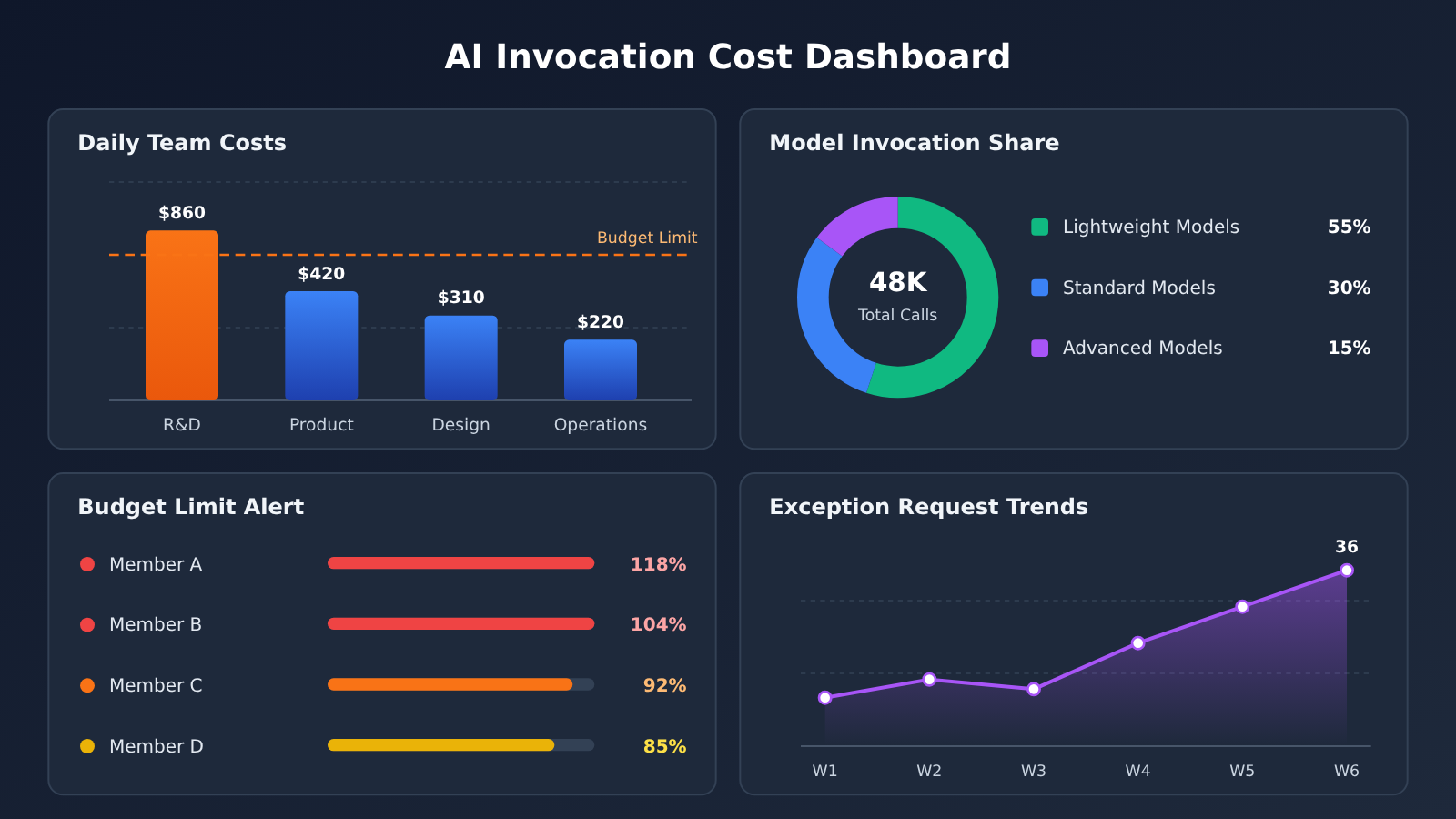
Without monitoring, per-person token budgets are just rules on paper. Monitoring does more than catch overspending: it provides the data needed to set budget tiers and route tasks to the right models. At a minimum, track these metrics:
| Metric | Breakdown | Purpose |
|---|---|---|
| Daily token usage and cost | By person and team | Check whether budgets are reasonable and spot unusual usage |
| Share of model invocations by model | By team and task type | Assess whether the model-tiering strategy is working |
| Frequency of hitting budget limits | By person, per week | Identify roles that may need a different budget tier |
| Exception requests and approval rate | By team, per month | Review whether approvals are too lenient or too strict |
| Average cost per task | By task type | Find high-cost scenarios where optimization will have the greatest impact |
On the technical side, you can log the usage field for each request at your organization’s AI gateway, then aggregate the data using employee or team tags. If you’re using a third-party platform, first check whether its usage reporting is granular enough for your cost-allocation needs. Verify with the provider whether it supports subaccounts, per-member limits, and alerts.
Getting Started with AI Cost Control: Budget-Aware Model Routing
This simplified example shows how to put per-user budgets and automatic downgrades into practice. Let’s start with a basic call, focusing on the token usage returned with each request:
from openai import OpenAI

client = OpenAI(
    api_key="YOUR_API_KEY",
    base_url="https://api.apiyi.com/v1"  # APIYI's unified interface: access models from multiple providers with one key
)

resp = client.chat.completions.create(
    model="gpt-4o-mini",  # Prefer a lightweight model for everyday tasks
    messages=[{"role": "user", "content": "把这段会议纪要整理成 5 条要点:..."}]
)
print(resp.choices[0].message.content)
print("本次消耗 tokens:", resp.usage.total_tokens)
View the full implementation: Role-based budgets and automatic downgrade routing
from collections import defaultdict
from datetime import date
from openai import OpenAI

client = OpenAI(
    api_key="YOUR_API_KEY",
    base_url="https://api.apiyi.com/v1"
)

# Model tiers: replace these with model names available on the platform
TIERS = ["your-premium-model", "your-standard-model", "your-light-model"]

# Price placeholders (USD / million tokens): enter the platform's current rates
PRICE = {
    "your-premium-model":  {"in": 0.0, "out": 0.0},
    "your-standard-model": {"in": 0.0, "out": 0.0},
    "your-light-model":    {"in": 0.0, "out": 0.0},
}

# Daily budgets by role (USD), following Apple's tiered approach
DAILY_BUDGET = {"engineer": 100, "non_tech": 25}

spent = defaultdict(float)   # (user, date) -> amount spent today
exceptions = set()           # (user, date) pairs with approved exceptions


def pick_model(user: str, role: str, preferred: str) -> str:
    key = (user, date.today())
    budget = DAILY_BUDGET[role]
    used = spent[key]
    if key in exceptions:
        return preferred
    if used >= budget:
        return TIERS[-1]                      # Budget exhausted: only allow the lightweight model
    if used >= budget * 0.8:
        idx = min(TIERS.index(preferred) + 1, len(TIERS) - 1)
        return TIERS[idx]                     # Near the limit: downgrade one tier
    return preferred


def chat(user: str, role: str, prompt: str, preferred: str = "your-standard-model"):
    model = pick_model(user, role, preferred)
    resp = client.chat.completions.create(
        model=model,
        messages=[{"role": "user", "content": prompt}],
    )
    u = resp.usage
    p = PRICE[model]
    cost = (u.prompt_tokens * p["in"] + u.completion_tokens * p["out"]) / 1_000_000
    spent[(user, date.today())] += cost
    print(f"[{user}] model={model} cost=${cost:.4f} today=${spent[(user, date.today())]:.2f}")
    return resp.choices[0].message.content


# Example usage
print(chat("alice", "non_tech", "把这封邮件翻译成英文:..."))
This example leaves out persistent storage, concurrency, and approval workflows. In production, consider storing spent in a database or cache and connecting exception approvals to your internal ticketing system. The core idea stays the same: record the cost of every call and check the budget before routing.
🚀 Get started: To test tiered routing, you can get free test credits for new users through APIYI at apiyi.com. Use the same key to compare quality and costs across model tiers on your real tasks, then choose a default model for each role.
Impact of Apple’s Token Budget Adjustments
Impact on Developers
- Cost awareness becomes a core skill: Developers at large companies will need to pay attention to how many tokens each task consumes and use high-consumption operations like long contexts and repeated retries more sparingly.
- Multi-model skills become more valuable: Developers who can choose the right model for each task and hand simpler work to lightweight or local models will be more efficient as budgets tighten.
- Demand for AI gateways and routing layers grows: Enterprises need a unified entry point for tracking costs, enforcing limits, and downgrading models. That means more development work on internal infrastructure.
Impact on Enterprise Managers
- A shift from “encouraging adoption” to “managing usage”: AI invocation costs are becoming part of regular budget management, with cost allocation and reviews much like those for cloud resources.
- Budget figures need a sound basis: Apple employees reportedly considered the old allowance “too generous,” showing that setting limits on intuition alone can lead to costly adjustments later.
- Communication risks can’t be ignored: Reports say some employees worried that cost cuts were a sign of impending layoffs. Without an explanation, tighter budgets can easily be read as a signal of broader organizational changes.
The table below summarizes common organizational risks when enterprises control AI invocation costs, along with ways to address them:
| Risk | How It Shows Up | How to Address It |
|---|---|---|
| Employee anxiety | Employees interpret limits as a sign of layoffs | Explain upfront that the goal is to optimize costs, and share the criteria for budget tiers |
| Lower productivity | Critical tasks are interrupted because quotas run out | Set up automatic downgrades instead of hard cutoffs, and provide a fast exception process |
| Hidden overspending | Employees switch to personal accounts or unapproved tools | Make sure internal channels are adequate and easy to use, while enforcing compliance requirements |
| Approval burden | Too many exception requests leave managers overwhelmed | Review usage data regularly and raise baseline quotas where needed to reduce unnecessary requests |
| Results are hard to assess | Spending is tracked without considering output | Review cost per task alongside output quality |
Frequently Asked Questions
Q1: How much did Apple cut its token budgets?
According to Bloomberg, Apple lowered some engineers’ daily token budgets from $300 to $200 last month. They could eventually fall to $100 per day, while some non-technical teams have budgets as low as $25. Employees who need more can request an exception from management.
Q2: How should companies set a reasonable token budget per employee?
Start by reviewing actual usage across roles over the past 1–3 months. Set budget tiers by role, with the base budget above median usage but below high-end usage. Give heavy users additional capacity through an exception process, then adjust the tiers monthly based on how often employees hit their limits and request exceptions.
Q3: Besides Apple, which companies are limiting internal AI spending?
The report says Microsoft, Tesla, Uber, and Meta have also recently capped internal AI spending, but it doesn’t disclose their specific approaches or budget amounts.
Q4: Will model tiering affect the quality of employees’ work?
The key is to assign models by task rather than downgrade everything. Lightweight models are usually sufficient for summaries, translations, and formatting, while complex reasoning and critical code changes can go to flagship models. Before rolling this out, compare models on real tasks. For example, use the same key to run models from several tiers on APIYI apiyi.com, then choose a default tier once you’re satisfied with the quality.
Q5: How can small and midsize teams start managing AI invocation costs without an internal AI gateway?
Start with three steps: consolidate model invocations through a single entry point, log the usage for each request in your code, and set default models by task. With an aggregation platform like APIYI apiyi.com, you can switch between models from OpenAI, Claude, Gemini, and others using one key and pay as you go, making it easier to get multi-model routing up and running. Check directly with the platform to see whether it supports per-member limits or alerts.
Key Takeaways for Managing AI Usage Costs
- Apple has tightened budgets: Engineers’ daily token budgets have dropped from $300 to $200, with further reductions planned.
- Tiered budgets beat uniform limits: Usage varies widely between technical and non-technical roles. Apple’s target tiers differ by a factor of four.
- Exception approvals provide flexibility: Limits aren’t hard caps; employees can request temporary allowances for critical tasks.
- Model tiering saves the most money: Use lightweight or local models for routine tasks, and reserve flagship models for complex work.
- Monitoring makes budgets practical: Track token usage and costs by employee and team, then use the data to adjust budget tiers.
- Organizational communication matters: Tighter budgets can raise layoff concerns, so explain the purpose upfront.
- Start with model routing: Use a single API key through APIYI at apiyi.com to compare models across tiers and test your strategy.
Summary
Apple’s reduction of employees’ daily token budgets is a clear sign that large companies are shifting from scaling AI usage to managing its costs more carefully. The lessons for enterprise teams come down to three points:
- Use tiered budgets: Set per-person allowances by role and task type, using historical data rather than intuition;
- Build in flexibility: Combine exception approvals with automatic fallback to lower-cost models to keep critical work from being interrupted;
- Tier your models: Match tasks to the right models and keep optimizing through usage monitoring.
If your team is planning how to manage AI usage costs, start by piloting model tiering for one or two frequent use cases. Gather real cost and quality data before rolling it out more broadly. You can use APIYI at apiyi.com to quickly set up a multi-model testing environment; the free credit for new users is enough to complete an initial comparison.
📚 References
- Apple slashes internal AI budgets, with deeper cuts still planned: The Decoder’s summary of Bloomberg’s reporting
- Link:
the-decoder.com/apple-slashes-internal-ai-budgets-with-deeper-cuts-still-planned/ - Details: Covers Apple’s daily token budget changes, employee reactions, and background on how other companies are limiting AI spending
Author: APIYI Technical Team
Technical discussions: Contact us through the APIYI homepage to discuss enterprise AI invocation cost management and multi-model integration practices.


