

Author’s note: This article breaks down GPT Images 2.6 from an API integration perspective, covering speed improvements, the roles of Flare and Sunburst, the complexity parameter, image labeling, SVG export, and pricing. It also separates published information from details that need verification and rumors.
On November 5, 2026, OpenAI released its next-generation image generation model, Images 2.6, making it available across ChatGPT, Codex, and the API at the same time. The official blog also shared a figure: users worldwide create 4 billion images a week through ChatGPT, Codex, and the API—more than 500 million a day on average. At that scale, the question naturally shifts from “Can it generate the image?” to “Can it make the exact edits we need?”
This isn’t a recap of launch highlights. GIF memes and hand-drawn sketches turned into animations are easy to share, but teams already using image models in their products have more pressing questions: How do the two models differ? How does the new complexity parameter relate to quality? Has pricing changed? Which capabilities are currently available only in ChatGPT?
What you’ll take away: By the end of this article, you’ll be able to sort the GPT Images 2.6 updates into three categories: API changes you can evaluate right away, changes that mainly affect ChatGPT and Codex users, and information that still needs verification. That should help you decide whether to schedule an evaluation in this iteration cycle.
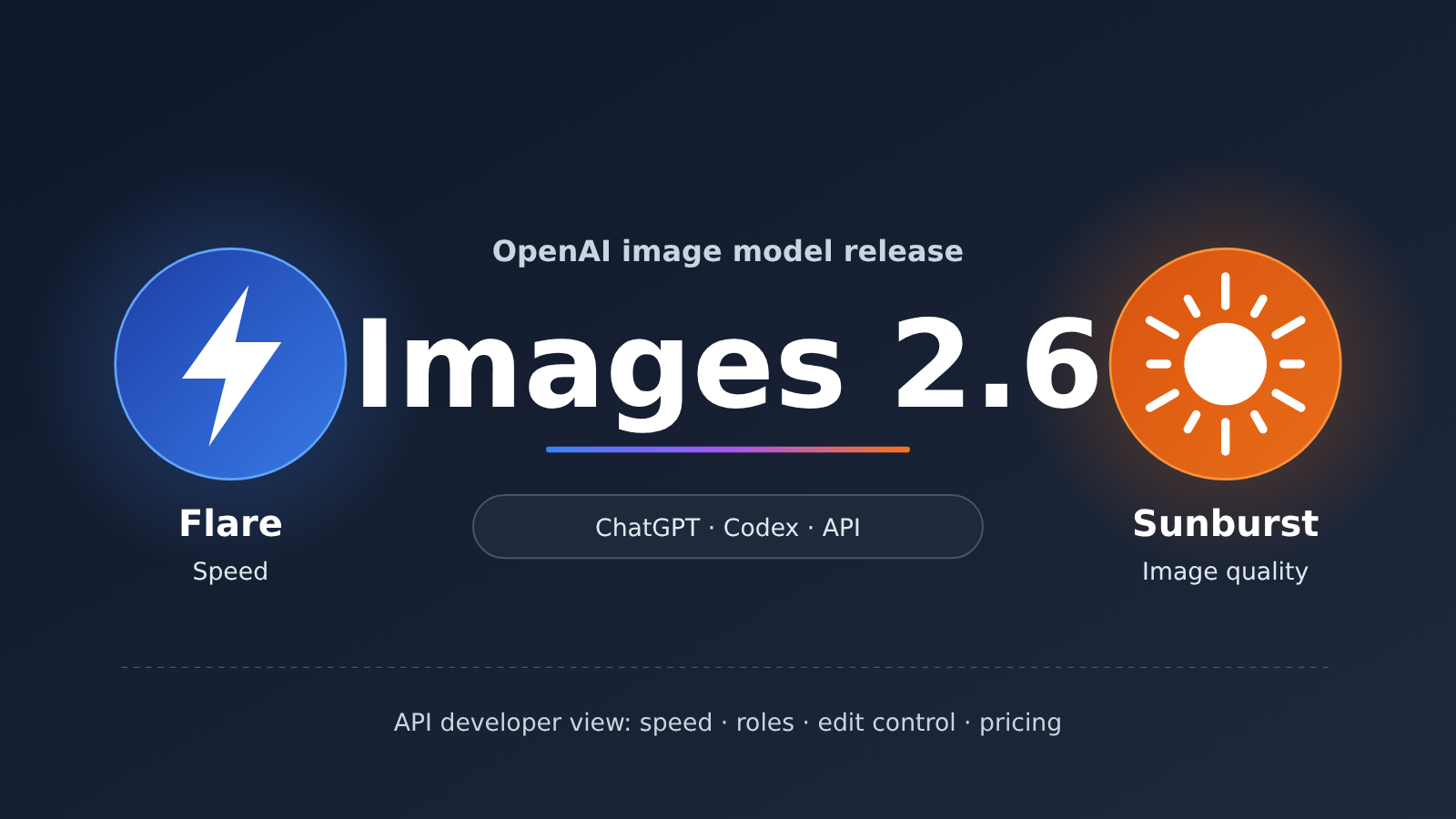
GPT Images 2.6: Key Facts at a Glance
Let’s start with the confirmed basics. The table below draws on public reporting from the release date and a summary of OpenAI’s official blog post.
| Item | Details |
|---|---|
| Release date | 2026-11-05 |
| Released by | OpenAI (announced simultaneously on the official blog and the OpenAI Developers account) |
| Availability | All ChatGPT and Codex subscription tiers (desktop, mobile, and web); Flare and Sunburst models available via API |
| API models | GPT-Image-2.6 Flare (optimized for speed), GPT-Image-2.6 Sunburst (optimized for image quality and editing consistency) |
| Key updates | 50% faster generation, text-to-GIF generation, improved consistency across multi-turn edits, image markup in the API, SVG export, and a new complexity parameter |
| API pricing | Both models cost the same, with pricing unchanged from Images 2.5 |
The overall idea is unchanged pricing, faster generation, and more control over editing. OpenAI clearly wants image models to play a role in delivering professional design and content, not just producing a first draft. For API users, there’s no price increase to factor in, so the upgrade is relatively easy to evaluate.
How to Group the Three Types of GPT Images 2.6 Updates
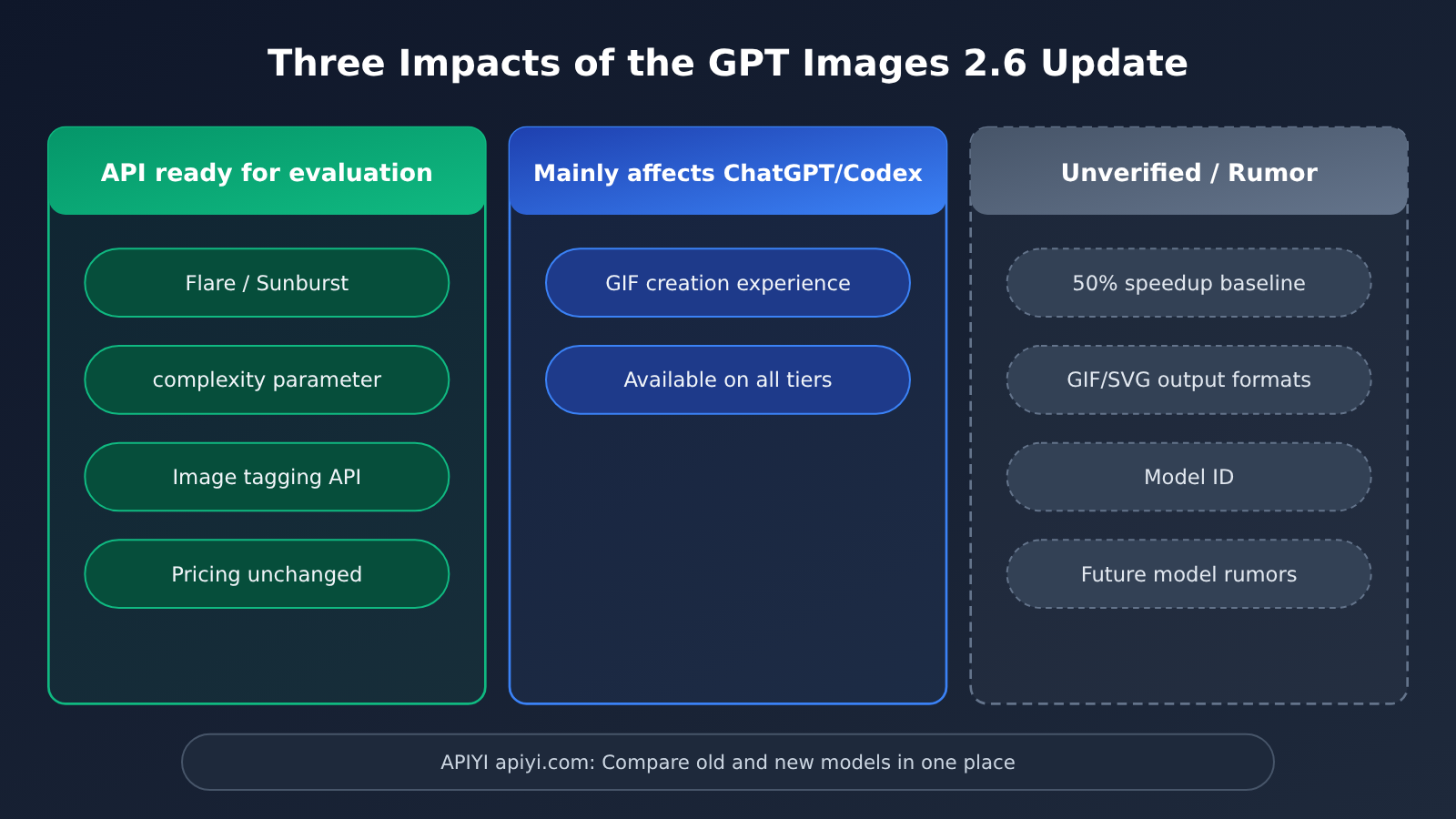
To help you set priorities, we’ve grouped the updates by who’s affected right away:
- API developers can evaluate now: The Flare and Sunburst models, the complexity parameter, image markup in the API, and unchanged pricing.
- Primarily affects ChatGPT and Codex users: The GIF creation experience and availability across all platforms and subscription tiers.
- Needs verification or remains a rumor: The comparison baseline for the 50% speed improvement, how GIF and SVG output works in the API, exact model IDs, and media reports about future OpenAI models.
A Closer Look at the GPT Images 2.6 API Changes
Change 1: Generation Is 50% Faster, but You’ll Need to Test the Baseline
OpenAI says Images 2.6 generates images 50% faster than before, with Flare producing an image in as little as 6 seconds at low quality. For products where users wait for images—such as e-commerce product image generators, custom avatar tools, or marketing asset tools—this directly affects user experience and the cost of handling concurrent requests.
The public materials don’t say which model the 50% improvement is measured against, or what quality and resolution settings were used. The “as little as 6 seconds” figure is also a best-case result. Before launching, test the old and new models with your own real-world prompts at the same quality setting, and compare P50 and P95 latency before deciding whether to switch. In one media test, generating a GIF from a line drawing took about 1 minute and 6 seconds, showing how much processing time can vary between tasks.
Change 2: Flare and Sunburst Have Distinct Roles
The API now offers two image models instead of one:
- GPT-Image-2.6 Flare: Built for speed and everyday creation, with improved layout quality for posters, product images, and similar content. Compositions and element placement are more consistent.
- GPT-Image-2.6 Sunburst: Built for image quality, detail, and consistency across multiple editing rounds. At medium and high quality settings, it more reliably preserves details of people, products, and brands through successive edits.
Both models cost the same, so the choice mainly depends on your use case.
| Dimension | GPT-Image-2.6 Flare | GPT-Image-2.6 Sunburst |
|---|---|---|
| Focus | Fast generation, everyday creation | High-quality output, detailed editing |
| Recommended quality setting | Low quality (officially cited as fast as about 6 seconds) | Medium to high quality |
| Standout capability | More consistent layouts for posters and product images | Preserves details of people, products, and brands across multiple edits |
| Typical use cases | Batch sketches, social media images, quick previews | Poster series, ad assets, brand visuals, product image iterations |
| API pricing | Same as Sunburst | Same as Flare |
| Access | Official OpenAI API; check the model list for third-party platforms such as APIYI apiyi.com | Same as Flare |
A practical approach is a two-stage workflow: first, use Flare at low quality to generate compositions in batches for users to choose from. Once a composition is selected, hand it over to Sunburst for refinement and multiple rounds of editing at medium or high quality. This separates speed and quality into different stages. Since the unit price is the same, the main cost differences come from the quality setting and token usage.
Change 3: The complexity parameter isn’t the same as quality
This is the most important new parameter to understand in this API update. According to OpenAI, quality determines the level of detail and fidelity in the image, while complexity determines how much scene planning and organization the model does to satisfy the prompt. In short, quality controls how finely the image is rendered; complexity controls how thoroughly it’s planned.
| Parameter | What it controls | Lower setting | Higher setting | Recommended use |
|---|---|---|---|---|
| quality | Image detail and fidelity | Faster generation, less detail | More detail, longer generation time | Choose based on the required output fidelity |
| complexity | Effort spent planning and organizing the scene | Faster edits | More thorough interpretation and organization of complex scenes | Low: change a background or a single element; medium to high: many elements, complex relationships, or strict composition requirements |
You can set the two parameters independently. For example, changing the background of a product image could use high quality and low complexity: you want a polished image, but there’s no need to rethink the composition. For an informational poster with a dozen or more elements and clearly defined spatial relationships, medium to high complexity is a better fit. Check the official API documentation for the available complexity values and defaults before integrating.
Change 4: Image Markup Comes to the API, Making Local Edits More Controllable
The image markup feature previously available in ChatGPT is now open to API developers. It lets them tell the model more precisely which area to change, reducing situations where you “just want to change a button’s color, but the entire image’s style changes.”
For teams building image-editing products, this is the most direct workflow benefit of the update. Previously, they often had to create masks and retry multiple times. Now, they can turn an area selected by the user in the frontend into markup and pass it to the model. Reliable public details about the request structure and field names aren’t available yet, so wait for the official API documentation before changing your code.
Change 5: SVG Export and GIF Generation
Images 2.6 supports SVG export, making it easier to use assets directly on websites, in apps, and in print. It can also generate looping GIFs from text prompts. The official demo showed a sequence of six frames with consistent characters, camera framing, and backgrounds. Startup Town used it to animate Monty, a virtual character in its product, while users wait for a reply.
You can already try both capabilities in ChatGPT. On the API side, though, the available public information doesn’t clearly explain details such as output formats, frame-count controls, or whether separate parameters are required. If your product plans depend on GIF or SVG output through the API, treat those capabilities as “to be verified” rather than adding them to your roadmap yet. Also, GIFs are better suited to short, looping animations with small movements—they’re not a substitute for video generation models.
Change 6: Pricing Stays the Same
Flare and Sunburst have the same API pricing as Images 2.5. At standard rates:
| Billing Item | Price (per Million Tokens) |
|---|---|
| Image input | $8 |
| Image input (cached) | $2 |
| Image output | $30 |
| Text input | $5 |
| Text input (cached) | $1.25 |
Actual costs depend on token usage. Since both quality and complexity can affect output size, it’s best to measure the cost per image using your own workloads.
💰 Cost optimization: When unit prices stay the same, quality settings, editing rounds, and cache hit rates make the biggest difference in cost. You can first use APIYI apiyi.com to establish a cost baseline for existing image models through a unified interface, then compare them on the same basis once the new models are available on your platform.
How to Quickly Evaluate the GPT Images 2.6 API
Here’s a minimal example showing a combination of quality and complexity. The exact model ID and supported complexity values should be confirmed in the official documentation, so the code uses placeholders where needed.
from openai import OpenAI

client = OpenAI(
    api_key="YOUR_API_KEY",
    base_url="https://api.apiyi.com/v1"  # APIYI OpenAI-compatible interface
)

result = client.images.generate(
    model="YOUR_IMAGE_MODEL_ID",   # Replace with a confirmed Flare/Sunburst model ID
    prompt="一张极简风格的咖啡新品海报,产品居中,标题在上方",
    quality="low",
    extra_body={"complexity": "low"}  # Check the official documentation for supported values
)
print(result.data[0].b64_json[:80])
View the full evaluation script: measure latency across quality × complexity combinations
import time
import base64
from itertools import product
from openai import OpenAI

client = OpenAI(
    api_key="YOUR_API_KEY",
    base_url="https://api.apiyi.com/v1"  # APIYI unified interface for comparing old and new models
)

# Models to compare: one old and one new; check IDs against the platform's model list or official documentation
MODELS = ["YOUR_OLD_IMAGE_MODEL_ID", "YOUR_NEW_IMAGE_MODEL_ID"]
QUALITIES = ["low", "medium", "high"]
COMPLEXITIES = ["low", "high"]  # Applies only if supported by the new model; verify the values

PROMPT = "电商商品主图:白色背景上的蓝色保温杯,右上角有促销标签"

def run_once(model: str, quality: str, complexity: str | None) -> dict:
    kwargs = {"model": model, "prompt": PROMPT, "quality": quality}
    if complexity:
        kwargs["extra_body"] = {"complexity": complexity}
    start = time.perf_counter()
    try:
        resp = client.images.generate(**kwargs)
        elapsed = time.perf_counter() - start
        img = base64.b64decode(resp.data[0].b64_json)
        filename = f"{model}_{quality}_{complexity}.png".replace("/", "-")
        with open(filename, "wb") as f:
            f.write(img)
        usage = getattr(resp, "usage", None)
        return {"ok": True, "seconds": round(elapsed, 2), "usage": usage}
    except Exception as e:
        return {"ok": False, "error": str(e)}

for model, quality in product(MODELS, QUALITIES):
    combos = COMPLEXITIES if model == MODELS[-1] else [None]
    for complexity in combos:
        r = run_once(model, quality, complexity)
        print(model, quality, complexity, r)
This script helps you test the “50% faster” claim with your own prompts while recording the usage field to estimate the cost per image for each combination. Run each combination at least 10 times and use the median, since individual results can vary significantly.
🚀 Quick start: If you’re already using the OpenAI SDK, just change the base_url to the APIYI apiyi.com endpoint. You can then use the same API key to switch between image models for A/B testing. Check the platform’s model list for availability, specific model IDs, and pricing.
GPT Images 2.6 Impact Analysis
What It Means for API Developers
- Model selection shifts from one model to two-model routing: Flare and Sunburst cost the same, so you can route generation and editing tasks separately without sending every request down the slower path for image quality.
- There’s another dimension to parameter tuning: complexity and quality are independent. Lowering complexity for simple edits may reduce wait times without sacrificing image quality.
- Editing products are easier to build: With image marking available through the API, local edits don’t have to rely entirely on a custom mask workflow. Consistency across multiple editing rounds has improved, too.
- Migration costs are mainly in validation: Pricing is unchanged, and the API style remains consistent. Most of the work involves regression testing, especially checking how existing prompts affect composition with the new models.
What It Means for Product and Content Teams
- Series-based assets are more practical: Sunburst focuses on preserving people, products, and brand details across successive edits, making it a good fit for poster series, ad variations, and brand visuals.
- A new source for lightweight animations: GIF generation works well for short loops such as memes, brand mascots, and loading animations, but it can’t replace video generation.
- ChatGPT gets access first: All subscription tiers already have access, so content teams can test GIF and SVG results in ChatGPT before deciding whether API integration is worthwhile.
What to Take With a Grain of Salt
The Information, citing people familiar with the matter, reports that OpenAI could release a new batch of models as early as Friday local time, including the next generation of Astra and Sol and a model focused on cybersecurity. The timing could still change. This is not officially confirmed, so it’s best not to adjust your image-related technical plans based on it.
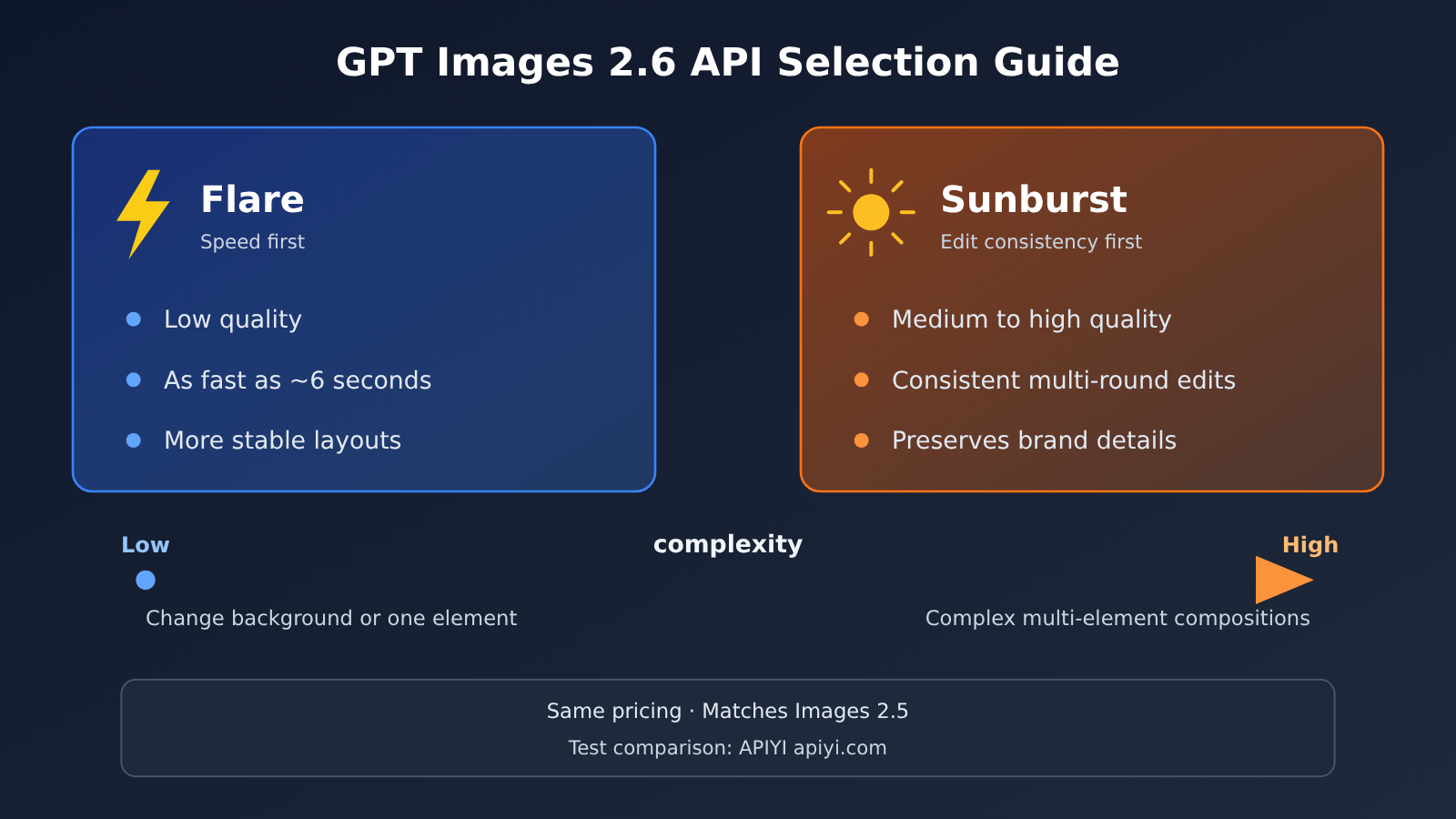
💡 Recommendation: If your workflow mainly involves a single generation followed by minor edits, prioritize hands-on latency testing with Flare. If your main concern is people or products changing appearance after multiple editing rounds, first evaluate Sunburst with image marking.
Frequently Asked Questions (FAQ)
Q1: What is GPT Images 2.6?
GPT Images 2.6 is OpenAI’s next-generation image generation model, released on 2026-11-05 and available through ChatGPT, Codex, and the API. The API offers two models: Flare, which prioritizes speed, and Sunburst, which prioritizes image quality and editing consistency. It also adds a complexity parameter and makes image annotation available through the API.
Q2: What are the biggest differences between GPT Images 2.6 and Images 2.5 for API users?
Pricing is unchanged, and OpenAI says generation is 50% faster. There are now two models for generation and editing use cases, a complexity parameter that controls how much effort goes into planning, and image annotation for more precisely specifying regions in local edits. The baseline for the speed comparison hasn’t been disclosed, so it’s worth testing for yourself.
Q3: How should I combine quality and complexity?
quality controls visual detail, while complexity controls scene planning. Use low complexity for faster results on simple edits, such as changing a background or modifying a single element. Use medium or high complexity for images with many elements, complex relationships, or strict composition requirements. You can set them independently—for example, high quality and low complexity can work well for refining a product image background.
Q4: Can I generate GIFs and export SVGs directly through the API?
OpenAI says Images 2.6 supports GIF creation and SVG export, and both are already available in ChatGPT. However, public information about the API’s specific response formats, parameters, and limitations isn’t detailed enough yet. If your product depends on either feature, check the official API documentation and test it before scheduling development.
Q5: How can I quickly compare new and old image models through a unified interface?
You can use an OpenAI-compatible aggregation platform: sign up at APIYI apiyi.com to get an API key and free testing credits, set base_url to `https://api.apiyi.com/v1`, and use the evaluation script in this article to compare different models and parameter combinations with the same prompts. Check the platform’s model list to see whether GPT-Image-2.6 Flare/Sunburst is available.
Q6: What are the known limitations of GPT Images 2.6?
GIFs are best suited to short, looping content with small movements, not long videos or complex camera motion. “As fast as 6 seconds” is a best-case result at low quality; complex tasks may take more than a minute. Consult the official documentation for exact model IDs, complexity values, and API details for GIF and SVG. If anything remains uncertain, you can first use existing models on APIYI apiyi.com to test your workflow and reduce the risk of switching.
GPT Images 2.6 Key Takeaways
- API available at launch: Released on 2026-11-05, with simultaneous availability across all ChatGPT and Codex tiers and via the API.
- Two models, distinct roles: Flare generates quickly with more stable layouts, while Sunburst focuses on image quality and consistency across multi-turn edits.
- complexity adds a new dimension: It controls how much effort goes into scene planning, independently of quality, which controls visual detail.
- Editing controls come to the API: Image annotation is now available, enabling more precise local edits and reducing unintended changes across the rest of the image.
- Pricing stays the same: Both models cost the same as Images 2.5, with image output priced at $30 per million tokens.
- Test before migrating: Verify the speed comparison baseline, model IDs, and API-side GIF/SVG capabilities in practice. You can use APIYI apiyi.com’s unified interface to compare them.
Summary
Here’s what GPT Images 2.6 means for API developers:
- Speed and specialization: You get faster performance at the same price, with Flare and Sunburst separating generation from refinement so you can route tasks accordingly.
- More control over edits: The complexity parameter and image annotation make local changes faster and more precise, with the most direct benefits for editing products.
- Separate confirmed features from reports: You can start evaluating released capabilities, but API-side GIF/SVG details still need verification, and news about future models is currently based only on media reports.
If your product already uses an image model, consider running a small regression test this week: use the same prompt to compare latency, composition stability, and cost per image before deciding whether to switch. APIYI apiyi.com’s unified interface makes it easy to compare old and new models on equal terms; when you switch, you only need to change the model name.
📚 References
- OpenAI Official Blog – Introducing Images 2.6: Original announcement
- Link:
openai.com/index/introducing-images-2-6 -
Details: Official capabilities, usage data, and availability
-
OpenAI API Pricing – Image Generation: Image model pricing
- Link:
developers.openai.com/api/docs/pricing -
Details: Token pricing for Flare and Sunburst
-
ifanr – GPT Images 2.6 Launch Coverage: Chinese-language reporting and hands-on testing from launch day
- Link:
ifanr.com/1687778 - Details: Includes measured GIF generation times and example descriptions
Author: APIYI Technical Team
Technical discussion: Contact us through the APIYI homepage at apiyi.com. For more integration resources, visit the documentation center at docs.apiyi.com.


