
Author's Note: A deep dive into the core differences between Google AI Studio and Gemini, analyzing their functional positioning and Nano Banana Pro usage limits, while providing alternatives for API calls and subscriptions.
Many people struggle to tell the difference between Google AI Studio and Gemini: both can handle conversations, both are Google products, yet they feel completely different in practice. In this article, we'll clear up the core differences between the two and help you choose the version that best fits your needs.
Core Value: By the end of this post, you'll understand exactly where AI Studio and Gemini sit in the ecosystem, the availability of Nano Banana Pro across different platforms, and the best usage plan for your workflow.
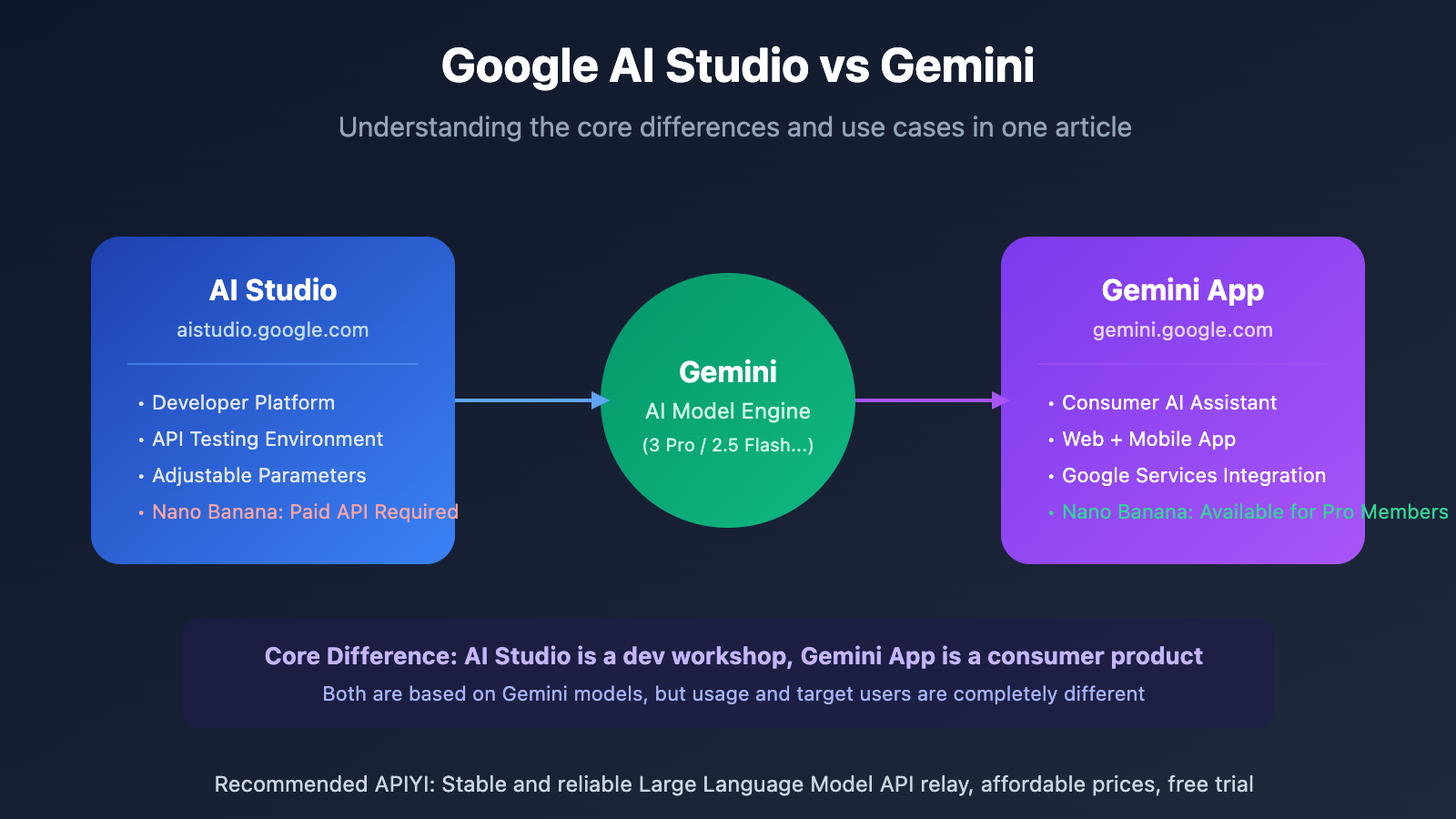
Google AI Studio vs. Gemini: The Core Differences
In a nutshell: Gemini is the AI engine, while AI Studio is the developer's workshop. Their positioning and target audiences are entirely distinct.
| Feature | Google AI Studio | Gemini (gemini.google.com) |
|---|---|---|
| Positioning | Dev Platform / API Testing Environment | Consumer-grade AI Assistant App |
| Target User | Developers, researchers, students | General users, daily productivity |
| How to Access | Web interface + API calls | Web interface + Mobile App |
| Nano Banana Pro | ❌ Not available (Requires paid API tier) | ✅ Available (Pro Member $19.99/mo) |
| Pricing | Free tier + Pay-as-you-go API | Free version + Pro Subscription |
| Customization | High (Adjustable Temperature, Token limits, etc.) | Low (Preset parameters) |
What is Gemini?
Gemini is Google's family of Large Language Models, including various versions like Gemini 3 Pro and Gemini 2.5 Flash. At the same time, Gemini is also a consumer-facing AI assistant app (gemini.google.com), much like ChatGPT.
Key features of the Gemini app:
- Accessible directly via browser or smartphone.
- Integrates with Google services like Gmail, Docs, and Calendar.
- Features "Gems" (custom AI experts).
- Pro members can use Nano Banana Pro for image generation.
What is Google AI Studio?
Google AI Studio is an experimental platform for developers. It allows you to test and debug Gemini models and obtain API Keys for your own applications.
Key features of AI Studio:
- Offers free testing for base models.
- Allows fine-tuning of parameters like Temperature and Top-P.
- Provides API Keys for integration into your own projects.
- Cannot directly use Nano Banana Pro to generate images (this requires the paid API tier).
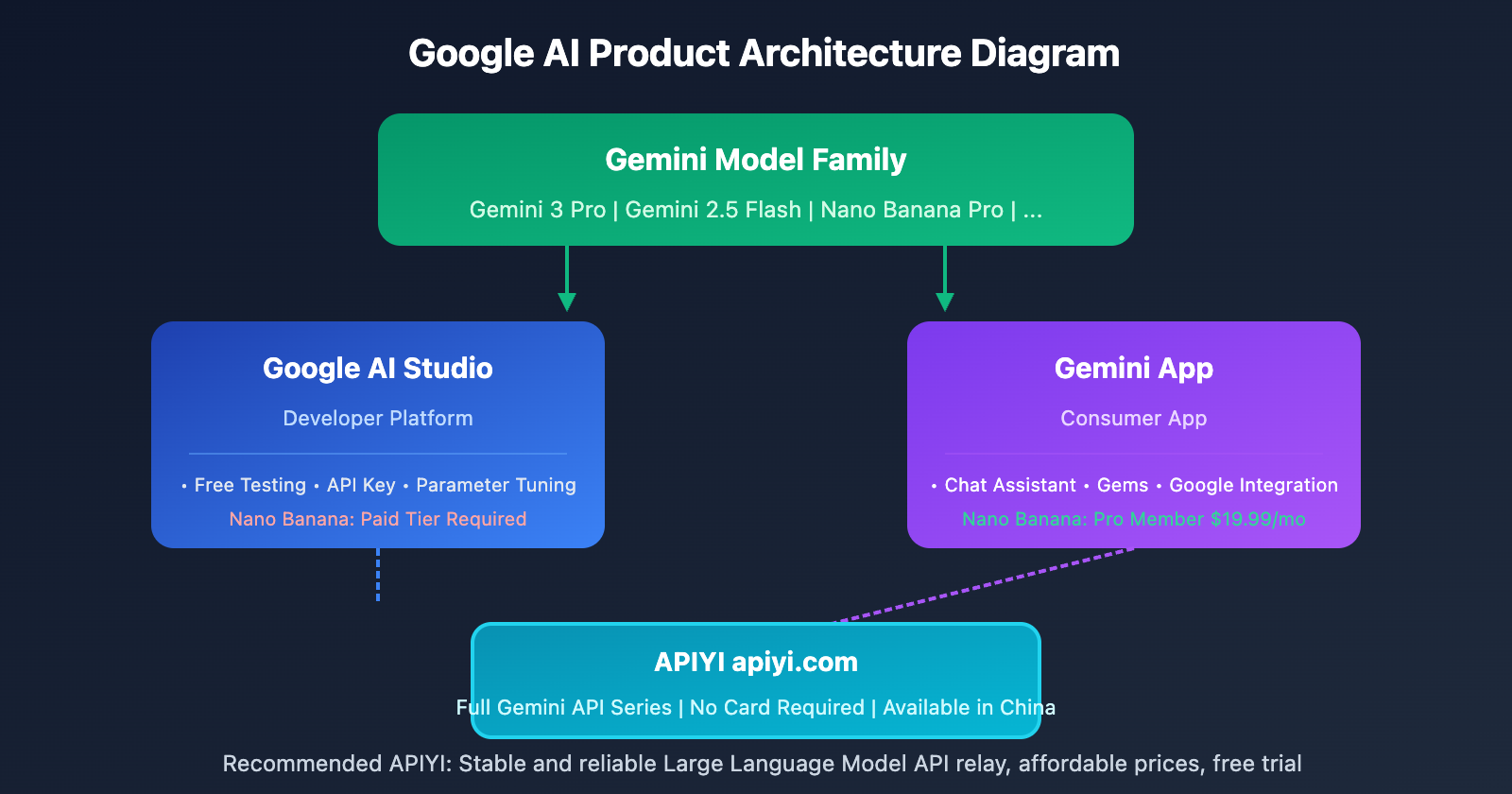
Nano Banana Pro Availability Across Platforms
Nano Banana Pro (gemini-3-pro-image-preview) is Google's latest high-quality image generation model, but how you use it varies significantly across different platforms:
| Platform | Nano Banana Pro Availability | Usage Requirements | Output Method |
|---|---|---|---|
| Gemini App | ✅ Available | Pro Subscription ($19.99/mo) | Direct image download |
| AI Studio Web | ⚠️ Restricted | Testing only, requires credit card | Preview only, no batching |
| AI Studio API | ⚠️ Restricted | Paid tier + credit card required | API response |
| APIYI (apiyi.com) | ✅ Fully Available | Pay-as-you-go | API response |
Gemini App: The Easiest Way to Experience It
If you just want to experience Nano Banana Pro's image generation capabilities, the simplest way is:
- Visit gemini.google.com
- Subscribe to Google AI Pro ($19.99/mo)
- Describe the image you want directly in the chat box
- Download the generated image directly
Pros: Simple to use, supports direct image downloads.
Cons: Requires a US-based account and credit card; doesn't support batch processing.
AI Studio: A Developer Testing Environment
While you can chat in AI Studio, it's specifically designed for developer testing and API debugging:
- You can test text models like Gemini 2.5 Pro and Flash for free.
- Nano Banana Pro requires a paid tier to use.
- Even if it's accessible, it's meant for testing and isn't ideal for production environments.
- You'll need to link a credit card to enable Cloud Billing.
Why You Might Have Trouble Using Nano Banana Pro in AI Studio
Many developers are confused: AI Studio clearly lists the gemini-3-pro-image-preview model, so why isn't it working?
Reason 1: Preview Model Restrictions
Nano Banana Pro is currently in Generative AI Preview status:
- Preview models have much stricter rate limits.
- Free tier RPD (Requests Per Day) can be as low as 50-100.
- You'll frequently encounter 503 errors (model overloaded).
Reason 2: Paid Tier Required
To use the Nano Banana Pro API in AI Studio, you need to:
- Enable Cloud Billing (link a credit card).
- Upgrade to Tier 1 or higher.
- Even with a paid account, the RPD is capped at 250 requests per day.
Reason 3: Technical Barriers
Image editing features require handling a thoughtSignature:
- Every conversation step needs to pass signature information.
- Missing signatures will result in 400 errors.
- This requires a certain level of technical expertise from the developer.
3 Ways to Use Nano Banana Pro
Based on your needs, here are three recommended options:
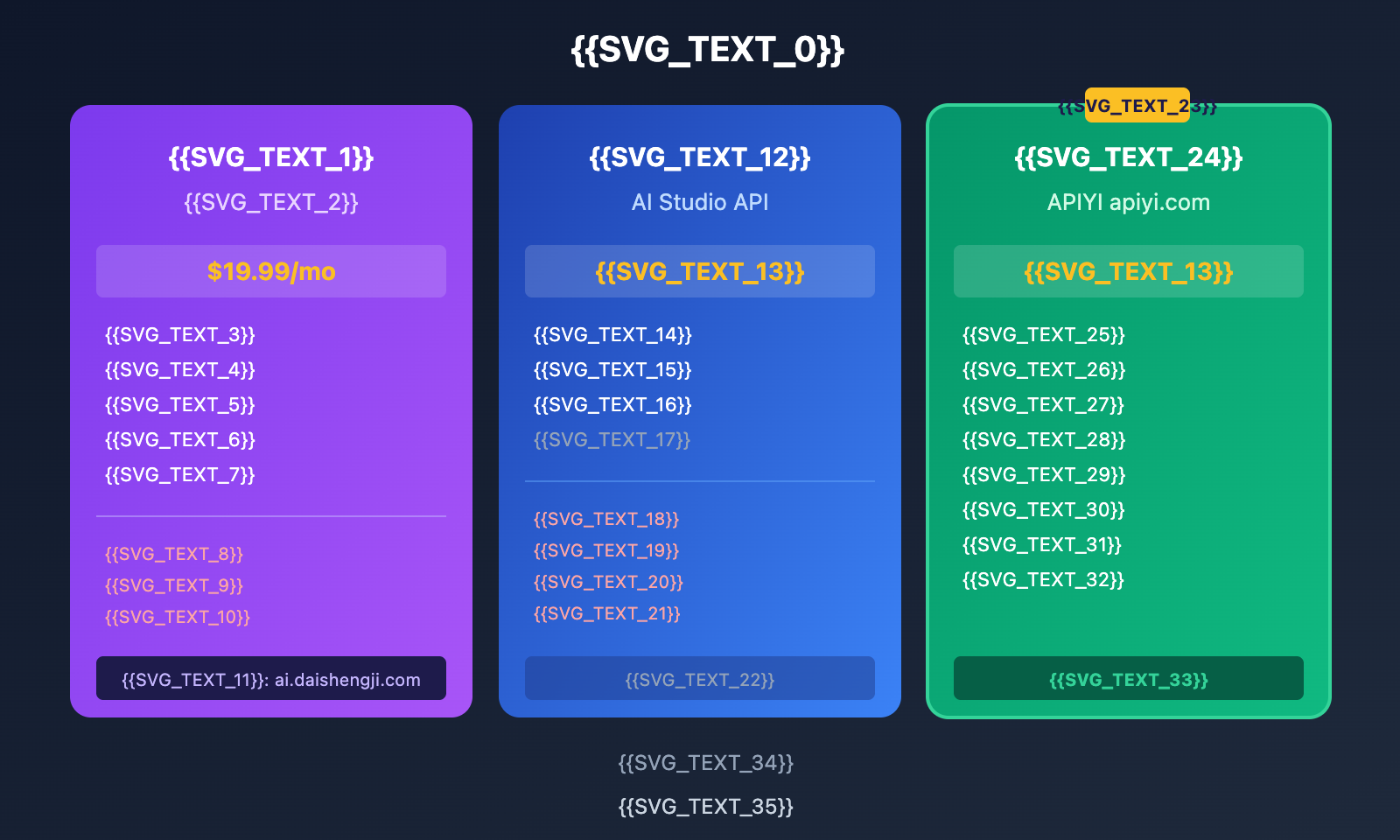
Option 1: Subscribe to Gemini Pro
Best For: Individual users, light usage, or those wanting to try the latest features.
| Item | Description |
|---|---|
| Price | $19.99/mo (approx. ¥145) |
| Features | Nano Banana Pro image generation + Veo 3 video + Deep Research |
| Storage | 2TB Google Drive space |
| Limitations | Daily usage limits apply |
How to Purchase:
- Official: gemini.google.com/subscriptions (Needs a US account + international credit card)
- Top-up: ai.daishengji.com (Recommended for Alipay support)
Option 2: Use AI Studio API
Best For: Developers who need to integrate AI into their own applications.
import google.generativeai as genai

genai.configure(api_key="YOUR_API_KEY")

model = genai.GenerativeModel('gemini-3-pro-image-preview')
response = model.generate_content("Generate a cyberpunk style city night scene")
Issues:
- Requires binding an international credit card.
- Mainland China is not a supported region.
- Strict RPD (Requests Per Day) limits (Tier 1 is only 250/day).
Option 3: Access via APIYI (Recommended for Developers)
Best For: Developers, those needing batch processing, and users in Mainland China.
import openai

client = openai.OpenAI(
    api_key="YOUR_APIYI_KEY",
    base_url="https://vip.apiyi.com/v1"
)

# Nano Banana Pro image generation
response = client.chat.completions.create(
    model="gemini-3-pro-image-preview",
    messages=[
        {"role": "user", "content": "Generate a girl under a cherry blossom tree in Japanese anime style"}
    ]
)
print(response.choices[0].message.content)
View more Gemini model API examples
import openai

client = openai.OpenAI(
    api_key="YOUR_APIYI_KEY",
    base_url="https://vip.apiyi.com/v1"
)

# Gemini 3 Pro text conversation
response = client.chat.completions.create(
    model="gemini-3-pro-preview",
    messages=[
        {"role": "system", "content": "You are a professional technical consultant"},
        {"role": "user", "content": "Compare the pros and cons of React and Vue"}
    ]
)
print(response.choices[0].message.content)

# Gemini 2.5 Flash (Cost-effective)
response = client.chat.completions.create(
    model="gemini-2.5-flash",
    messages=[{"role": "user", "content": "Write a Python quicksort"}]
)
print(response.choices[0].message.content)
Advantages of APIYI:
- No credit card required; supports Alipay/WeChat Pay.
- No regional restrictions; directly accessible in Mainland China.
- Supports the full range of Gemini models.
- No strict RPD limits.
Advice: If you're a developer needing API access, we recommend using the full Gemini series through APIYI (apiyi.com). If you just want to play around with image generation, subscribing to Gemini Pro (either officially or via top-up at ai.daishengji.com) is the way to go.
Google AI Studio vs. Gemini: Detailed Feature Comparison
| Feature | AI Studio | Gemini App |
|---|---|---|
| Text Chat | ✅ | ✅ |
| Parameter Tuning (Temperature, etc.) | ✅ | ❌ |
| API Key Access | ✅ | ❌ |
| Nano Banana Pro Image Generation | ⚠️ Requires Payment + Linked Card | ✅ Available for Pro Members |
| Direct Image Download | ❌ | ✅ |
| Google Workspace Integration | ❌ | ✅ Gmail/Docs/Calendar |
| Gems (Custom AI) | ❌ | ✅ |
| Deep Research | ❌ | ✅ Pro Members |
| Mobile App | ❌ | ✅ iOS/Android |
| Free to Use | ✅ Basic Features | ✅ Basic Features |
Which one should you choose?
Choose AI Studio if you're:
- A developer who needs to get an API Key
- Someone who needs to adjust model parameters for testing
- Looking for a free way to experience Gemini text models
Choose the Gemini App if you're:
- A regular user looking for a simple, easy-to-use AI assistant
- Looking for integration with Google services like Gmail and Docs
- Interested in trying out the Nano Banana Pro image generation feature
Choose APIYI if you're:
- A developer needing to integrate Gemini into your own applications
- Based in Mainland China and unable to link an international credit card
- Looking for stable API services combined with Chinese technical support
Frequently Asked Questions
Q1: Do AI Studio and Gemini use the same model?
Yes, they're both powered by the Gemini model family. However, user feedback suggests that models in AI Studio often perform better because it has fewer restrictions and allows for manual parameter tuning.
Q2: How can users in Mainland China subscribe to Gemini Pro?
The official channel requires a US-based Google account and an international credit card.
Alternatives:
- Top up via ai.daishengji.com (Friend recommendation)
- If you only need the API, use APIYI at apiyi.com
Q3: Which Gemini models does APIYI support?
APIYI supports the entire Gemini lineup:
- gemini-3-pro-image-preview (Nano Banana Pro)
- gemini-3-pro-preview
- gemini-2.5-pro / gemini-2.5-flash
- gemini-2.0-flash / gemini-2.0-flash-lite
- Plus over 200 other AI models (including GPT, Claude, etc.)
Summary
The core differences between Google AI Studio and Gemini:
- Different Positioning: AI Studio is a developer's workshop, while the Gemini App is a consumer-grade assistant.
- Nano Banana Pro: Gemini App subscribers can generate and download images directly. In AI Studio, you'll need the paid API to do this.
- Usage Suggestions:
- To try out image generation → Go for a Gemini Pro subscription ($19.99/month, available via ai.daishengji.com for top-ups).
- For API development → Use APIYI (apiyi.com). It doesn't require a linked card and supports the entire model series.
For users in mainland China, we recommend using APIYI (apiyi.com) to access the full Gemini model lineup for development, or using ai.daishengji.com for Gemini Pro subscriptions to experience the image generation features.
📚 References
-
Google AI Studio Official Documentation: Developer platform user guide.
- Link:
ai.google.dev/gemini-api/docs - Description: AI Studio features and API documentation.
- Link:
-
Gemini Subscription Page: Introduction to Pro/Ultra member features.
- Link:
gemini.google/subscriptions - Description: Membership pricing and feature comparison.
- Link:
-
Gemini 3 Pro Image Documentation: Nano Banana Pro technical documentation.
- Link:
deepmind.google/models/gemini-image/pro - Description: Introduction to the capabilities of the image generation models.
- Link:
Author: Tech Team
Tech Talk: Feel free to discuss any questions about AI Studio or Gemini in the comments. For more resources, visit the APIYI (apiyi.com) technical community.


