
Author's Note: Comparing the core differences between the Cherry Studio and Chatbox AI clients, and detailing how to access Sora 2 video generation via OpenAI compatible mode.
Choosing the right AI desktop client is a constant topic of interest for productivity enthusiasts. This article compares Cherry Studio and Chatbox across functionality, user experience, and extensibility to provide clear recommendations. We'll also focus on how to integrate Sora 2 video generation capabilities into both products.
Core Value: By the end of this article, you'll know exactly which client fits your workflow and how to connect Sora 2 using OpenAI compatible mode.
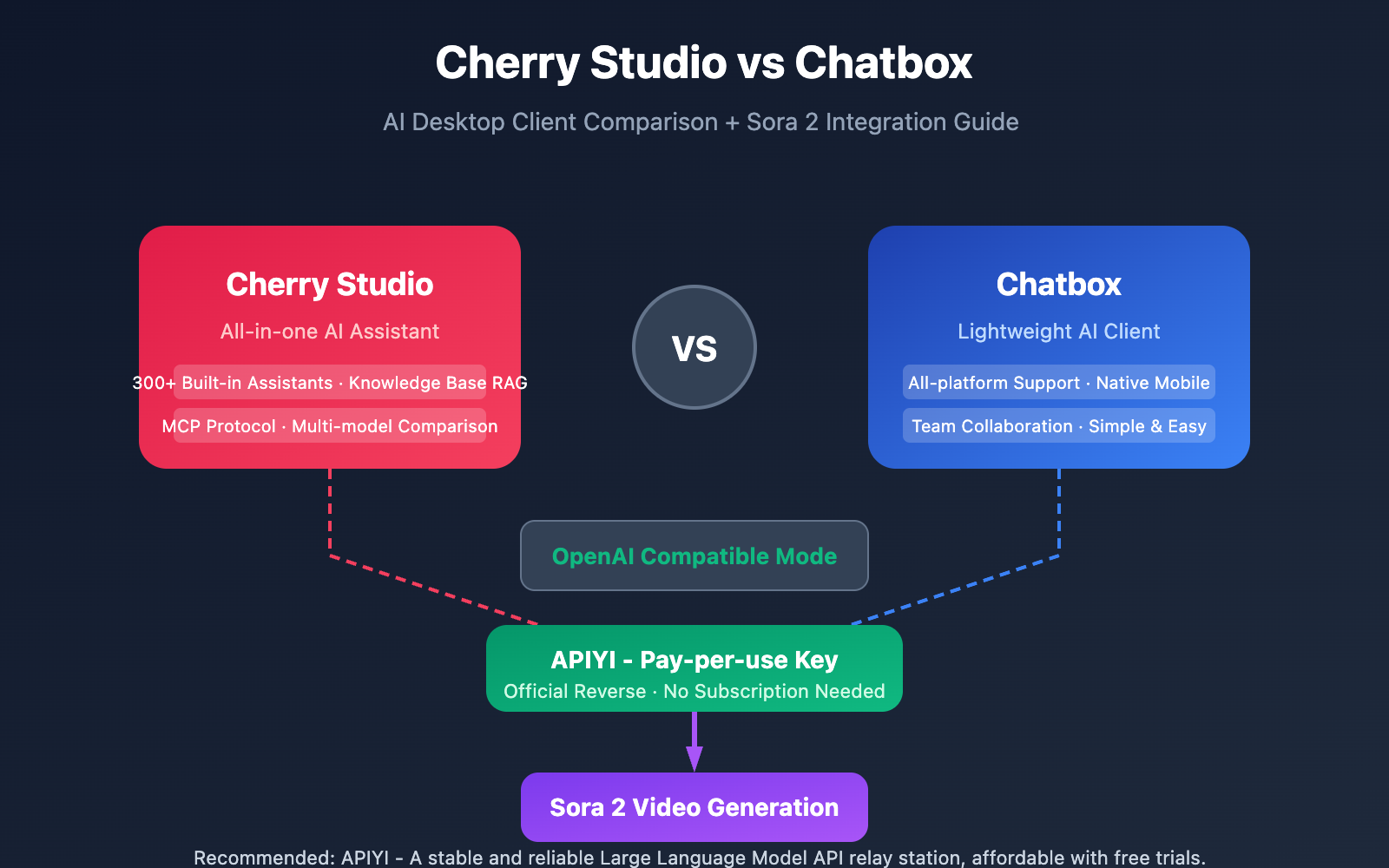
Cherry Studio vs Chatbox: Core Comparison
| Dimension | Cherry Studio | Chatbox |
|---|---|---|
| Positioning | All-in-one AI Assistant + Programming Agent | Lightweight AI Chat Client |
| Preset Assistants | 300+ Built-in Assistant Library | Basic prompt library |
| Knowledge Base (RAG) | ✅ Local Knowledge Base Support | ❌ Not Supported |
| Multi-model Comparison | ✅ Compare Multi-model Outputs Simultaneously | ❌ Single-model Chat |
| MCP Protocol | ✅ Supports MCP Server | ❌ Not Supported |
| Platform Support | Windows/Mac/Linux | All platforms including Mobile |
| Open Source License | AGPL-3.0 | MIT |
A Deep Dive into Cherry Studio vs Chatbox
Cherry Studio, developed by Shanghai Qianhui Technology, is an all-encompassing AI desktop client that supports over 50 AI service providers. Its core strength lies in its positioning as an "AI Agent + Programming Assistant," featuring over 300 pre-configured assistants for writing, coding, translation, and analysis. Its unique Knowledge Base (RAG) feature allows users to import PDF, DOCX, and TXT files to build local knowledge bases, enabling the AI to answer questions based on your own documents.
Chatbox, on the other hand, takes a lightweight approach, emphasizing an "out-of-the-box" experience. It supports the BYOK (Bring Your Own Key) model, where users can use all features for free by providing their own API Key. Chatbox's main advantages are its full-platform coverage (including iOS and Android) and its clean, intuitive chat interface. For users who only need basic chat functionality, Chatbox offers a much lower learning curve.
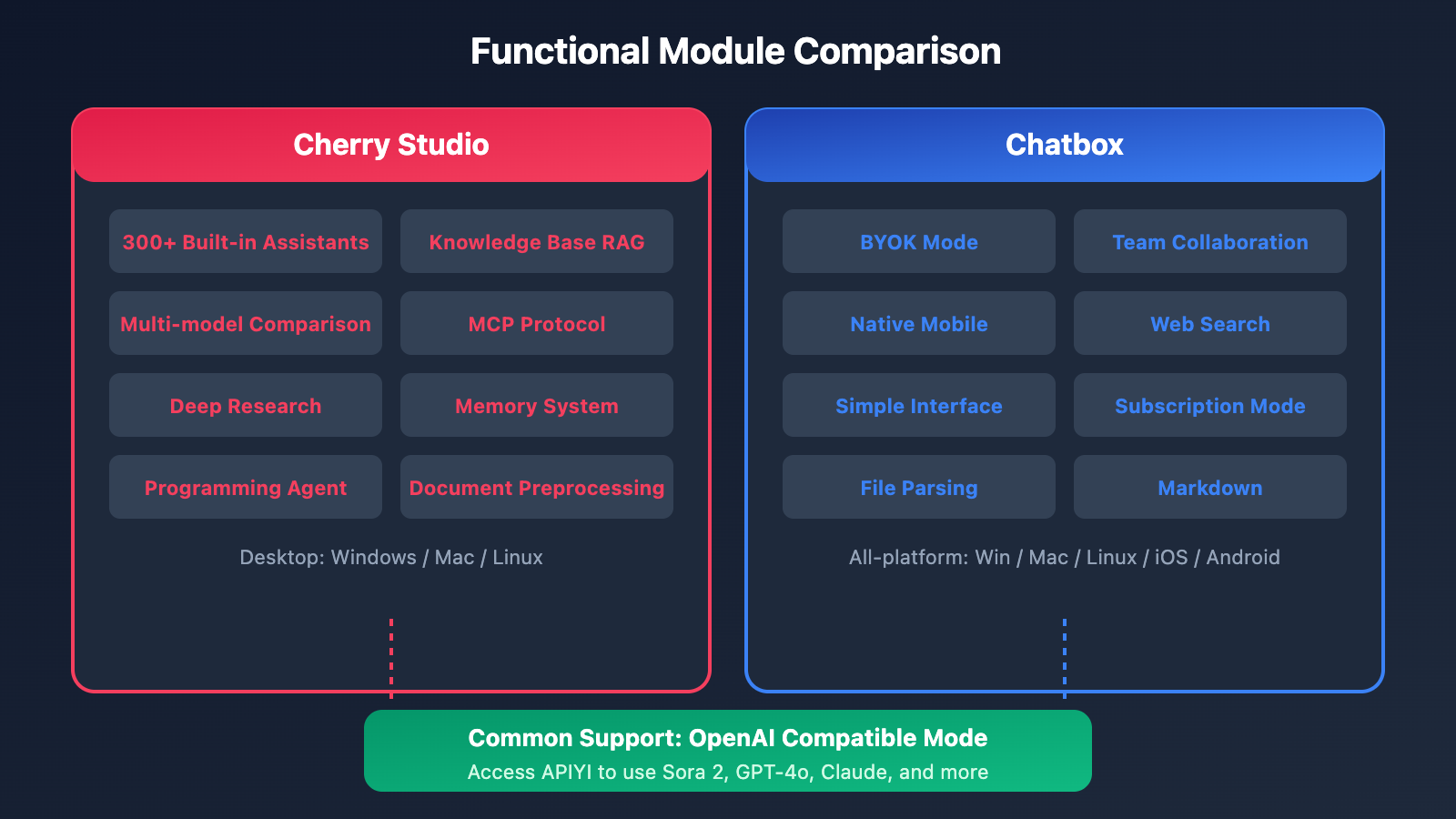
Cherry Studio vs. Chatbox: Detailed Feature Comparison
Model Support and Compatibility
Both clients support the OpenAI-compatible API format, which means you can connect to any service provider that offers an OpenAI-compatible interface:
| Capability | Cherry Studio | Chatbox |
|---|---|---|
| Official OpenAI | ✅ | ✅ |
| Claude/Gemini | ✅ | ✅ |
| Local Models (Ollama) | ✅ | ✅ |
| Custom API Endpoints | ✅ | ✅ |
| OpenAI Compatible Mode | ✅ Fully supported | ✅ Fully supported |
Advanced Feature Comparison
Cherry Studio takes a clear lead when it comes to advanced features:
- Multi-Model Comparison: Send the same prompt to multiple models at once to compare output quality.
- MCP Protocol Support: Access the Model Context Protocol ecosystem.
- Deep Research Mode: Automated multi-round searching and information synthesis.
- Memory System: Global context awareness and cross-conversation memory.
- Document Preprocessing: Intelligent parsing of complex document structures.
Chatbox’s standout features:
- Team Collaboration: Share API accounts without exposing your Keys.
- Mobile Support: Native apps for both iOS and Android.
- Web Search: AI-driven real-time information retrieval.
- Subscription Mode: A one-stop service for those who don't want to manage their own Keys.
Tutorial: Accessing Sora 2 in Cherry Studio and Chatbox
Why can you use Sora 2 in these two clients?
The key lies in OpenAI Compatible Mode. Although Sora 2 is OpenAI's video generation model, third-party platforms like APIYI provide an OpenAI-compatible API interface. This means any client that supports custom OpenAI API endpoints can connect to it.
The Sora 2 provided by APIYI uses an official reverse interface (not official forwarding), featuring:
| Feature | Description |
|---|---|
| Interface Format | OpenAI compatible; standard SDKs work perfectly. |
| Billing Method | Pay-per-use; you only pay for what you generate. |
| No Subscription Required | You don't need a ChatGPT Plus or Pro subscription. |
| Independent Key | A dedicated API Key managed separately from other models. |
Steps to Connect Sora 2 to Cherry Studio
Step 1: Get your API Key
Visit APIYI (apiyi.com) to register an account, then create a "Pay-per-use" API Key in the console.
Step 2: Add a Custom Provider
- Open Cherry Studio → Settings → Model Providers.
- Click "Add Custom Provider."
- Fill in the configuration:
- Provider Name:
APIYI - API Address:
https://vip.apiyi.com/v1 - API Key: Your pay-per-use Key.
- Provider Name:
Step 3: Add the Sora 2 Model
Add the following to your model list:
- Model ID:
sora-2 - Model Name:
Sora 2 Video Generation - Model Type:
Video Generation
Step 4: Start Creating
Select the Sora 2 model in your chat, enter your video description, and you're ready to generate.
Steps to Connect Sora 2 to Chatbox
Step 1: Get your API Key
Likewise, grab a pay-per-use API Key from APIYI (apiyi.com).
Step 2: Configure the API Endpoint
- Open Chatbox → Settings → API Settings.
- Select "OpenAI API Compatible."
- Fill in the configuration:
- API Host:
https://vip.apiyi.com - API Key: Your Key.
- API Path:
/v1/chat/completions
- API Host:
Step 3: Add the Custom Model
Add the sora-2 model ID in the model settings.
Pro Tip: By getting a pay-per-use Key from APIYI (apiyi.com), you can use video generation features in Cherry Studio or Chatbox without needing any monthly subscriptions.
Cherry Studio vs Chatbox: Quick Start
Minimal Configuration Example
Here are the core parameters for configuring APIYI services in both clients:
# General configuration parameters
API_BASE_URL: https://vip.apiyi.com/v1
API_KEY: your-per-use-api-key
MODEL_ID: sora-2

# Available models list
MODELS:
  - sora-2          # Video generation
  - gpt-4o          # Chat
  - claude-sonnet-4 # Chat
  - gemini-2.5-pro  # Multimodal
View Python Code for Configuration Verification
import openai

# Configure APIYI endpoint
client = openai.OpenAI(
    api_key="your-per-use-api-key",
    base_url="https://vip.apiyi.com/v1"
)

# Test text generation
response = client.chat.completions.create(
    model="gpt-4o-mini",
    messages=[{"role": "user", "content": "Hello!"}]
)
print(response.choices[0].message.content)

# Test video generation (Sora 2)
video_response = client.videos.generate(
    model="sora-2",
    prompt="A cat playing piano in a cozy living room",
    duration=10
)
print(video_response)
Pro Tip: APIYI (apiyi.com)'s pay-as-you-go model is perfect for desktop clients. You only pay for what you use, so there's no need to worry about wasting a subscription.
Cherry Studio vs Chatbox: Recommended Scenarios
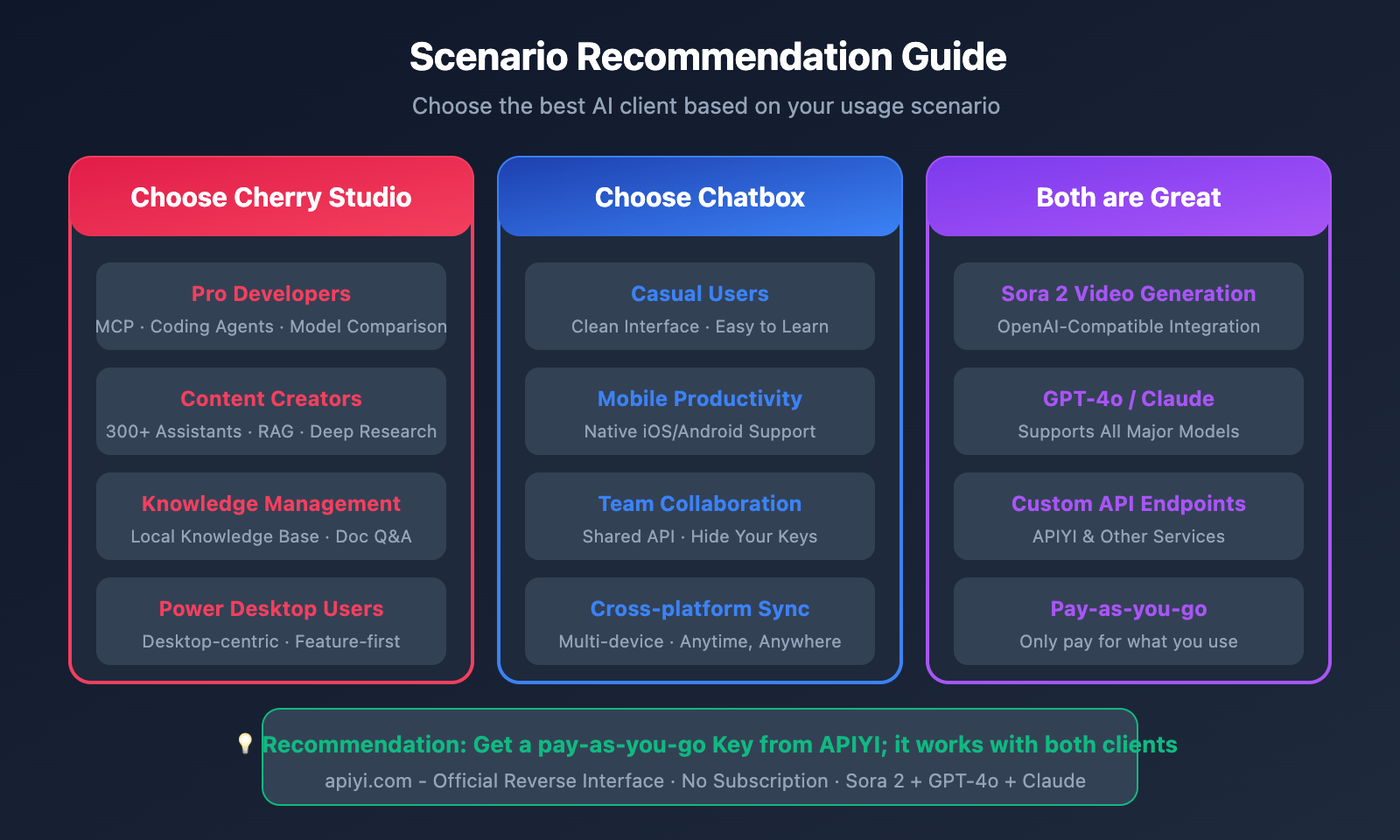
| User Scenario | Recommended Client | Reason |
|---|---|---|
| Pro Developers | Cherry Studio | MCP support, Coding Agents, Multi-model comparison |
| Content Creators | Cherry Studio | 300+ assistants, Knowledge Base (RAG), Deep Research |
| Casual Users | Chatbox | Clean UI, low learning curve, cross-platform |
| Mobile Productivity | Chatbox | Native iOS/Android support |
| Team Collaboration | Chatbox | Team Key sharing feature |
| Video Generation | Either one | Both support Sora 2 via OpenAI-compatible mode |
Summary of Recommendations
Choose Cherry Studio if you:
- Need to build a local knowledge base for RAG Q&A
- Frequently compare outputs from different models
- Use the MCP protocol to extend AI capabilities
- Primarily use AI on your desktop
Choose Chatbox if you:
- Need to use AI on your phone on the go
- Prefer a clean and intuitive interface
- Need to share API resources with a team
- Only need basic chat functionality
FAQ
Q1: Can Sora 2 generate videos directly in the client?
Yes, it can. Through the OpenAI-compatible interface provided by APIYI, Sora 2 can be called in the client just like any standard conversation model. Simply input your video description, and it'll return the generated video link or file. Keep in mind that video generation takes a bit longer, so the client needs to support asynchronous waiting.
Q2: What’s the difference between a Pay-as-you-go Key and a regular Key?
Key features of a Pay-as-you-go Key:
- Pay only for what you use, with no monthly fees.
- Perfect for scenarios where usage is unpredictable.
- Allows for individual budget control.
- Especially suitable for high-cost tasks like video generation.
On the other hand, regular monthly subscription keys are better for scenarios with stable usage where you're looking for the best cost-effectiveness.
Q3: How do I get started with testing quickly?
Here's the recommended workflow:
- Visit APIYI at apiyi.com and register an account.
- Create a "Pay-as-you-go" API Key.
- Configure the API endpoint in Cherry Studio or Chatbox.
- Select the sora-2 model and enter a video description to test it out.
Summary
The core decision points for choosing between Cherry Studio and Chatbox:
- Functional Depth vs. Ease of Use: Cherry Studio is feature-rich and ideal for power users, while Chatbox is sleek and simple, making it perfect for lighter needs.
- Desktop vs. Cross-platform: If you need a mobile version, go with Chatbox; for a dedicated desktop experience, Cherry Studio is the way to go.
- Sora 2 Integration: Both support OpenAI-compatible modes, so both can access Sora 2 via APIYI.
No matter which client you choose, you can easily tap into Sora 2's video generation capabilities using a Pay-as-you-go Key from APIYI (apiyi.com).
We recommend getting your API Key through APIYI. The platform provides OpenAI-compatible official reverse-engineered interfaces, and the pay-as-you-go model is a perfect fit for desktop client use.
📚 References
⚠️ Link Format Note: All external links use the
Resource Name: domain.comformat. This makes them easy to copy but prevents direct clicks to avoid SEO weight loss.
-
Cherry Studio Official Documentation: Detailed feature descriptions and configuration guides
- Link:
docs.cherry-ai.com - Description: Official documentation to help you understand all features and configuration methods
- Link:
-
Chatbox GitHub Repository: Open-source code and usage instructions
- Link:
github.com/chatboxai/chatbox - Description: Check out the latest versions and feature updates
- Link:
-
Sora 2 API Documentation: OpenAI's official Sora 2 interface description
- Link:
platform.openai.com/docs/models/sora-2 - Description: Understand Sora 2's full capabilities and parameters
- Link:
Author: Technical Team
Technical Discussion: Feel free to join the discussion in the comments section. For more resources, visit the APIYI apiyi.com technical community.


