

Author’s note: The GPT-6.2 Sol that launched on the ChatGPT chat page is a version tuned for everyday conversation. Keep it separate from gpt-6.2-sol, which has been callable in the API since November 17. This article lays out the differences between the two tracks, the self-check workflow, API access pricing, and how to run acceptance testing.
In the early hours of November 24, Beijing time, the official ChatGPT account announced: a version of GPT-6.2 Sol is rolling into the Chat tab, and this version has been optimized for everyday conversation. The post quickly passed 600,000 views, and many users immediately noticed that their model selector had changed.
This isn’t OpenAI releasing another new model. GPT-6.2 Sol itself launched on November 17 and went live in ChatGPT Work, Codex, and the API; this change is one conversational version of it moving into regular Chat. For developers invoking gpt-6.2-sol through the API, whether the code needs to change and whether results have changed are two separate questions.
Core value: In 3 minutes, get clear on what GPT-6.2 Sol on the ChatGPT chat page and gpt-6.2-sol in the API each are, how to check them yourself, and how to run acceptance testing with your own ten questions.
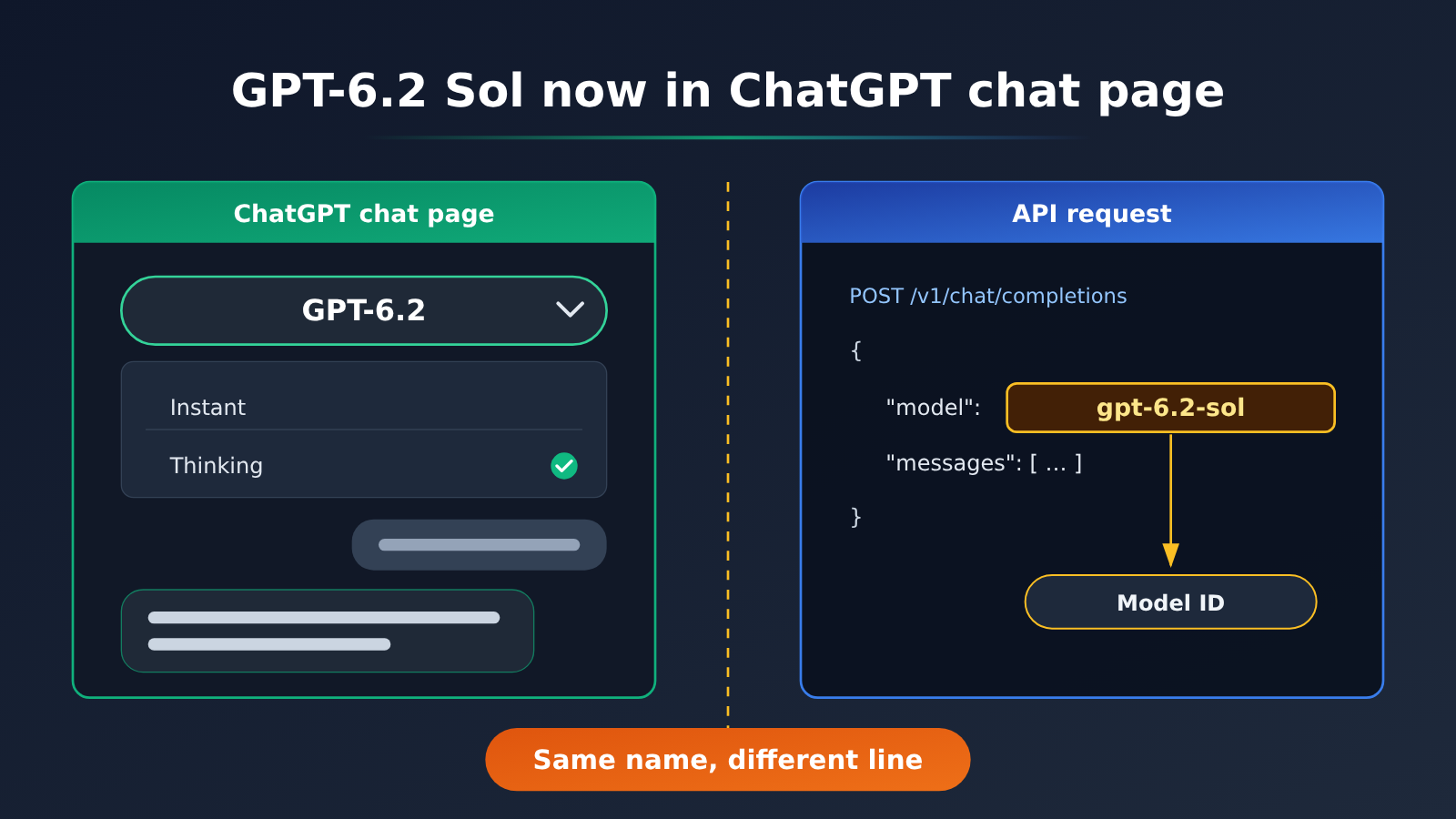
GPT-6.2 Sol Comes to the ChatGPT Chat Page: Key Facts at a Glance
Let’s start with the key details of this announcement in one table. Each row includes the source type, so you can tell what’s officially confirmed and what’s still unknown.
| Information item | Details | Source type |
|---|---|---|
| Release time | 2026-11-23 19:04 UTC (Beijing time: November 24, 03:04) | Official self-report (official ChatGPT account) |
| What was released | A version of GPT-6.2 Sol enters the Chat tab, optimized for everyday conversations | Official self-report |
| Availability | Plus, Pro, Business, and Enterprise users; gradual rollout begins that day | Official self-report |
| Model tiers | The GPT-6.2 update includes Instant and Thinking, becoming gradually available in Chat as the release rolls out | Help Center documentation text |
| Pro tier | Still uses GPT-6 Pro, so GPT-6.2 Pro won’t be visible there | Help Center documentation text |
| Relationship to the API | Whether this chat-page version has a corresponding standalone API model ID | Unknown; not stated officially |
Pay special attention to the last row. The official wording is “a version of GPT-6.2 Sol”—not “GPT-6.2 Sol” itself. It doesn’t say this version shares the same set of weights and parameters as the gpt-6.2-sol model in the API. Until officials provide more detail, treating the two as the same thing isn’t rigorous.
Official improvements in the GPT-6.2 Sol chat version
According to the official post, this conversational version is noticeably stronger at handling complex requests, especially when you give it detailed instructions or ask it to search the web for information. The post lists several changes you might notice in everyday conversations:
- Image detail recognition: It picks up finer details in photos, such as text on a label or symbols on a street sign.
- Comparing options online: When comparing multiple options, it’s better at narrowing the choices based on the criteria you care about (like price or location).
- Follow-up timing: It has a better sense of when to proactively offer follow-up help, such as asking whether you’d like a reminder if the price drops.
All of the above are official self-reported descriptions, with no public benchmark scores attached. They describe the direction of the product experience; they don’t equate to any quantitative metric, and they certainly can’t be used to infer performance on the API side.
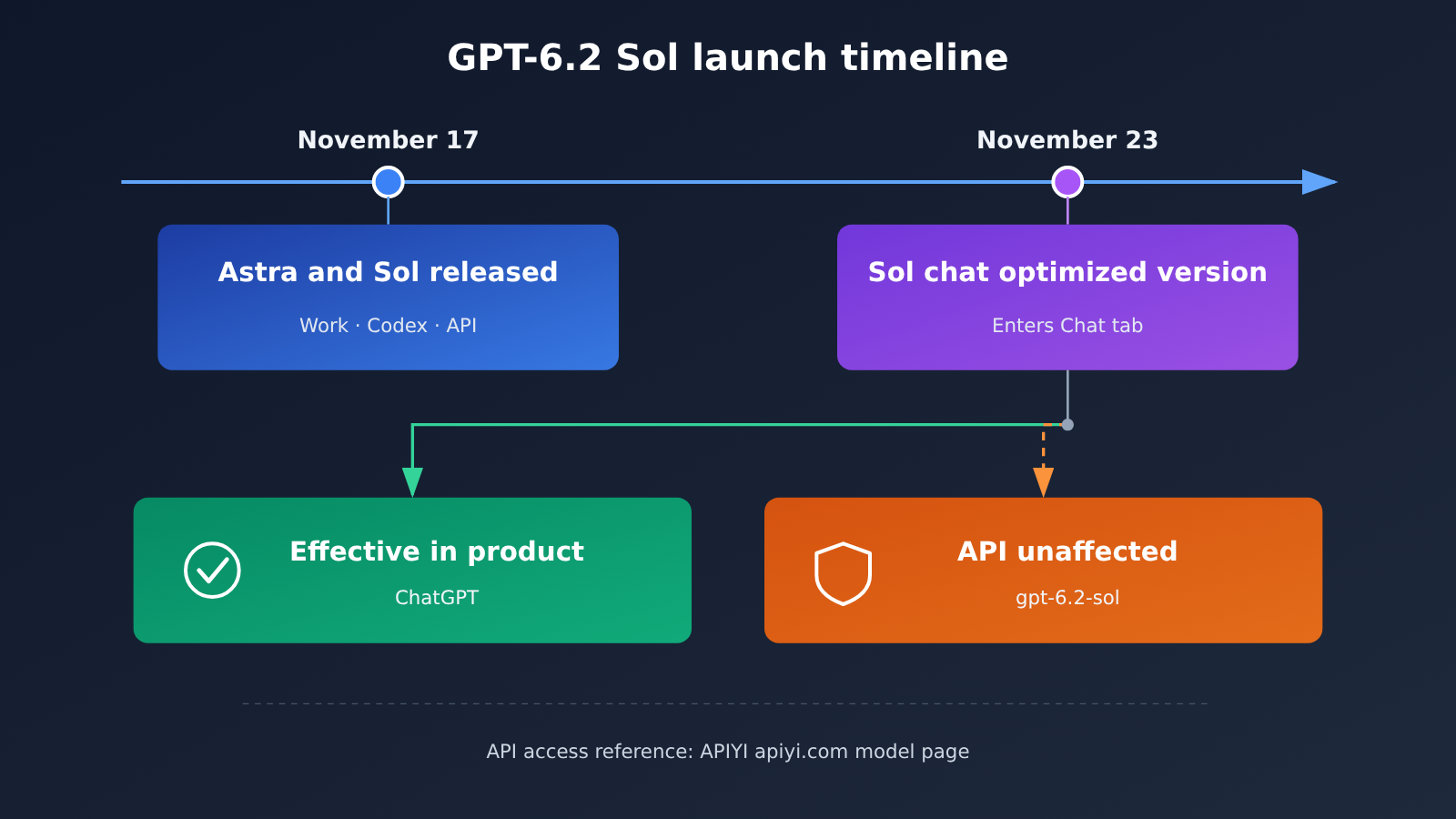
Differences Between the GPT-6.2 Sol Chat Page Version and the API Version
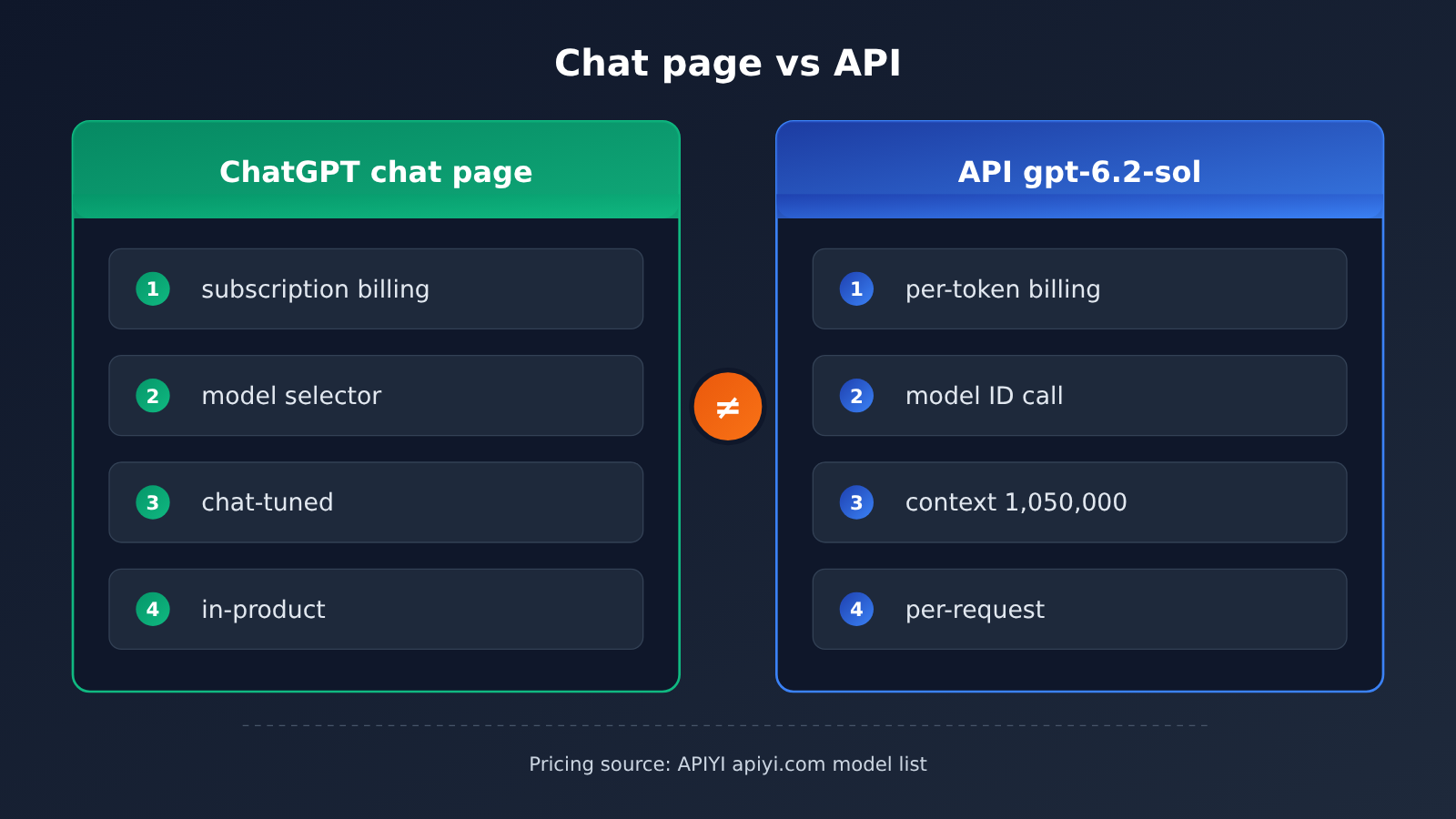
This is the point this article most wants to make clear. The same name, GPT-6.2 Sol, actually covers two parallel tracks — they target different users, take effect in different places, and update on different schedules.
| Comparison dimension | GPT-6.2 Sol in the ChatGPT chat page | gpt-6.2-sol in the API |
|---|---|---|
| Rollout date | Gradually rolled out starting November 23 | Callable starting November 17 |
| Positioning | A version optimized for everyday conversation | The standard model for developers |
| Scope of effect | Only in the Chat tab of the ChatGPT product | Only within your API requests |
| How to invoke | Switch in the model selector | Specify the model ID in the request |
| Billing | Follows your ChatGPT subscription | Billed per token |
| Available platforms | The official ChatGPT product | OpenAI’s official API, APIYI apiyi.com, and others |
When the release went out on November 17, the official response in the community was explicit: this release does not add Astra and Sol to the regular Chat. In other words, for the past week regular Chat users couldn’t use Sol at all, while API users could already call it. This change to the Chat tab is a step the product side has now filled in on its own.
For API users, the conclusion is straightforward: this rollout doesn’t require any code changes. Your request still says gpt-6.2-sol, and it won’t automatically turn into the “conversation-optimized version” just because the ChatGPT chat page switched versions. Conversely, the “asks better follow-up questions” and “understands price comparisons better” experience you get in the chat page won’t necessarily reproduce in your API workloads.
How to Check Whether GPT-6.2 Sol Has Rolled Out in ChatGPT
Rollouts happen gradually, so it’s completely normal for some people on the same team to see it while others don’t. Use the table below to check against your own model selector.
| What you see in the model selector | What it means | Next step |
|---|---|---|
| GPT-6.2 (with Instant or Thinking) | Already rolled out to your account | Use it directly; Instant and Thinking may show up in separate batches |
| Latest tier | The older selector’s naming — the Help Center says it’s the same tier as the new one | No extra action needed |
| GPT-6 Pro | The Pro tier is still GPT-6 Pro; there’s no GPT-6.2 Pro | This is expected behavior, not a failed rollout |
| Still the previous default model | Not yet rolled out to your account | Wait for the gradual rollout, or refresh the page and check again |
There are two common misconceptions when checking. First, not seeing GPT-6.2 Pro doesn’t mean something’s wrong with your account — the Help Center already states that Pro still uses GPT-6 Pro. Second, free users aren’t on the rollout list this time; the official announcement specifically names Plus, Pro, Business, and Enterprise.
GPT-6.2 Sol API Access Details and Pricing
If you’re building a product on top of the API, this is the section that actually matters. According to the OpenAI API changelog, gpt-6.2-sol and gpt-6.2-astra both support the v1/responses and v1/chat/completions endpoints as of November 17, so existing OpenAI-compatible code only needs a model ID swap.
When connecting through the OpenAI-compatible route, the key configuration looks like this:
- Endpoint URL:
base_url="https://api.apiyi.com/v1", calling through APIYI’s unified interface - Model ID:
model="gpt-6.2-sol", or switch togpt-6.2-astrawhen you need more capability - Endpoint:
v1/chat/completionsworks for migrating existing chat code directly, whilev1/responsessuits new projects - Reasoning effort: the API doesn’t accept
nonefor reasoning effort, so check this parameter when migrating from older models - Authentication: put the key generated in the platform console into
api_key— never hardcode it in frontend code
Below is a summary of specs and pricing. Specs come from the official model page and the APIYI model page; pricing comes from the APIYI model master table (data updated 2026-11-23 10:23 UTC+8).
| Item | gpt-6.2-sol | gpt-6.2-astra |
|---|---|---|
| Input (per million tokens) | $2 | $8 |
| Output (per million tokens) | $10 | $40 |
| Cached read (per million tokens) | $0.1 | $0.4 |
| When input exceeds 272,000 tokens | Input $3, output at 1.5x, billed on the whole request | Input $16, output at 1.5x, billed on the whole request |
| Context / max input / max output | 1,050,000 / 922,000 / 128,000 | Same as the official model page |
| Knowledge cutoff | 2026-06-01 | Refer to the official model page |
| Available platforms | APIYI apiyi.com, OpenAI official API | APIYI apiyi.com, OpenAI official API |
The official release notes mention that Sol keeps the same API pricing as 6.1 Sol, with Batch at 50% of the standard price and Fast at 2x. The “billed on the whole request once input exceeds 272,000 tokens” rule matters a lot for long-document scenarios: once you cross that line, both input and output for the entire request are priced at the higher tier, rather than only marking up the portion that went over.
🚀 Integration tip: If you want to compare Sol and Astra within the same project, or run side-by-side tests against Claude and Gemini, you can switch between model IDs with a single API key through APIYI apiyi.com. The platform uses an OpenAI-compatible interface with pay-as-you-go billing, and new users get free testing credits — great for running a small sample first before deciding whether to switch your main model.
Impact analysis of GPT-6.2 Sol
Impact on everyday ChatGPT users
- Complex instructions work better: when you give long, specific requirements, the answers follow them more closely. This is a direction the official announcement explicitly emphasized.
- Online price comparison and image recognition are more practical: everyday scenarios like shopping comparisons and reading text on labels will feel noticeably different.
- More proactive follow-up questions: the model will offer more follow-up help. If you don’t need it, just say so directly in your instructions.
Impact on API developers
- No code changes needed: version changes on the chat page don’t affect API requests. The behavior of
gpt-6.2-solis governed by the API documentation. - Don’t treat the chat page experience as a conclusion: the chat page layers on product-level system settings and tool calls, so the conditions differ from a bare API call.
- Long context requires careful budgeting: although the context window is 1,050,000, 272,000 tokens is the pricing threshold, so you need to control input size at the architecture level.
Validate GPT-6.2 Sol’s API performance with ten questions
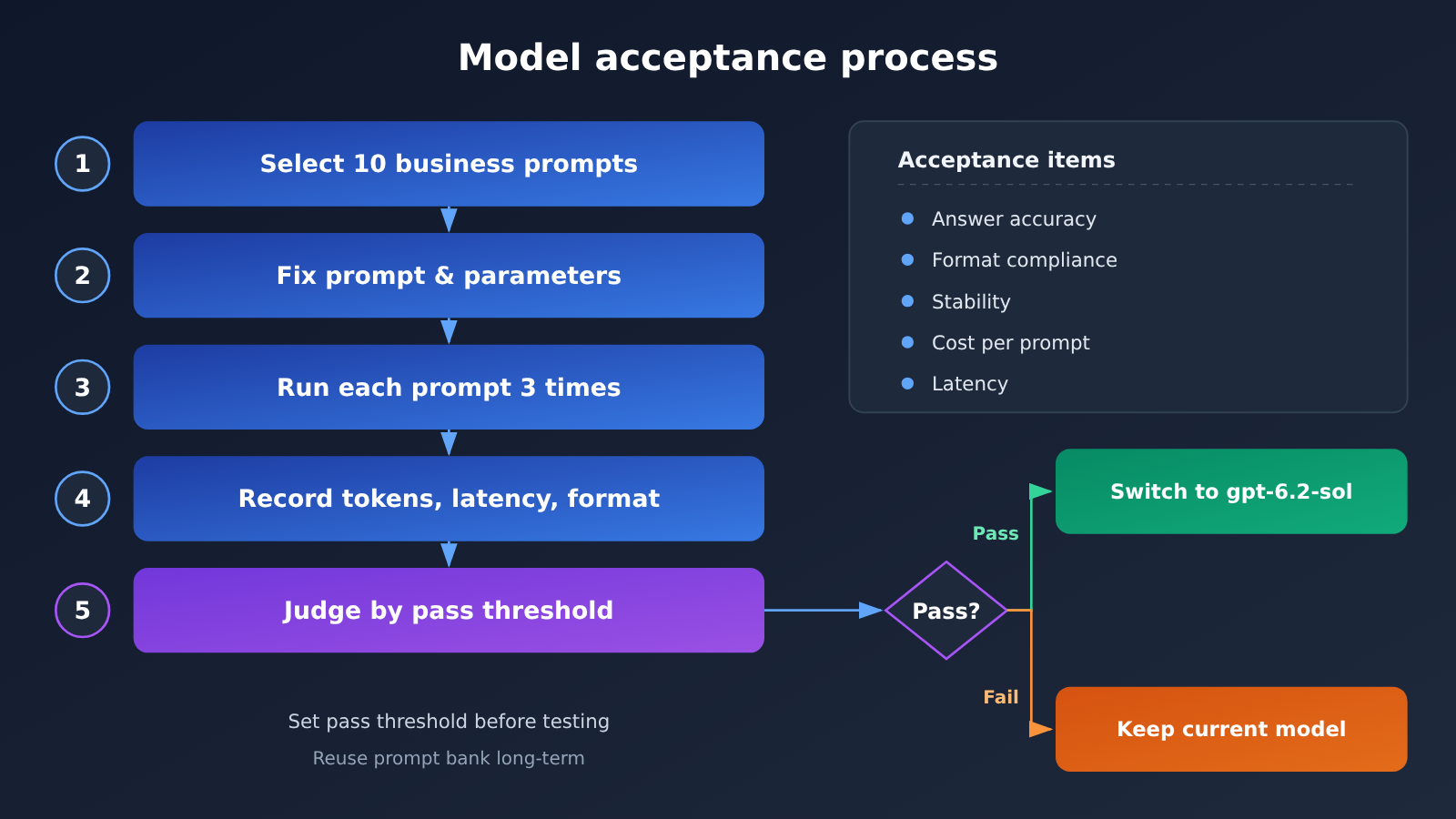
If you want to know whether gpt-6.2-sol is worth switching to for your product, the only reliable way is to run your own questions against the API, not to rely on the chat page experience or marketing language. Below is an acceptance-testing process you can execute directly.
- Write the questions: pick 10 questions from real business logs, covering high-frequency scenarios, edge cases, and scenarios that have failed before. For each question, write a reference answer or scoring points.
- Fix the conditions: use the same system prompt, the same set of parameters, and the same endpoint, and call both your current primary model and
gpt-6.2-sol. - Run repeatedly: run each question at least 3 times and observe the stability of the results, rather than looking only at the single best result.
- Record the data: save the input and output token counts, time to first token, total latency, and whether the format requirements were met for each run.
- Score against the criteria: judge each item using the table below, then decide whether to switch.
| Acceptance item | How to judge | Suggested pass line |
|---|---|---|
| Answer accuracy | Manual scoring against the scoring points | At least 8 of 10 questions no worse than the current model |
| Format compliance | JSON is parseable, fields are complete | 0 format errors in 30 calls |
| Stability | Whether 3 runs of the same question agree | Key conclusions do not contradict each other |
| Cost per question | Token count multiplied by unit price | Does not exceed the business budget ceiling |
| Latency | Time to first token and total latency | Meets product interaction requirements |
The pass lines can be adjusted for your business, but they must be set before testing to avoid changing the standard after seeing the results. It’s worth keeping this question set long term; whenever a new model launches, you can reuse it directly. On APIYI apiyi.com, just switch the model ID and rerun the same set of questions.
FAQ
Q1: Is GPT-6.2 Sol on the ChatGPT chat page a new model?
It’s not a newly released model. GPT-6.2 Sol was already released on November 17. This time, a version of it optimized for everyday conversation is coming to the Chat tab, and it only applies within the ChatGPT product.
Q2: Is GPT-6.2 Sol on the chat page the same as the API’s gpt-6.2-sol?
The official wording only says it’s “a version of GPT-6.2 Sol” and doesn’t state that it’s identical to the API model. For now, you should treat them as two separate tracks. For API-side behavior, rely on the API docs and your actual invocation results. You can run tests directly on the API through APIYI (apiyi.com) to confirm.
Q3: Why can’t I see GPT-6.2 Pro in my ChatGPT?
The Help Center says the Pro tier still uses GPT-6 Pro, so GPT-6.2 Pro won’t appear. Also, this rollout is gradual, so if you don’t see GPT-6.2, it may just not be your account’s turn yet.
Q4: Do API projects already using gpt-6.2-sol need code changes?
No. Changes on the Chat page don’t affect API requests; the model ID, endpoint, and parameters stay the same. The only thing to watch is that reasoning effort can’t be set to `none`; projects migrating from older models should check this.
Q5: What’s the fastest way to call gpt-6.2-sol for comparison testing?
Sign up at APIYI (apiyi.com), get an API key, set `base_url` to `https://api.apiyi.com/v1`, and use `gpt-6.2-sol` as the model ID. New users get free test credits—enough to run the ten-question validation flow in this article.
Q6: What limitations of gpt-6.2-sol should I watch out for?
There are three main ones: inputs over 272,000 tokens are billed at the higher tier for the entire request; the knowledge cutoff is 2026-06-01, so time-sensitive questions need retrieval; and capabilities like web-connected price comparison in the Chat page depend on product-level tools—on the API side, you’ll need to implement the corresponding flow yourself.
GPT-6.2 Sol Key Takeaways
- Not a new model: GPT-6.2 Sol launched on November 17 — this time it’s the conversational version landing in the Chat tab.
- Only takes effect in ChatGPT: the chat page version is rolling out gradually to Plus, Pro, Business, and Enterprise.
- Pro doesn’t get 6.2: the Pro tier is still GPT-6 Pro, so not seeing a GPT-6.2 Pro is completely normal.
- No code changes needed for the API:
gpt-6.2-solworks the same as always, supporting both the responses and chat endpoints. - Mind the pricing threshold: once input exceeds 272,000 tokens, the entire request is billed at the higher tier.
- Validate with your own questions: ten business questions, three runs each — you can execute them directly on APIYI apiyi.com.
Summary
With GPT-6.2 Sol now live in the ChatGPT chat page, the key information boils down to three points:
- This chat page version is tuned for everyday conversation: the official emphasis is on complex instructions, image details, and online price comparison — and it only takes effect inside the ChatGPT product.
- The API’s gpt-6.2-sol is a separate track: it’s been callable since November 17, with its own pricing and parameters, and this launch doesn’t require any code changes.
- The only real way to verify results is through the API: how it feels in the chat page doesn’t count as a conclusion — you have to run your own ten questions to know for sure.
If you’re evaluating whether to switch your primary model to gpt-6.2-sol, start by defining your acceptance questions and pass threshold, then run a comparison round using the free quota. We recommend connecting through APIYI apiyi.com for unified access — with a single key you can switch between Sol, Astra, and other mainstream models for validation.
📚 References
-
ChatGPT official account announcement: GPT-6.2 Sol conversational version arrives in the Chat tab
- Link:
x.com/ChatGPT/status/2124942186425069836 - Notes: The official original announcement for this launch, including who gets access and what’s improved
- Link:
-
OpenAI Help Center: GPT-6 and other models in ChatGPT
- Link:
help.openai.com - Notes: Model selector tiers, Instant vs. Thinking, and an explanation of the Pro tier
- Link:
-
OpenAI release notes: Introducing GPT-6.2 Astra and Sol
- Link:
openai.com/index/introducing-gpt-6-2-astra-sol - Notes: Details from the November 17 release and API pricing information
- Link:
-
OpenAI API changelog: 2026-11-17 entry
- Link:
platform.openai.com/docs/changelog - Notes: Endpoints supported by gpt-6.2-sol and gpt-6.2-astra
- Link:
Author: APIYI Technical Team
Technical inquiries: Feel free to contact us through the APIYI official website homepage. For more integration resources, check out the APIYI documentation center.


