
When creating series illustrations, e-commerce main images, or picture book storyboards, the most frustrating part is never "drawing one good picture," but rather "ensuring the character is still recognizable when drawing the second one." Nano Banana Pro (which is Google's Gemini 3 Pro Image) performs exceptionally well in multi-image consistency, leading to a frequently asked question: "To generate a set of images, is it enough to just put in reference images and be done with it?"
The answer isn't that simple. While using reference images is indeed the most reliable method for achieving consistency in Nano Banana Pro's set image generation, it's not a simple "more is better" switch. Using it incorrectly can actually degrade the image quality. This article will first clarify the boundaries of its set image generation capabilities, then use 6 validated reference image techniques to show you how to use them correctly, and finally explain which scenarios actually don't require reference images.
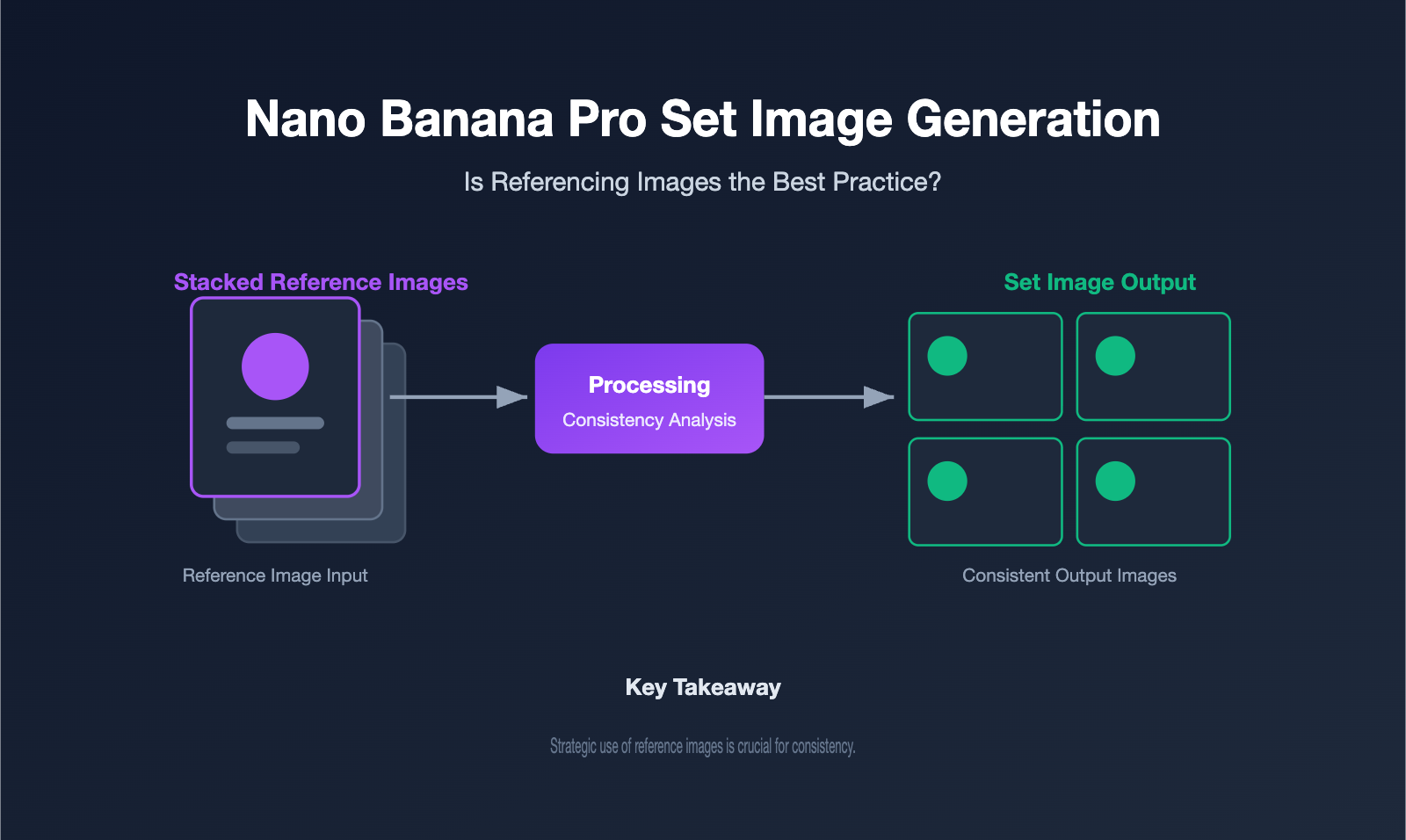
I. The Boundaries of Nano Banana Pro's Set Image Generation Capabilities
Let's first clarify what "set image generation" actually means. Here, we're not talking about combining multiple elements into one image, but rather producing multiple independent images with different content but a unified style and character from a single request. Examples include 4 storyboards for a character or 5 scene images for a set of e-commerce products.
Nano Banana Pro has two key capabilities for this task. First, it can generate multiple independent frames in a single instruction. As long as you clearly request "generate 4 independent images, not one composite image," it will output them frame by frame instead of merging them into one. Second, it can maintain consistency across frames. The official documentation states it can keep the faces and appearances of up to 5 characters consistent across different angles, scenes, and environments, which is precisely what's most valued in set image generation.
The table below lays out its core specifications related to set image generation, making it easier for you to determine if it's suitable for your project.
| Capability Dimension | Nano Banana Pro Performance |
|---|---|
| Multi-Frame Output | Can generate multiple independent images per instruction |
| Character Consistency | Maintains face/appearance consistency for up to 5 characters |
| Reference Image Limit | Up to 14 images (6 high-fidelity) |
| Resolution | 1K / 2K / 4K |
| Text Rendering | Clear multi-language text, infographics |
| Watermark | Automatically embeds SynthID identifier |
It's important to note that generating sets of images means multiple generations or multi-frame outputs, which will significantly increase token and compute consumption. Before you start batch generating images, we recommend using APIYI apiyi.com to integrate with Nano Banana Pro and run a few small test batches to confirm that the style and consistency meet your requirements before scaling up, thus avoiding burning through a large quota all at once.
II. Why Reference Images Are Key to Nano Banana Pro's Group Consistency
To really get the value of reference images, you first need to understand the limitations of text-only prompts. When you describe "a short-haired, glasses-wearing female engineer," the model essentially "imagines" a face probabilistically each time. This leads to variations between images, which is the biggest enemy of group consistency.
Reference images (adding a reference image) transform "imagination" into "reference." When you feed in your first satisfactory character image as a reference, the model doesn't generate from scratch. Instead, it uses that image as an anchor to reproduce facial features, color schemes, and style. Nano Banana Pro can accept up to 14 reference images, with 6 of them contributing with high fidelity. This makes "setting the tone with an image" the most powerful consistency lever in group generation.
Its strength also shines in multi-reference fusion. You can feed in separate reference images for the character, clothing, and scene. The model intelligently analyzes and combines them into natural-looking visuals. This capability means reference images aren't just for "locking the face" but can also "lock the product" or "lock the style," making it ideal for marketing and storytelling projects that require the same protagonist to appear repeatedly. Because it's so crucial, using reference images correctly becomes the dividing line between success and failure in group generation.
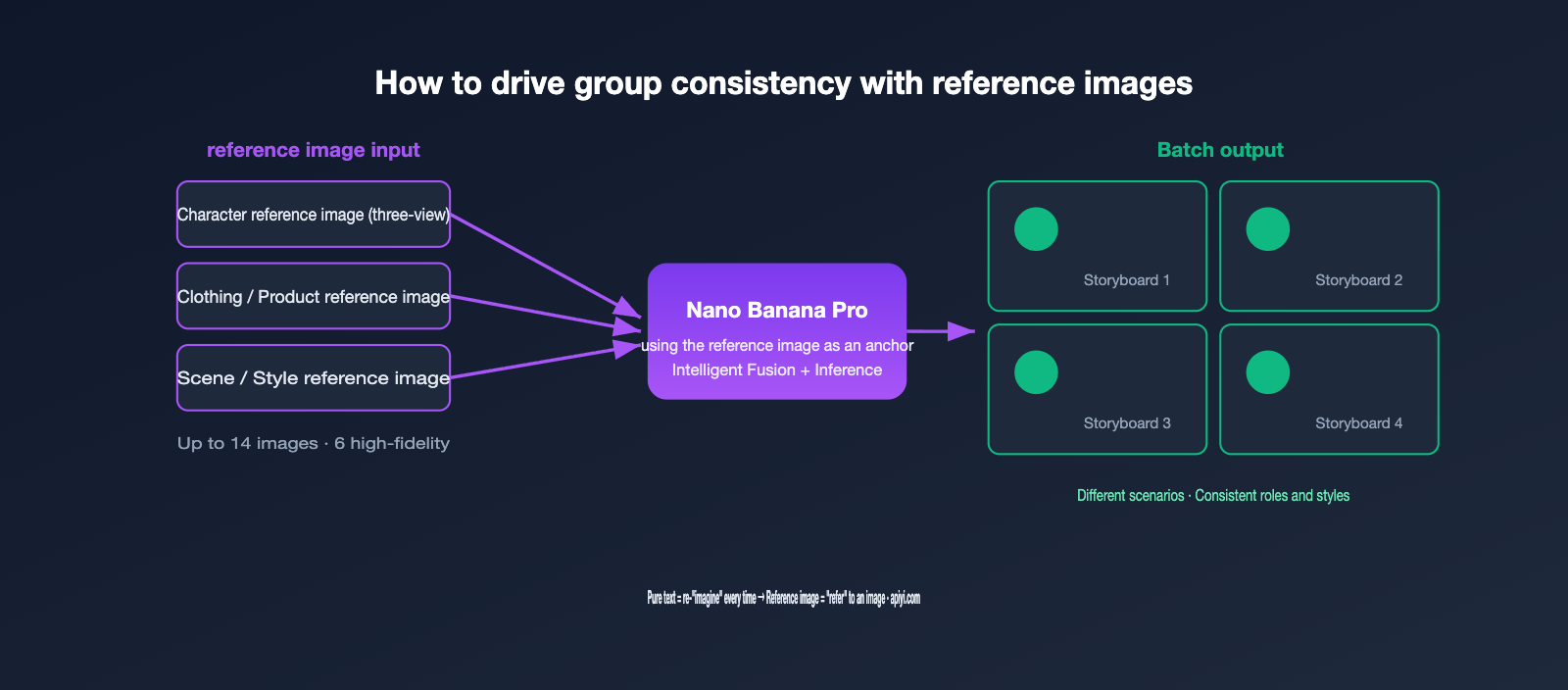
III. Best Practices for Reference Images: 6 Key Techniques
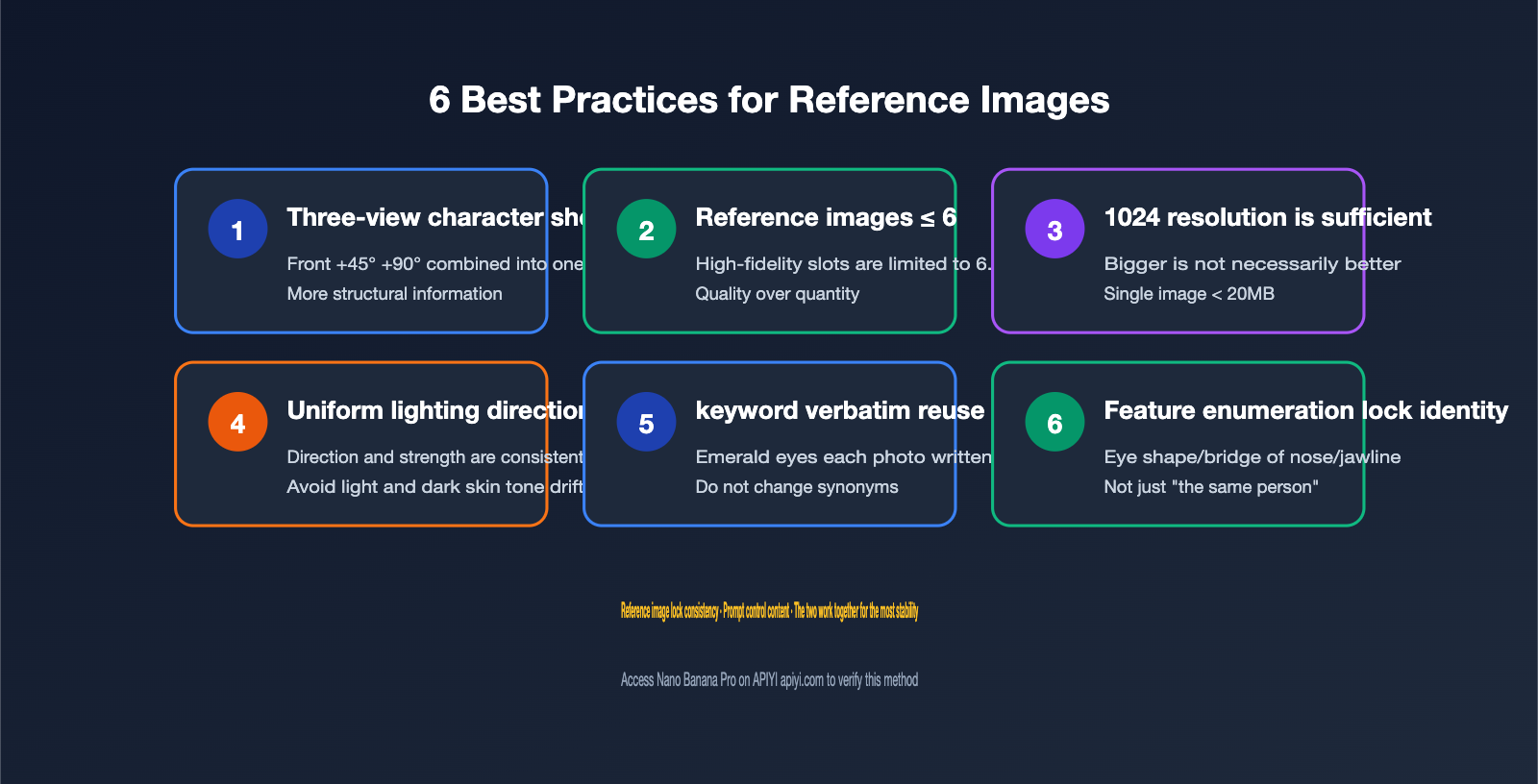
Using reference images isn't as simple as just dropping a picture in. Based on official recommendations and practical experience, we've distilled the most impactful methods into 6 techniques. Following these will significantly improve the stability of Nano Banana Pro's group generation.
- Create a three-view character sheet. Combine front, 45-degree side profile, and 90-degree full side profile into a single reference image. This provides the model with ample structural information, leading to much higher consistency than a single front-facing shot.
- Limit reference images to 6 high-quality ones. While the maximum is 14, only 6 slots offer high fidelity. Too many reference images can dilute structural accuracy, so it's better to have fewer, better ones.
- 1024×1024 resolution is sufficient; larger isn't always better. Practice shows that higher resolution reference images don't necessarily yield better results. Keep individual images under 20MB and use common formats like JPEG, PNG, or WebP.
- Unify the lighting direction in reference images. All reference images should ideally use the same lighting direction and intensity. Conflicting lighting can cause shifts in brightness and skin tone within the generated group.
- Reuse prompt keywords verbatim. If the first prompt says "emerald green eyes," every subsequent prompt should also say "emerald green eyes," not just "green eyes." Token consistency directly impacts visual consistency.
- Use feature enumeration for identity locking. Instead of vaguely saying "the same person," explicitly list "maintain the same eye shape, bridge of the nose, jawline angle, lip proportion, and skin texture as the reference image."
The table below contrasts the key points and common pitfalls for these 6 techniques, making it easy for you to self-check.
| Technique | Correct Practice | Common Pitfall |
|---|---|---|
| Character Sheet | Combine three views into one | Use only a single front-facing photo |
| Number of Refs | ≤ 6 high-quality images | Stuffing in 10+ images |
| Resolution | 1024×1024 | Blindly using 4K reference images |
| Lighting | Consistent direction and intensity | Mixing different lighting sources |
| Prompting | Reuse keywords verbatim | Freely substituting synonyms |
| Identity Locking | Enumerate specific facial features | Only writing "the same person" |
Implementing these 6 points will lead to a noticeable improvement in group consistency. If you want to quickly test this methodology, you can integrate Nano Banana Pro on APIYI at apiyi.com. Repeatedly test different prompt writing styles with the same set of reference images to find the most stable combinations.
IV. Image Padding Isn't a Panacea: When to Use Less or None
Let's circle back to the initial question: is image padding the best practice for generating image sets? It's a core practice, but not the only answer, and certainly not a case of "more is better." Understanding its limitations is key to using it effectively.
There are three scenarios where the benefits of padding diminish or even become a burden. First, when you only need style consistency and not to lock down a specific character, a fixed style description (flat illustration, warm color palette) is often enough. Forcing a reference image can actually limit compositional freedom. Second, when the reference images themselves are of inconsistent quality, low-resolution or poorly lit images will introduce noise into every frame. In such cases, using fewer high-quality reference images yields better results than padding with a bunch of mediocre ones. Third, when creating significant creative variations, overly strong references can make the model hesitant to deviate. If you're aiming for divergence, you should lower the reference weight or switch to pure text prompts.
So, a more accurate statement is: image padding is responsible for "locking consistency," while prompts control "content and style." The real best practice is their collaboration. The table below offers suggestions for method selection based on different image set generation goals.
| Image Set Goal | Recommended Primary Method | Is Image Padding Needed? |
|---|---|---|
| Multiple shots of the same character | Three-view padding + keyword reuse | Strongly needed |
| Multiple scenarios for the same product | Product padding + scene text description | Needed |
| Consistent style, no character lock | Primarily style prompts | Optional/Minimal padding |
| Significant creative divergence | Pure text + low reference weight | Not recommended for heavy padding |
A simple takeaway: Image padding serves "consistency." When your goal isn't consistency but diversity, you should ease up on it. To compare the differences between "image padding" and "pure text" in your specific scenario, APIYI apiyi.com allows you to use the same API key to repeatedly call Nano Banana Pro for A/B testing. A few experiments can help you find the right balance.
V. Generating Image Sets with Nano Banana Pro via API: A Quick Start
Once you understand the principles and techniques, implementing them in code is actually quite straightforward. The core idea is to pass the reference image(s) along with "prompts with keywords reused verbatim" to the model, and explicitly request multiple independent images. Here's a simplified skeleton demonstrating the request logic for generating image sets with reference images.
import requests, base64

# base_url points to APIYI, for unified management of multi-model API keys
URL = "https://api.apiyi.com/v1/chat/completions"
HEAD = {"Authorization": "Bearer YOUR_KEY"}

ref = base64.b64encode(open("character_sheet.png", "rb").read()).decode()
prompt = "Generate 4 independent shots, maintaining the exact same eye shape, hairstyle, and clothing as the reference image; emerald green eyes, flat illustration style"

payload = {
    "model": "nano-banana-pro",  # Specific model ID depends on the platform
    "messages": [{"role": "user", "content": [
        {"type": "text", "text": prompt},
        {"type": "image_url", "image_url": {"url": f"data:image/png;base64,{ref}"}}
    ]}]
}
resp = requests.post(URL, headers=HEAD, json=payload).json()
# Parse the multiple image URLs / base64 returned in resp...
A few practical tips: use a three-view character sheet as your reference image, explicitly state "independent shots" (not "a collage") in your prompt, and reuse keywords verbatim. These three points directly determine the quality of your image set. If you're working on a multi-character project, you can stack multiple reference images (note the limit of 6 high-fidelity images). At APIYI apiyi.com, Nano Banana Pro shares the same interface and API key as other mainstream image models, making it easy for you to switch models for comparative testing without changing your code. More details on integration can be found in the help center at help.apiyi.com.
Six: Multi-turn Editing: Refining Group Images with Nano Banana Pro for Better Consistency
Many overlook a key positioning of Nano Banana Pro: it's one of the models currently best at complex scenes and multi-turn editing. This means your group images don't have to be perfect on the first try. Instead, you can iterate towards your ideal outcome through a series of conversations, much like you'd communicate with a designer. This "iterative image generation" is often more controllable than cramming all your instructions into a single prompt.
In practice, we recommend using the following five-step workflow to produce a set of highly consistent group images. It combines the image-as-reference techniques we discussed earlier with multi-turn editing.
- Establish the Baseline Image. Start by generating and repeatedly refining your first "baseline image" using a three-view character sheet and detailed prompts. This locks in the character, color scheme, and art style from the get-go.
- Lock Keywords. Record the satisfactory features from your baseline image using specific terms to create a fixed prompt list. Reuse this list exactly for every subsequent image.
- Expand Frame by Frame. Using the baseline image as a reference image, and with instructions to "generate independent scenes rather than a collage," generate the remaining images one by one, rather than trying to get them all at once.
- Multi-turn Fine-tuning. For any frame that drifts, initiate an individual editing command. For example, "Adjust only the background of this frame; the character must remain exactly the same." Use multi-turn editing for refinement.
- Final Unified Check. After all images are generated, compare them all together for facial features, color palettes, and lighting. For any frames that still show discrepancies, perform another round of editing.
The table below summarizes the goals and key points for each of these five steps, making it easier to follow along.
| Step | Core Goal | Key Action |
|---|---|---|
| Establish Baseline | Lock in the overall tone | Three-view + detailed prompts |
| Lock Keywords | Fix appearance description | Compile reusable prompt list |
| Expand Frame by Frame | Produce multiple scenes | Baseline as reference + independent scene instructions |
| Multi-turn Fine-tuning | Correct individual drift | Single-frame editing, lock other elements |
| Final Unified Check | Ensure group consistency | Overall comparison + follow-up editing |
The advantage of this process is that it breaks down the risk into each step. If any single frame has an issue, it can be reworked locally without having to restart the entire set. If you're planning to build an automated group image production line, you can integrate Nano Banana Pro on APIYI apiyi.com and script these five steps into reusable workflows. This ensures consistency while keeping the cost of multi-turn editing within a predictable range.
Seven: Frequently Asked Questions (FAQ)
Q1: Can Nano Banana Pro generate a group of images all at once?
Yes. By explicitly requesting in your prompt to "generate N independent scenes, not a single collage," it will output multiple distinct images frame by frame, striving to maintain character and style consistency.
Q2: Is using reference images the best practice?
It's a core practice, but it needs to be used correctly. Reference images are for locking in consistency, suitable for scenarios where the same character or product appears repeatedly. If you only need style consistency or significant creative divergence, using prompts alone might be more flexible. The best approach is to combine reference images with prompts, rather than just piling on reference images.
Q3: Are more reference images always better?
No. While the upper limit is 14 images, only 6 can be used for high-fidelity fusion. The more images you use, the more the structural accuracy can be diluted. It's recommended to stick to 6 high-quality reference images; quality takes precedence over quantity.
Q4: What resolution should reference images be?
1024×1024 is usually sufficient. Higher resolutions don't necessarily yield better results. Keep individual images under 20MB and use common formats. You can test different reference image resolutions on APIYI apiyi.com to verify.
Q5: Why does my group's character always drift?
Most likely, the prompt keywords aren't being reused verbatim, or the identity description is too vague. Unify "green eyes" to "emerald green eyes" and enumerate specific facial features to lock the identity; this will significantly reduce drift.
8. Summary
Let's get back to the main point: the key to Nano Banana Pro batch image generation isn't about whether you can produce multiple images at once, but whether those multiple images can maintain consistency. The reference image (or "padding image") is the strongest leverage for this – it shifts the model from "reimagining each time" to "using an image as a reference." This is precisely why it's widely considered the core best practice for batch image generation.
However, "core" doesn't mean "exclusive." A truly mature approach involves a combination of techniques: a three-view character sheet, up to 6 high-quality reference images, consistent lighting, verbatim keyword reuse, and feature enumeration to lock identity. You then flexibly decide whether to use reference images and how many, based on whether your goal is "consistency" or "diversity." By effectively combining reference images with your prompts, you can consistently produce a set of images with a unified style.
If you'd like to personally test every technique mentioned in this article, APIYI at apiyi.com offers a unified interface for models like Nano Banana Pro, along with usage dashboards. It's a convenient starting point for batch image generation experiments, comparing reference image strategies, and managing costs.
This article is reference content compiled by the APIYI technical team based on practical experience. Model specifications and parameter limits are subject to real-time official and platform information.

