

Abstract: This article explains how to determine the free trial quota for an AI product, and lays out a method for estimating budget from real invocation costs and adjusting it through data reviews.
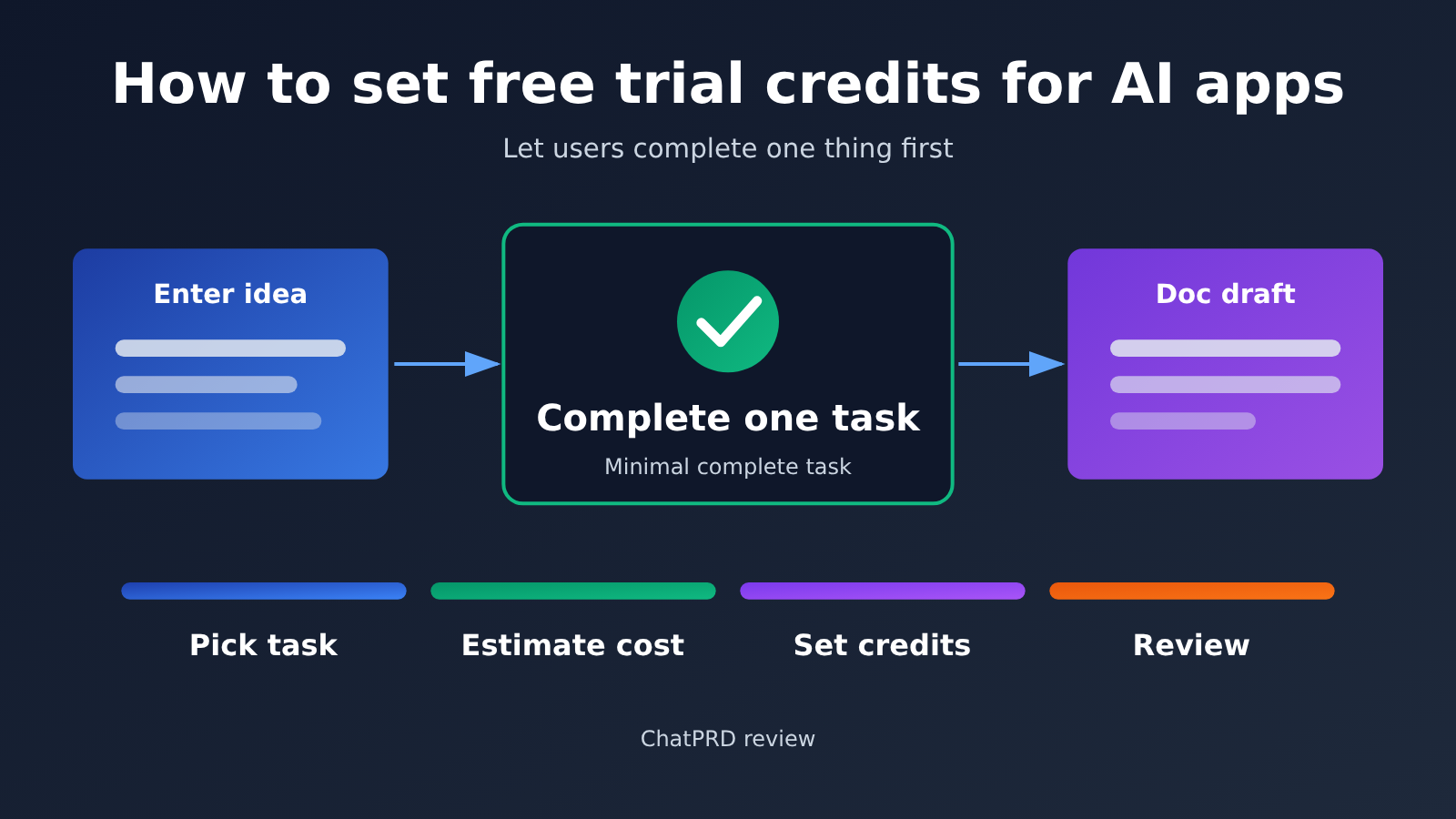
Conclusion up front: the free trial quota for an AI product should be built around one thing
You shouldn’t start setting an AI product’s free trial quota with token counts or “how many credits to hand out.” Start with the one thing you want users to complete during the trial. The product team first needs to define the smallest complete task where users immediately feel the value, then measure with real samples how much invocation cost it takes to finish that task, and finally multiply by a reasonable number of trial tasks to arrive at the per-account quota and the overall budget.
That answer hinges on three conditions. The first is whether the task can actually be completed within the trial scope — a task users can’t finish is hard to convert no matter how much quota you give them. The second is whether the cost comes from real samples, including input, output, retries, and any applicable caching or tool fees. The third is whether, when the quota runs out, users clearly understand what they got and what they can do next.
ChatPRD’s retrospective offers a real-world reference point: a poorly set trial quota leads to cost losses, while shutting trials off entirely hurts customer acquisition just as much. So what you need to do is design the trial as something you can calculate and review — not choose between “fully on” and “fully off.”
A Knowledge Map and Index for Designing Free Trial Credits
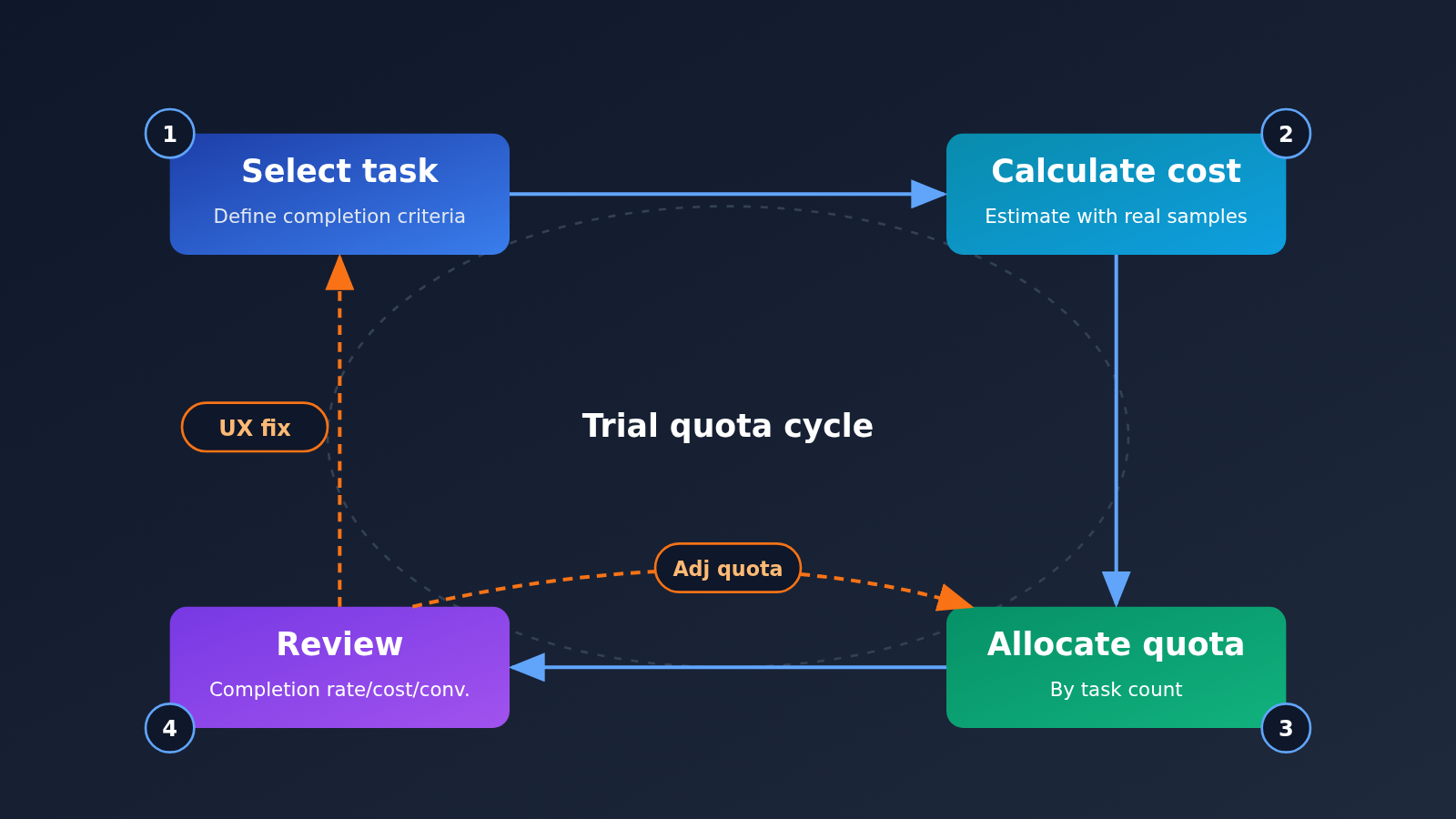
The table below serves as both a knowledge map and a reading index. The four steps are listed in execution order—the output of one step becomes the input for the next.
| Step | Corresponding sections | Why do it | What you need | What you get |
|---|---|---|---|---|
| Choose the task | 2, 2.1, 2.2 | Credits only make sense when they’re used to complete something valuable | The product’s core value, the first need of a typical user | A minimal task with clear completion criteria, plus the boundaries of what the trial can do |
| Calculate cost | 3, 3.1, 3.2 | Without a per-call cost, both credits and budget are just guesswork | Real invocation samples, model unit price, retries and add-on fees | Cost per completed task, cost per account, total budget cap |
| Allocate credits | 3.3, 4 | Users need to understand how many tasks their credits can cover, not how many tokens they get | Cost per account, number of tasks, the message shown when credits run out | Credits expressed as “number of tasks,” plus a clear out-of-credits message |
| Review | 4.1 | The effectiveness of credits must be validated with data to decide whether to change the experience or the credits | Completion rate, cost per completer, paid conversion data | Direction for the next round of adjustments |
The recommended reading order is from Section 1 to Section 4. Section 1 sets the background and helps you avoid misreading the ChatPRD case. Section 2 presents the example task; all calculations in Section 3 are based on that task. The review metrics in Section 4 then feed back into the assumptions in Sections 2 and 3, forming a loop. If you already have a clear core task, you can start directly from Section 3.
To Know: Essential Terms for Understanding Free Trial Quota Sizing
| Term | Brief explanation |
|---|---|
| Token | The unit large language models use to measure the length of input and output text. Most model APIs charge separately for input and output tokens. |
| Minimum complete task | One thing a user can complete independently during a trial and directly feel the product’s value. It’s the basic unit of quota design. |
| Retry | Regenerating because the user isn’t satisfied with the result, or calling again after a failed request—both add extra cost. |
| Cost per completion | The average invocation cost of completing one minimum complete task, including retries and any applicable additional fees. |
| First effective task completion rate | The share of trial users who fully complete a core task at least once. |
1. ChatPRD Retrospective: What Happened When the Free Trial Quota Went Wrong
1.1 Key facts from the retrospective
ChatPRD founder Claire Vo published a retrospective on 2026-11-16 about token fraud eating into AI product profits. She said she had spent tens of thousands of dollars on it over nearly a year and had once shut down the free trial, which hurt customer acquisition and enterprise sales lead generation.
There’s also a number in the retrospective that’s easy to misread: nearly $200,000. That’s the amount of failed payment attempts, not actual losses. When you relay this case, keep “tens of thousands of dollars already spent” separate from “nearly $200,000 in failed payment attempts”; otherwise you’ll seriously overstate the scale of the problem.
1.2 Don’t conclude from this case that you should cancel trials
ChatPRD’s current public pricing page still lists a free plan, and its Pro and Teams plans offer a 14-day trial. So this retrospective shouldn’t be read as ChatPRD having canceled all free trials—and you definitely shouldn’t extrapolate one product’s experience to the whole industry.
The real lesson here cuts both ways. Abuse of trial quota directly eats into profit, while turning trials off drives away genuine prospective users and enterprise customers. What product teams need is a quota design approach that lets real users feel the value while keeping the subsidy cost fully accounted for. The next few sections focus on that goal.
2. Designing Free Trial Quota Around “Generate an Editable PRD Draft”
To give the later calculations something concrete to work with, let’s use a demonstration task: the user inputs a product idea and ends up with a PRD draft they can keep editing. I picked this one because it’s the closest to what product managers actually do, and users can immediately tell whether “this thing is useful” once they get the result.
One thing to clarify: this is just an example task to demonstrate the method—it doesn’t represent ChatPRD’s actual trial design. Your product can swap it out for “generate a competitor analysis,” “rewrite a piece of marketing copy,” or “complete a code review.” The method stays the same.
2.1 Defining the Completion Criteria for a Free Trial Task
Completion criteria need to be checkable—ideally something you can determine by instrumenting your product data. For “generate an editable PRD draft,” you could define it like this:
- The user submitted a product idea and answered the necessary clarifying questions.
- The system generated a structurally complete draft containing at least the background, target users, core requirements, and acceptance criteria sections.
- The user edited the draft at least once or requested revisions, indicating the content entered their actual workflow.
- The user exported, copied, or saved the draft.
Criteria 3 and 4 are what separate “looked at it” from “actually used it.” Generating without editing or saving usually means the result didn’t win the user over—counting this kind of trial as a completion will distort your later retrospective data.
2.2 Choosing Which Features and Boundaries Are Available During the Free Trial
Feature boundaries determine which capabilities a user needs to call to complete the task, and they directly shape the cost structure. The features you open up during the trial should just cover what the completion criteria require—there’s no need to unlock every advanced capability at once.
- Should be open: clarifying dialogue, draft generation, edits based on the conversation, and export or copy. These are unavoidable steps for completing the task; without any one of them, the user can’t finish.
- Can be restricted: long document uploads, web retrieval, multi-document comparison, and other high-cost or non-essential capabilities. You can save these for paid plans as a reason to upgrade.
- Need caps: input length per submission, number of revision rounds per draft. The point of caps is to make costs predictable, not to make things hard on users.
Once the boundaries are set, you can list the typical call path for completing a single task. The cost estimation in Section 3 just follows this path and adds things up step by step.
3. Estimating the subsidy budget for free trial credits based on real usage
This section boils down to a single formula: the trial budget equals the invocation cost of completing the target task multiplied by a reasonable number of trial tasks. That cost needs to come from real samples, tallying input, output, applicable cache or tool fees, and retries. The overall budget cap and the message shown when credits run out are set separately by the product team.
3.1 Calculating the cost of one completion from real samples
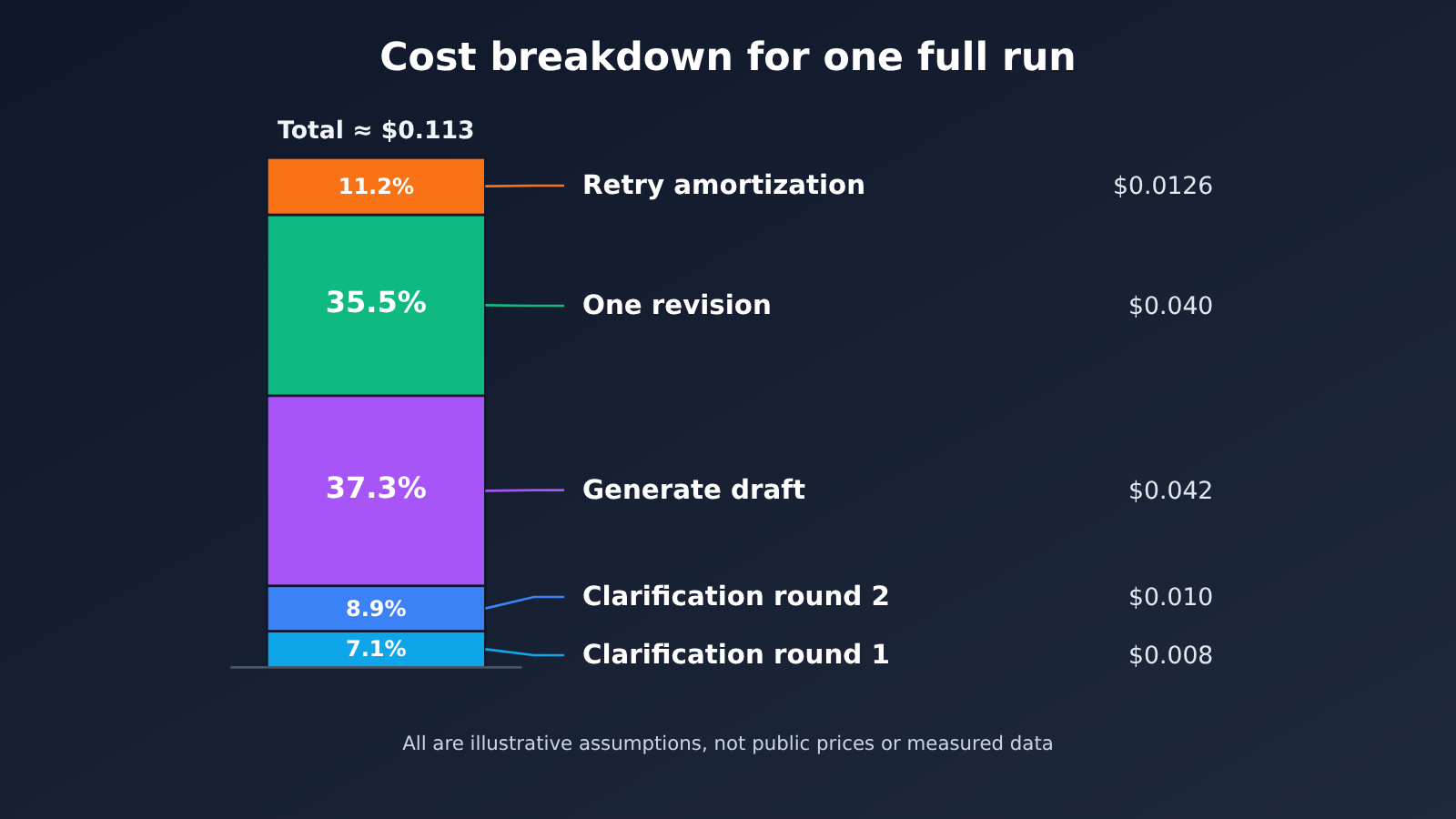
A quick note on methodology first: the token counts, retry rates, and unit prices in the table below are all hypothetical values set up for demonstration only. They aren’t the published prices of any model, nor are they measured data. In practice, you should swap these numbers for real invocation logs from internal testing or beta users.
If your model invocation goes through an aggregation platform, you can pull the numbers by cross-referencing the platform’s published model pricing page with its log query feature — say, APIYI’s model pricing docs and log query docs. Keep in mind that these platforms only supply cost data; the trial policy itself is still something the application team designs.
Example assumptions: input priced at $2 per million tokens, output at $8 per million tokens, no tools like web access, and a cache discount of 0.
| Step | Input tokens (hypothetical) | Output tokens (hypothetical) | Cost per run (USD) |
|---|---|---|---|
| Clarification dialogue, round 1 | 2,000 | 500 | 0.008 |
| Clarification dialogue, round 2 | 3,000 | 500 | 0.010 |
| Draft generation | 5,000 | 4,000 | 0.042 |
| One revision | 10,000 | 2,500 | 0.040 |
| Subtotal | 20,000 | 7,500 | 0.100 |
| Retry (assuming 30% of users regenerate a draft once) | — | — | 0.0126 |
| Cost of one completion | — | — | about 0.113 |
The math is straightforward: each step’s cost is input tokens times the input price, plus output tokens times the output price. The revision step has a noticeably larger input because it has to carry the whole prior conversation plus the full draft along with it — a common trait of multi-turn task costs. Retries are counted only for the draft generation step, since that’s where they happen most often, amortized in at $0.042 × 30%.
3.2 From Cost per Completion to Per-Account and Total Budget
Once you know the cost per completion, you can decide how many tasks each trial account should be allowed to complete. In this example, we set it to 3: the first one is for a hands-on experience, and the next two let users try it out on their own real projects. This number is also an assumption—it depends on how many tries your users typically need before they can form a judgment.
| Budget item | Calculation | Example result (assumed) |
|---|---|---|
| Cost per completion | Sample statistics from 3.1 | About $0.113 |
| Trial tasks per account | Set by the product team based on how users make decisions | 3 |
| Per-account cost cap | Cost per completion × number of tasks | About $0.34 |
| Estimated monthly new trial accounts | From the customer acquisition plan | 5,000 |
| Monthly budget cap | Per-account cost cap × number of accounts | About $1,690 |
What you get here is the upper limit when every user uses their full allowance. Actual spending is usually lower, because many users leave after only one or two tries or go straight to paying. The product team can set an overall budget on top of this cap. If actual spending clearly exceeds expectations, that means either abnormal usage has appeared or the sample criteria are off, and you need to go back to 3.1 and check again.
3.3 A Fill-in-the-Blanks Budget Template for Free Trial Quotas
Combine the steps above into a blank template your team can fill in with its own data:
| Item to Fill In | Your Data | Data Source |
|---|---|---|
| Name of the smallest complete task | Task definition in Section 2 | |
| Average input tokens per step | Actual invocation logs | |
| Average output tokens per step | Actual invocation logs | |
| Input and output token prices | Public pricing page for the model you use | |
| Applicable caching or tool costs | Billing statements or pricing documentation | |
| Typical retry rate and affected steps | Event tracking data | |
| Cost per completed task | Sum of the items above | |
| Trial tasks per account | Product decision | |
| Expected number of trial accounts | Customer acquisition plan | |
| Total budget cap and how overages are handled | Joint decision by product and finance |
Once it’s filled in, present the quota externally as a “number of tasks” rather than tokens or credits—for example, “You can generate 3 PRD drafts during the trial period.” Users can immediately understand how much the quota helps them get done, while your team can still reconcile it internally against the cost cap.
4. Clear messaging when the free trial quota runs out
The moment the quota runs out is the key decision point where users decide whether to pay. If the message is vague, users assume the product is broken; if it’s blunt, users feel the earlier experience was just bait. A good message should contain three kinds of information:
- What they’ve already gotten: for example, “You’ve completed 3 PRD drafts, all saved in your project” — so users can confirm their trial output is still available.
- What they can’t do right now: clearly state which action requires quota, so users aren’t blocked halfway through an operation.
- What they can choose next: such as continuing with the basic features in the free plan, upgrading to a paid plan, or contacting the team about enterprise options.
One more detail is worth designing in advance: try not to exhaust the quota halfway through a task. Before starting a new task, check whether the remaining quota is enough to finish it, and if not, warn the user before they begin. That way users feel “I got a few things done,” not “I was interrupted halfway through.”
4.1 Reviewing the free trial quota: change the experience or change the quota
Once the trial is live, use three metrics to pinpoint where the problem lies:
- First meaningful task completion rate: the share of trial users who fully complete at least one task according to the 2.1 standard — this reflects whether the trial experience flows smoothly.
- Cost per completer: total trial cost divided by the number of completers — this reflects how much subsidy you’re paying for each user who “felt the value.”
- Paid conversion: the share of completers who ultimately pay — this reflects whether the value is enough to support a purchase decision.
Only by looking at these three metrics together can you decide what to adjust:
| Data pattern | Likely cause | Direction of adjustment |
|---|---|---|
| Low completion rate, high cost per completer | Users get stuck mid-task, and the subsidy goes to people who never finish | Change the experience: simplify steps, improve onboarding, check whether the feature boundary omits a required capability |
| Low completion rate, with many users exhausting quota mid-task | The cost of a single task was underestimated, so the quota isn’t enough to finish one thing | Change the quota: recalculate the completion cost with a new sample, or narrow the task scope |
| High completion rate, low paid conversion | Tasks can be completed, but the value isn’t worth paying for, or the quota is so generous users have no reason to upgrade | Check task value first, then consider reducing the number of tasks |
| High completion rate, normal conversion, rising cost per completer | More retries or longer inputs | Go back to 3.1 to investigate retry causes and context length |
A recommended order for diagnosis: completion rate first, then cost, then conversion. When the completion rate falls short, adjusting the quota usually doesn’t help — users aren’t even finishing one thing, so more quota just amplifies waste. Once the completion rate is stable, use cost and conversion to fine-tune the task count and total budget, then return to Section 2 to check whether the task definition needs updating.
Once this whole method is in place, you should be able to answer a specific question: for each additional trial user who genuinely feels the value, how much does the product spend, and how much paid revenue does that money bring in? When you can do that math, the free trial quota stops being an uncontrollable expense and becomes an acquisition channel you can continuously optimize.
A journey of a thousand miles begins with a single step. — Laozi
References
-
ChatPRD founder Claire Vo’s retrospective post: on how token fraud eats into AI margins, and what to do about it
- Link:
chatprd.ai/how-i-ai/token-fraud-is-eating-ai-margins-here-s-how-claire-vo-is-fighting-it - Notes: source for the case facts in Section 1 of this article
- Link:
-
ChatPRD pricing page: details on the current free plan and the 14-day trials for Pro and Teams
- Link:
chatprd.ai/pricing - Notes: used to confirm the product’s current trial policy
- Link:
-
APIYI model pricing docs: public pricing for each model
- Link:
docs.apiyi.com/models - Notes: can be used to look up unit prices and fill in the budget table in 3.3
- Link:
-
APIYI call log query docs: querying call records and usage
- Link:
docs.apiyi.com/api-capabilities/log-query - Notes: can be used to tally input and output tokens, plus retry behavior, in real samples
- Link:


